
HX850W - Power supply CORSAIR - Free user manual and instructions
Find the device manual for free HX850W CORSAIR in PDF.


| Product Type | Computer Power Supply |
| Brand | CORSAIR |
| Model | HX850W (CMPSU-850HX) |
| Rated Power | 850 W |
| Input Voltage | 100-240 V AC, 50/60 Hz |
| Output Rails | +3.3 V (25 A), +5 V (25 A), +12 V (70 A), -12 V (0.8 A), +5Vsb (3 A) |
| Max combined +12V power | 840 W |
| Maximum Efficiency | Up to 90% |
| Power Factor Correction (PFC) | Active PFC up to 99% |
| Fan | 140 mm, dual ball bearing, thermal regulation |
| Dimensions (L x W x H) | 180 x 150 x 86 mm |
| Estimated Weight | Approximately 2.2 kg |
| Warranty | 7 years (84 months) |
| MTBF | 100,000 hours |
| Built-in Protections | Overcurrent, overvoltage, overload, undervoltage, short circuit |
| Cabling | Modular, extra-flat flat cables |
| Supported Standards | ATX12V 2.3, EPS12V 2.91, backward compatible with ATX12V 2.01 |
| Box Contents | Power supply, modular cables, AC cord, user guide, cable ties, screws, badge |
| Installation | Follow the user guide, connect modular cables (blue for PCI-E, black for peripherals) |
| Maintenance and Cleaning | Disconnect the power supply before any cleaning. Use a dry cloth to dust the ventilation grilles. |
| Safety | Do not open the case (high voltages). Use only original Corsair modular cables. |
| Spare Parts and Repairability | No user-serviceable parts. Contact Corsair support for any defects covered by the warranty. |
Frequently Asked Questions - HX850W CORSAIR
User questions about HX850W CORSAIR
0 question about this device. Answer the ones you know or ask your own.
Ask a new question about this device
Download the instructions for your Power supply in PDF format for free! Find your manual HX850W - CORSAIR and take your electronic device back in hand. On this page are published all the documents necessary for the use of your device. HX850W by CORSAIR.
USER MANUAL HX850W CORSAIR
natural_image
Close-up of solar panels arranged in a grid pattern on a textured surface (no text or symbols visible)User's Manual
Corsair HX750W/HX850W Benutzerhandbuch Manuel d'utilisation du Corsair HX750W/HX850W Manuale utente Corsair HX750W/HX850W Corsair HX750W/HX850W Manual del Usuario
English Page 3
Français Page 9
Deutsch Page 15
Italiano Page 21
Español Page 27
Русский Page 33
简体中文 Page 39
日本語 Page 45
Congratulations on the purchase of your new
Corsair 750/850W Professional Power Supply!
This User Agreement (the “Agreement”) is a legal agreement between you (“You”), and Corsair Memory. You are agreeing to be bound by the terms of this agreement, as defined below, by using the Corsair 750W/850W PROFESSIONAL power supply (“Product”). If you have any questions or concerns about the terms of this agreement, please contact us at http://www.corsair.com/company/contacts.aspx. If, prior to using the Product, you decide you are unwilling to agree to the terms of this agreement, promptly return the Product and the accompanying items (including written materials and binders or other containers) to Corsair Memory or the Corsair Memory authorized distributor from whom you obtained the Product and accompanying items. If you have already paid for the Product, provide us with your proof of purchase and we will refund the fees you have paid for these items to you.
Limited Warranty And Limitation of Liability
The Product is guaranteed for eighty-four (84) months from the date of delivery to the end-user against defects in materials or workmanship. During this period, the Product will be repaired or have parts replaced, at our discretion, provided that: (I) the Product is returned to the agent from whom it was purchased with shipping prepaid; (II) the Product has been purchased by the end-user and not used for hire purposes; (III) the Product has not been misused, handled carelessly, or other than in accordance with any instructions provided with respect to its use; (IV) the Product has not been damaged due to acts of nature, such as lighting, fire, flood, or earthquake; (V) the warranty stickers have not been removed or tampered with.
Corsair Memory's warranty on the Product is to the first end user or consumer only, in accordance with the Corsair Memory's Limited Warranty. All warranties express or implied, including without limitation the implied warranties of merchantability and fitness for a particular purpose, shall be limited to the duration of the guarantee above. The repair, replacement, or refund as provided under this express limited warranty is the exclusive remedy of the consumer, and is provided in lieu of all other warranties, express or implied. In no event shall Corsair Memory be liable, whether in contract or tort (including negligence) for damages in excess of the purchase price of the product, or accessory, or for any indirect, incidental, special or consequential damages of any kind, or loss of revenue or profits, loss of business, loss of information or data, software or applications or other financial loss arising out of or in connection with the ability or inability to use the products or accessories to the full extent these damages may be disclaimed by law.
Corsair Memory's total liability, whether for breach of contract, warranty, tort (including negligence), indemnification or otherwise, is limited to the price of the Product sold under these terms with respect to which losses or damages are claimed. In no event will Corsair Memory be liable for any loss of use, loss of time, inconvenience, commercial loss, lost profits or savings or other indirect, incidental, special or consequential damages to the full extent that may be disclaimed by law. The limitations, exclusions and disclaimers in these terms shall survive a fundamental breach or breach or the failure of the essential purpose of these terms or of any remedy contained herein. No action will be brought for any breach of these terms more than one year after the accrual of such cause of action. For the purpose of this paragraph, "Corsair Memory" includes its affiliates and its and their respective directors, officers, employees and agents, each of whom shall be considered as a trust beneficiary.
Introduction
Corsair Professional Series power supplies set a new standard by which all premium PSUs must be judged. Designed and engineered using cutting-edge technology, each Corsair Professional Series power supply is built to the highest quality standards, and delivers the features and performance that technology enthusiasts demand.
Corsair Professional Series power supplies are built using Industrial Grade electrical components, ensuring the stable, clean and reliable voltages that are essential for high-end gaming PCs and workstations.
Professional Series PSUs are rigorously tested at 100% load and an ambient temperature of 50^ C, guaranteeing stability and reliability even in the most demanding, multi-core, multi-graphics card systems.
Corsair Professional Series PSUs feature a sophisticated energy-efficient circuitry design that ensures maximum energy savings and minimal heat generation. High energy efficiency ratings coupled with high-quality, large-diameter, temperature-controlled fans make the Corsair Professional Series PSUs among the coolest and quietest PSUs in the world.
Corsair Professional Series power supplies boast an innovative cabling configuration that uses low-profile, flat modular cables that reduce air friction to help maximize airflow through the computer chassis. The modular design also simplifies installation as it allows unprecedented flexibility in utilizing only those cables which are needed.
The Corsair Professional Series is backed by an industry-leading 7-year warranty, and comprehensive customer support via telephone, email, forum and the Tech Support Express helpdesk.
Corsair Professional Series power supply units - designed for enthusiasts.
Corsair Advantages
- Flat Modular Cables- Low-profile cable design allows for superior airflow and complete flexibility to choose only the cables that you need.
- 140mm Thermally Controlled Fan - Ultra-quiet, double-ball bearing fan intelligently throttles fan speed based on temperature.
- 105°C Solid State capacitors – Solid-state capacitors rated at 105°C for uncompromised performance and long-term reliability.
- DC-to-DC Converter -DC-to-DC conversion for 3.3V and 5V voltage rails for best-in-class efficiency.
Corsair HX750W Specifications
Model: CMPSU-750HX
AC INPUT RATING
100-240V \~ 12A 50/60Hz
DC OUTPUT RATING
| DC OUTPUT | +3.3V | +5V | +12V | -12V | +5Vsb |
| MAX CURRENT | 25A | 25A | 60A | 0.8A | 3A |
| MAXIMUM COMBINED WATTAGE | 150W | 720W | 9.6W | 15W | |
TOTAL POWER: 750W

natural_image
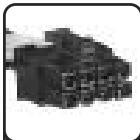
Close-up of a black mechanical component or tool (no visible text or symbols)ATX 24-pin & 20-pin compatible
HX750W x1 HX850W x1
natural_image
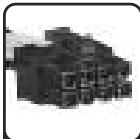
Pixelated abstract shape with no discernible text or symbolsEPS/ATX12V 8-pin & 4-pin compatible
HX750W x1 HX850W x1
natural_image
Pixelated image of a dark, irregularly shaped object with no visible text or symbolsPCI-Express 8-pin & 6-pin compatible
HX750W x4 HX850W x6
natural_image
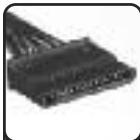
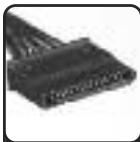
Close-up of a black electronic component with multiple leads (no visible text or symbols)SATA connectors
HX750W x12 HX850W x12
natural_image
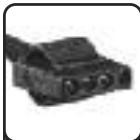
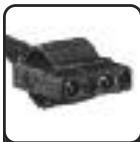
Close-up of a black electronic component with two ports (no visible text or symbols)4-pin peripheral connectors
HX750W x8 HX850W x12
natural_image
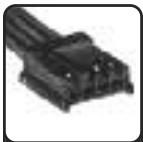
Close-up of a black plastic electrical connector (no visible text or symbols)Floppy connectors
HX750W x2 HX850W x2
Corsair HX850W Specifications
Model: CMPSU-850HX
AC INPUT RATING
100-240V \~ 12A 50/60Hz
DC OUTPUT RATING
| DC OUTPUT | +3.3V | +5V | +12V | -12V | +5Vsb |
| MAX CURRENT | 25A | 25A | 70A | 0.8A | 3A |
| MAXIMUM COMBINED WATTAGE | 150W | 840W | 9.6W | 15W | |
TOTAL POWER: 850W
Corsair Core Features
The 750W/850W PROFESSIONAL is packed with the latest technology and features:
- Guaranteed to sustain its full rated wattage at an ambient temperature of 50^
- Up to 90% energy-efficiency under real-world load conditions
- Single +12V rail design providing up to 70A (60A for 750W)
- Multi-GPU ready
- 105^ C solid-state capacitors
• Active Power Factor Correction (PFC) with PF value of 0.99 - Supports ATX12V 2.3 and EPS12V 2.91 standards. Backwards compatible with ATX12V 2.01.
• Auto switching circuitry for universal AC input from 90-264V
• Over Current/Voltage/Power Protection, Under Voltage Protection and Short Circuit Protection provide complete component safety - Dimensions: 150mm(W) x 86mm(H) x 180mm(L)
• MTBF: 100,000 hours
Package Contents
- Corsair 750W/850W PROFESSIONAL Power Supply Unit with captive 24-pin main power connector, 8-pin EPS/12V connector and dual PCI-E 8-pin (6+2) cables.
- Corsair enhanced modular cable set
- User manual
- AC power cord
- Cable ties
- Mounting screws
- Corsair case badge
Installation
Before proceeding with installation, please read through this manual in its entirety. Please also read through the installation manuals of any components from other hardware manufacturers that you intend to connect to this Power Supply Unit. This guide is meant to be used in conjunction with all the installation guides for your components.
Step A: Building a brand new system:
(If you are replacing your existing power supply, please go to step B.)
1 Please make sure the 750W/850W PROFESSIONAL is not connected to the AC power cord.
2 Following the directions in your chassis manual, install the 750W/850W PROFESSIONAL in your computer case using the screws provided.
3 The main 24-pin ATX power connector on the 750W/850W PROFESSIONAL has a detachable 4-pin section to support either a 24-pin or a 20-pin socket on the motherboard.
4 If your motherboard has a 24-pin socket, you may attach the 24-pin ATX power connector from the 750W/850W PROFESSIONAL directly to your motherboard.
5 If your motherboard has a 20-pin socket, you must detach the 4-pin cable from the 24-pin ATX power connector, and then plug the 20-pin connector into your motherboard without connecting the 4-pin section.
WARNING: The detachable 4-pin section from the 24-pin main connector is not a "P4" / "4-pin ATX12V" connector. Serious damage can result from using the detached 4-pin section in place of a "P4" / "4-pin ATX12V" connector.
6 The 8-pin EPS12V connector can be separated and used as a P4 / 4-pin ATX12V connector. If your motherboard is equipped with a P4 / 4-pin ATX12V socket instead of an 8-pin EPS12V socket, simply separate the 8-pin EPS12V connector into two and plug one of the halves into your motherboard. It does not matter which half you choose.
7 If your motherboard has an 8-pin EPS12V socket, connect the 8-pin EPS12V connector directly to your motherboard. Some motherboards have two 8-pin EPS12V sockets. If your motherboard has two 8-pin EPS12V sockets then ensure you connect 8-pin EPS12V cables to both of them.
8 Connect the modular cables as needed. Modular cables with blue connectors are PCI-E power cables, while modular cables with black connectors are for peripheral devices, such as case fans, disk drives and floppy drives.
9 The 750W/850W PROFESSIONAL includes 8 (750W) or 12 (850W) Peripheral cables (4-pin Molex), 6 (750W) or 8 (850W) PCI-Express (6+2 Pin) cables, and 12 SATA connectors.
10 Connect SATA or Peripheral 4-pin Molex connectors to the hard disk drives or SSDs (repeat for additional hard disk drives and SSDs). Do not connect both a SATA power connector and a Peripheral 4-pin Molex connector to the same drive, unless directed to do so by the drive manufacturer.
11 The PCI-E connectors supplied with your 750W/850W PROFESSIONAL power support video cards with both 6-pin and/or 8-pin PCI-E power sockets. Connect the appropriate PCI-E cable(s) to the power socket(s) of your PCI-E video card if required. If your video card requires two PCI-E power connectors, do not connect a hard-wired/captive PCI-E connector and a modular connector to the same video card. It is recommended to use either hard-wired/captive cables or modular cables, but not both on the same video card.
12 Connect all peripheral devices that require Peripheral 4-pin Molex connections such as fans and optical drives.
13 After you have connected the cables to all your devices, you may connect the other end of the modular cables to the 750W/850W PROFESSIONAL. The blue connectors attach to the blue sockets on the power supply, and the black connectors attach to the black sockets on the power supply.
14 Please make sure all the cables are seated securely.
15 Connect the AC power cord to the 750W/850W PROFESSIONAL and turn on the 750W/850W PROFESSIONAL by pushing the switch to the "I" position.
Congratulations! You have completed the installation of the 750W/850W PROFESSIONAL power supply and your system is ready to go!
Step B: Replacing your existing power supply
1 Disconnect the AC power cord to your wall outlet or UPS from the existing power supply.
2 Disconnect all the power cables from your video card(s), motherboard and all other hard disk drives, SSDs and peripheral devices.
3 Follow the directions in your chassis manual and uninstall your existing power supply.
4 Go to Step A.
Safety and Agency Approvals
CE EN55022:1998/A1:2000/A2:2003 CLASS B EN 61000-3-2:2000,
EN 61000-3-3:1995/A1:2001 EN55024:1998/A1:2001/A2:2003
FCC FCC Part 15 & Part 2 (CISPR 22 CLASS B)
C-TICK AS/NZS CISPR 22:2002 CLASS B
UL UL 60950-1
CSA CSA C22.2 NO. 60950-1
TUV EN 60950-1
CB IEC 60950-1
Warnings
- Due to the high voltages inside the power supply, under no circumstances should the power supply cover be removed. The warranty will be void if the cover is removed.
- Please operate the power supply in a safe and dry environment.
- Do not insert any objects into the open ventilation or fan grill area of the power supply.
- Please use ONLY genuine Corsair modular cables with Corsair 750W/850W PROFESSIONAL Power Supply. Third party cables might not be compatible and could cause serious damage to your system and power supply. The use of third-party cables will void the warranty.
- The 24-pin ATX power connector has a detachable 4-pin section. This 4-pin section is not a P4 / ATX12V connector. Please DO NOT force this cable in the P4 / ATX12V socket on the motherboard.
- For indoor use only.
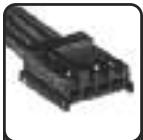
natural_image
Close-up of a dark, textured object resembling a mechanical part or tool (no visible text or symbols)ATX 24-pin & 20-pin compatible
HX750W x1 HX850W x1
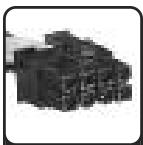
natural_image
Pixelated black-and-white image of a textured block (no text or symbols visible)EPS/ATX12V 8-pin & 4-pin compatible
HX750W x1 HX850W x1
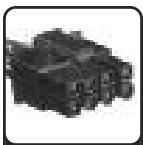
natural_image
Pixelated abstract shape with no discernible text or symbolsPCI-Express 8-pin & 6-pin compatible
HX750W x4 HX850W x6
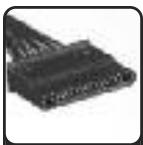
natural_image
Close-up of a black electronic component with multiple leads (no visible text or symbols)SATA connectors
HX750W x12 HX850W x12
natural_image
Close-up of a black electronic component with two leads (no visible text or symbols)4-pin peripheral connectors
HX750W x8 HX850W x12
natural_image
Close-up of a black electrical connector or terminal block (no visible text or symbols)Floppy connectors
HX750W x2 HX850W x2
natural_image
Close-up of a dark, textured object resembling a mechanical or electronic component (no visible text or symbols)ATX 24-pin & 20-pin compatible
HX750W x1 HX850W x1
natural_image
Pixelated black-and-white image of a mechanical component or assembly (no visible text or symbols)EPS/ATX12V 8-pin & 4-pin compatible
HX750W x1 HX850W x1
natural_image
Pixelated grayscale image of an indistinct object, possibly a mechanical or electronic component (no visible text or symbols)PCI-Express 8-pin & 6-pin compatible
HX750W x4 HX850W x6
natural_image
Close-up of a black electrical connector with multiple leads (no visible text or symbols)SATA connectors
HX750W x12 HX850W x12
natural_image
Black and white illustration of a car (no text or symbols visible)4-pin peripheral connectors
HX750W x8 HX850W x12
natural_image
Close-up of a black plastic electrical connector (no visible text or symbols)Floppy connectors
HX750W x2 HX850W x2
natural_image
Close-up of a dark, textured object resembling a mechanical part or device (no visible text or symbols)ATX 24-pin & 20-pin compatible
HX750W x1 HX850W x1
natural_image
Pixelated abstract shape with no discernible text or symbolsEPS/ATX12V 8-pin & 4-pin compatible
HX750W x1 HX850W x1
natural_image
Pixelated abstract shape with no discernible text or symbolsPCI-Express 8-pin & 6-pin compatible
HX750W x4 HX850W x6
natural_image
Close-up of a black electrical connector with multiple leads (no visible text or symbols)SATA connectors
HX750W x12 HX850W x12
natural_image
Close-up of a black mechanical component with no visible text or symbols4-pin peripheral connectors
HX750W x8 HX850W x12
natural_image
Close-up of a black plastic electrical connector (no visible text or symbols)Floppy connectors
HX750W x2 HX850W x2
natural_image
Close-up of a dark, textured object resembling a mechanical or electronic component (no visible text or symbols)ATX 24-pin & 20-pin compatible
HX750W x1 HX850W x1
natural_image
Pixelated black object resembling a connector or mechanical part (no visible text or symbols)EPS/ATX12V 8-pin & 4-pin compatible
HX750W x1 HX850W x1
natural_image
Pixelated grayscale image of a mechanical component or assembly (no visible text or symbols)PCI-Express 8-pin & 6-pin compatible
HX750W x4 HX850W x6
natural_image
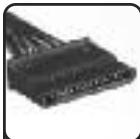
Close-up of a black electronic component with multiple leads (no visible text or symbols)SATA connectors
HX750W x12 HX850W x12
natural_image
Close-up of a black electronic component with two ports (no visible text or symbols)4-pin peripheral connectors
HX750W x8 HX850W x12
natural_image
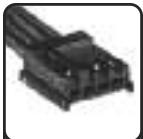
Close-up of a black plastic electrical connector (no visible text or symbols)Floppy connectors
HX750W x2 HX850W x2
natural_image
Close-up of a dark, textured object resembling a mechanical or electronic component (no visible text or symbols)ATX 24-pin & 20-pin compatible
HX750W x1 HX850W x1
natural_image
Pixelated black-and-white image of a textured block (no text or symbols visible)EPS/ATX12V 8-pin & 4-pin compatible
HX750W x1 HX850W x1
natural_image
Pixelated abstract shape with no discernible text or symbolsPCI-Express 8-pin & 6-pin compatible
HX750W x4 HX850W x6
natural_image
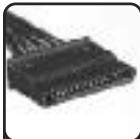
Close-up of a black electronic component with multiple leads (no visible text or symbols)SATA connectors
HX750W x12 HX850W x12
natural_image
Black and white photo of a vehicle (no visible text or symbols)4-pin peripheral connectors
HX750W x8 HX850W x12
natural_image
Close-up of a black plastic electrical connector (no visible text or symbols)Floppy connectors
HX750W x2 HX850W x2
natural_image
Close-up of a dark, textured object resembling a mechanical or electronic component (no visible text or symbols)ATX 24-pin & 20-pin compatible
HX750W x1 HX850W x1

natural_image
Pixelated image of a dark, abstract object resembling a stylized letter or symbol (no text or symbols present)EPS/ATX12V 8-pin & 4-pin compatible
HX750W x1 HX850W x1
natural_image
Pixelated grayscale image of a mechanical component or assembly (no visible text or symbols)PCI-Express 8-pin & 6-pin compatible
HX750W x4 HX850W x6

natural_image
Close-up of a black electronic component with multiple leads (no visible text or symbols)SATA connectors
HX750W x12 HX850W x12
natural_image
Close-up of a dark, textured object resembling a vehicle or mechanical component (no visible text or symbols)4-pin peripheral connectors
HX750W x8 HX850W x12
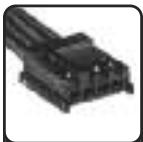
natural_image
Close-up of a black plastic electronic component with no visible text or symbolsFloppy connectors
HX750W x2 HX850W x2
电源规格
型号 CMPSU-850HX
交流输入
100-240V \~ 12A 50/60Hz
直流输出
natural_image
Close-up of a black mechanical component or tool with no visible text or symbolsATX 24-pin & 20-pin compatible
HX750W x1 HX850W x1

natural_image
Pixelated image of a dark, abstract object resembling a cube or block (no text or symbols visible)EPS/ATX12V 8-pin & 4-pin compatible
HX750W x1 HX850W x1
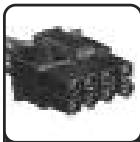
natural_image
Pixelated image of a dark, irregularly shaped object with no visible text or symbolsPCI-Express 8-pin & 6-pin compatible
HX750W x4 HX850W x6
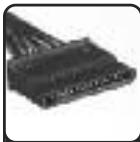
natural_image
Close-up of a black electronic component with multiple leads (no visible text or symbols)SATA connectors
HX750W x12 HX850W x12
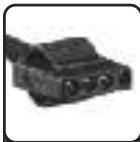
natural_image
Close-up of a black electronic component with two leads (no visible text or symbols)4-pin peripheral connectors
HX750W x8 HX850W x12
natural_image
Close-up of a black plastic electronic component (no visible text or symbols)Floppy connectors
HX750W x2 HX850W x2
natural_image
Abstract gray ribbon-like shape on white background (no text or symbols)CORSAIR™
NOTES

natural_image
Abstract gray ribbon-like shape on white background (no text or symbols)CORSAIR™
- User's Manual
- Congratulations on the purchase of your new
- Corsair 750/850W Professional Power Supply!
- Limited Warranty And Limitation of Liability
- Introduction
- Corsair Advantages
- Corsair HX750W Specifications
- Model: CMPSU-750HX
- AC INPUT RATING
- TOTAL POWER: 750W
- Corsair HX850W Specifications
- Model: CMPSU-850HX
- TOTAL POWER: 850W
- Corsair Core Features
- Package Contents
- Installation
- Step A: Building a brand new system:
- Step B: Replacing your existing power supply
- Warnings
- 电源规格
- 型号 CMPSU-850HX
- 交流输入
- CORSAIR™
Brand : CORSAIR
Model : HX850W
Category : Power supply