
DR400SE - Atoll - Free user manual and instructions
Find the device manual for free DR400SE Atoll in PDF.


| Product Type | CD Player with DAC function |
| Brand | Atoll |
| Model | DR400SE |
| Power Supply | 30 VA |
| Total Capacitance | 16,320 µF |
| Power Consumption (Off) | 0 W |
| Power Consumption (Sleep) | 17 W (preheating) |
| Power Consumption (On) | 19 W |
| Output Impedance (AES) | 110 Ω |
| Digital Outputs | AES/EBU, optical, coaxial |
| DAC Inputs | Coaxial, optical, USB-B (via remote control) |
| CD Loading Type | Top loader with magnetic CD clamper |
| Remote Control | Yes, with full playback and programming keys |
| Playback Functions | Program, shuffle, A-B repeat, repeat disc/track, search |
| Display Features | Time modes, dimmer, track/status indicators |
| Dimensions (W × H × D) | 430 × 320 × 90 mm |
| Weight | 7 kg |
| Recommended Warm-up | At least 30 minutes before listening |
| Cleaning Instructions | Use a soft dry cloth; avoid acetone, white-spirit, ammoniac, or abrasives |
| Safety Precautions | Unplug when connecting; never attempt to repair; avoid short circuits |
| CD Clamper Note | Always place the magnet clamper on the CD before closing |
| Warranty | 2 years from date of purchase |
| Manufacturer | ATOLL ELECTRONIQUE, France |
| Certifications | CE marking (low tension and EMC directives) |
Frequently Asked Questions - DR400SE Atoll
User questions about DR400SE Atoll
0 question about this device. Answer the ones you know or ask your own.
Ask a new question about this device
Download the instructions for your in PDF format for free! Find your manual DR400SE - Atoll and take your electronic device back in hand. On this page are published all the documents necessary for the use of your device. DR400SE by Atoll.
USER MANUAL DR400SE Atoll
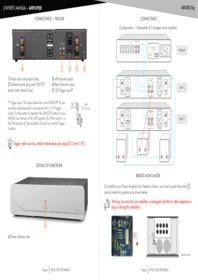
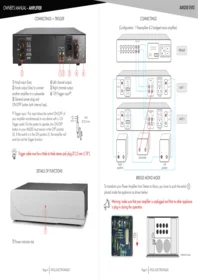
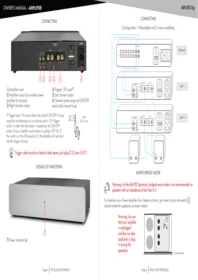
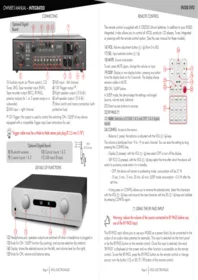
CONNECTINGS

1) Switsh and general plug-in (with protection fuse).
2) AES/EBU output.
3) Digital output (optical).
4) Digital output (coaxial).
DETAILS OF FUNCTIONS

9) Top CD loader: never forget to put the clamper on the CD before closing.
10) Previous track.
11) Next track.
12) ON/SLEEP.
13) Display.
14) Pause: on SLEEP mode, it allows to go on converter/DAC input.
15) Stop: stop reading and/or cancels any Program, Shuffle or A-B repeat.
16) Play.
REMOTE CONTROL
Keys 10 to 16 have the same functions as on the front panel.
17) Select CD or converter DAC functions. In the DAC function, the digital inputs (Coaxial, Optical, or USB-B) are selected using the left and right keys. The DAC function can be accessed directly in standby mode.
18) TIME: time mode selector. Displays by successive keying:
1) Time of each track (mention TIME appears).
2) Total passed time of the disc (mentions TOTAL & TIME appears on the display).
19) DISP: This allows you to decrease the light intensity of the display or turn them off.
20) Search fast backward.
21) Search fast forwards.
22) A-B repeat key: when the disc is playing, one keying specified the beginning (A) and another keying specified the end (B). The selected A-B zone will be repeated till another keying.
23) Disc repeat: allows you to repeat the disc by successive keying (Repeats the CD-R is displayed) or the track being played (Repeat One Track - R1 is displayed), and Not Repeat.
24) Allows programming of sequences: press PROG. Select the 1st track then on PROG: each time you add tracks, the total time of the sequence is displayed on the right and the number of selected tracks on the left. Press a track then PROG for each track to add. Press PLAY to play the program. Press STOP twice to erase the program.
25) SHUF: a random play of the tracks on the disc is possible. SHUFFLE is displayed for 2 seconds. Each track is only played once.

E.C. MARKING
E.C. marking certified the conformity with low tension directive 73/23/CEE, directive CEM 89/336/CEE and national transpositions.
WARRANTY CONDITIONS
The guarantee is two years period from date of purchase. We recommend you to ask your dealer to fill the guarantee and to conserve it. The guarantee is only available for appliance which have been use correctly.
CLEANING
Before any cleaning, switch off your amplifier. Use a soft and dry rag to clean up the appliance. Never use acetone, white-spirit, ammoniac, or any kind of product containing abrasive agent. Never try to clean up inside the appliance.

TECHNICAL DATA
Power supply: 30 VA
Total of capacitors: 16 320 µ F
Switch OFF consumption: 0 W
SLEEP power consumption (preheating): 17 W
ON consumption: 19 W
Output impedance: AES : 110 Ω
Dimensions: 430 × 320 × 90 mm
Weight: 7 Kg

CAUTIONS
- Do not make any plug in when the CD player is on.
- Put your CD player in a dry and well ventilated place, far from source of heat.
- Do not put something on your CD player.
- Avoid any short-cut.
- In case of problems, do not attempt to repair, disassemble or reconstruct the unit as this could cause a serious electrical shock.
- Do not put your CD player too close from a Tuner because of disagreement in HF reception.
CD CLAMPER
- This player is equipped with a High performance CD drive with a CD uploader system. Always put the CD magnet clamper on the disc before closing the hatch.


ADVISES
- To optimize the performance of your device, you should switch it on at least half an hour before any listening, the time for the audio stages to reach its ideal working temperature.
- Your device will give you optimal listening quality after this time-lapse.
- Between two uses, it is, therefore, preferable to let the device in the standby position so that it remains at its optimum temperature.
- At night or when you leave your home, it is best to use the main switch to turn off the device.
- To optimize the sound quality of your system, we recommend that you choose good-quality connection cords. Do not hesitate to ask your specialist dealer for advice.
You have just bought a CD player with an exceptional audiophile performance. We really thank you for your confidence in our products.
To get the best part of your CD player, please read carefully this manual.

YOU WILL FIND ENCLOSED
- A CD player.
– A remote control with batteries. - A power lead.
- This manual with the certificate of guarantee.
ATOLL ELECTRONIQUE®
is a French Company that designs, manufactures, and commercializes all its products.


WARRANTY FORM \~ DR400SE
To present to your dealer with the invoice when returning back the appliance:
ATOLL ELECTRONIQUE®
Bd des Merisiers
50370 BRECEY
FRANCE
Date of purchase:
Place of purchase:
Buyer signature:
Dealer Stamp
OWNER'S MANUAL
DR400SE
CD PLAYER

ELECTRONIQUE
www.atoll-electronique.com

Brand : Atoll
Model : DR400SE