
TU80 Sig - Radio tuner Atoll - Free user manual and instructions
Find the device manual for free TU80 Sig Atoll in PDF.


Pick your language and provide your email: we'll send you a specifically translated version.
| Product Type | Radio tuner |
| Brand | Atoll |
| Model | TU80 Sig |
| Frequency Range (FM) | 87.5 - 108 MHz |
| Frequency Range (AM) | 522 - 1620 kHz |
| Preset Stations | 30 (20 FM / 10 AM) |
| RDS (Radio Data System) | Yes, with display of station name and text |
| Audio Outputs | RCA (fixed and variable) and XLR balanced |
| Power Supply | 230V AC, 50Hz |
| Power Consumption | 15W (standby < 1W) |
| Dimensions (W x H x D) | 440 x 105 x 320 mm |
| Weight | 6 kg |
| Chassis Material | Brushed aluminum front panel, steel body |
| Remote Control | Included |
| Antenna Inputs | 75Ω FM coaxial, AM loop antenna |
| Signal-to-Noise Ratio | 80 dB (FM), 50 dB (AM) |
| Total Harmonic Distortion | 0.1% (FM) |
| Maintenance | Clean gently with a soft, dry cloth. Do not use solvents. |
| Safety | Disconnect power before cleaning. Keep away from moisture. |
| Spare Parts & Repairability | Contact your Atoll dealer or certified service center for authorized repairs. |
Frequently Asked Questions - TU80 Sig Atoll
How do I connect the TU80 Sig to my amplifier?
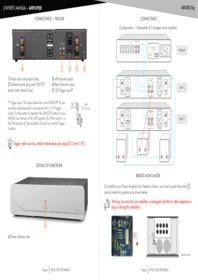
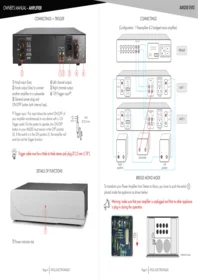
Use the RCA outputs or XLR outputs to connect to your amplifier's auxiliary or tuner input. For best performance, use high-quality shielded cables.
Can I preset my favorite radio stations?
Yes, the TU80 Sig allows you to store up to 30 presets (20 for FM, 10 for AM). Tune to the desired frequency and hold the preset button until the display confirms storage.
What type of antenna is recommended for FM reception?
For optimal FM reception, use a 75-ohm coaxial cable connected to a rooftop or external FM antenna. An indoor dipole antenna may work in strong signal areas.
Does the TU80 Sig support RDS (Radio Data System)?
Yes, it supports RDS and can display station names, program types, and radio text information when broadcast by the station.
How do I clean the front panel?
Use a soft, dry cloth to gently wipe the brushed aluminum surface. Avoid using any abrasive cleaners or liquids to prevent damage.
Is it safe to leave the tuner in standby mode?
Yes, standby mode consumes less than 1 watt of power. This is safe and convenient for maintaining your preset stations
My tuner is not picking up any AM stations. What should I do?
Ensure the AM loop antenna is properly connected and oriented. Keep it away from metal objects and electronic interference. You may need to rotate the antenna for better reception.
Can I connect the tuner to a home automation system?
The TU80 Sig is a traditional analog tuner and does not have Ethernet or Wi-Fi. It can be controlled via the included remote control or directly from the front panel.
What is the output impedance of the TU80 Sig?
The RCA outputs have an impedance of 600 ohms, suitable for connecting to most amplifiers and receivers. The XLR outputs are balanced and also at 600 ohms.
How do I perform a factory reset?
To reset the tuner to its default settings, press and hold the Power button for 5 seconds while the unit is in standby. This clears all presets and stored settings.
User questions about TU80 Sig Atoll
0 question about this device. Answer the ones you know or ask your own.
Ask a new question about this device
No questions yet. Be the first to ask one.
Download the instructions for your Radio tuner in PDF format for free! Find your manual TU80 Sig - Atoll and take your electronic device back in hand. On this page are published all the documents necessary for the use of your device. TU80 Sig by Atoll.
USER MANUAL TU80 Sig Atoll

Manual assistant
Powered by Anthropic
Waiting for your message
Product information
Brand : Atoll
Model : TU80 Sig
Category : Radio tuner