
AM300 - Audio Amplifier Atoll - Free user manual and instructions
Find the device manual for free AM300 Atoll in PDF.


Pick your language and provide your email: we'll send you a specifically translated version.
| Product Type | Integrated Stereo Amplifier |
| Brand | Atoll |
| Model | AM300 |
| Category | Audio Amplifier |
| Output Power | 2 x 100 W RMS (8 ohms) |
| Frequency Response | 10 Hz – 60 kHz |
| Total Harmonic Distortion | < 0.05% |
| Signal-to-Noise Ratio | > 90 dB |
| Inputs | 5 line-level inputs (CD, Tuner, AUX, Tape 1, Tape 2) |
| Outputs | Speaker outputs (2 channels), Pre-out |
| Headphone Output | 6.35 mm jack |
| Speaker Impedance | 4 – 16 ohms |
| Dimensions (W x H x D) | 420 x 100 x 300 mm |
| Weight | 10 kg |
| Power Supply | AC 230V / 50Hz |
| Power Consumption | 300 W (max) |
| Standby Power | < 1 W |
| Tone Controls | Bass and treble adjustments |
| Construction | Aluminium front panel and steel chassis |
| Maintenance | Clean with a dry soft cloth |
| Safety Warnings | Do not expose to moisture |
| Spare Parts & Repairability | Available through authorized service centers |
Frequently Asked Questions - AM300 Atoll
How do I connect the Atoll AM300 to my speakers?
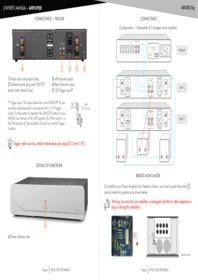
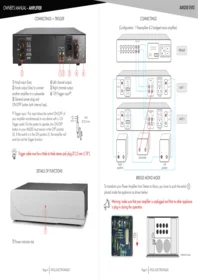
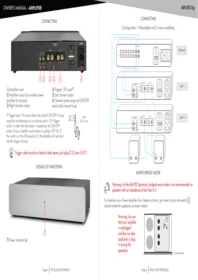
Connect your speakers to the speaker terminals located on the rear panel, ensuring correct polarity (positive to positive, negative to negative). Use appropriate speaker wire and tighten the terminals securely.
What is the power output of the AM300?
The AM300 delivers 2 x 100 W RMS per channel into 8 ohms, providing ample power for most bookshelf and floor-standing speakers.
Does the AM300 have a phono stage?
No, the AM300 does not include a phono input. For turntables with a moving magnet (MM) cartridge, you will need an external phono preamp between the turntable and the CD/AUX input.
Can I use the AM300 with 4-ohm speakers?
Yes, the amplifier is rated for speaker impedances from 4 to 16 ohms. Ensure adequate ventilation, as lower impedances draw more current and generate more heat.
How do I clean and maintain my amplifier?
Use a dry soft cloth to wipe the exterior. Avoid any liquid cleaners or solvents. Regularly check that ventilation slots are free from dust and debris to prevent overheating.
Is a remote control included?
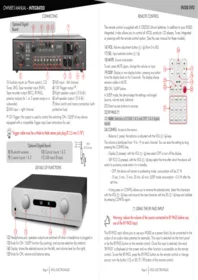
Yes, a remote control is included for volume adjustment and source selection. Ensure the remote has fresh batteries and is pointed directly at the amplifier’s IR receiver.
What input sources can I connect?
The AM300 offers 5 line-level inputs labeled CD, Tuner, AUX, Tape 1, and Tape 2. Connect any device with a line-level output, such as CD players, DACs, streamers, or tape decks.
How do I set the bass and treble controls?
Use the tone control knobs on the front panel. Rotate clockwise to boost and counterclockwise to cut the bass or treble response. Set them to 12 o’clock for a flat response.
What is the standby power consumption?
In standby mode, the AM300 consumes less than 1 W of power. This low standby consumption helps save energy while keeping the amplifier ready for remote wake-up.
How can I obtain spare parts or repairs?
Spare parts and repairs are available through authorized Atoll service centers. Contact the nearest retailer or service center with your amplifier’s serial number for support.
User questions about AM300 Atoll
0 question about this device. Answer the ones you know or ask your own.
Ask a new question about this device
No questions yet. Be the first to ask one.
Download the instructions for your Audio Amplifier in PDF format for free! Find your manual AM300 - Atoll and take your electronic device back in hand. On this page are published all the documents necessary for the use of your device. AM300 by Atoll.
USER MANUAL AM300 Atoll

Manual assistant
Powered by Anthropic
Waiting for your message
Product information
Brand : Atoll
Model : AM300
Category : Audio Amplifier