IFD545 - Gps Avidyne - Free user manual and instructions
Find the device manual for free IFD545 Avidyne in PDF.


Pick your language and provide your email: we'll send you a specifically translated version.
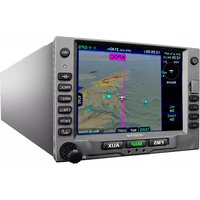
| Product Type | Aviation installed GPS/NAV/COM navigator |
| Brand | Avidyne |
| Model | IFD545 |
| Primary Function | GPS navigation, VHF communication, and moving map display |
| Display | High-resolution LED-backlit touchscreen, approx. 5.7 in / 14.5 cm diagonal |
| Dimensions | Width 6.25 in (15.9 cm), height 2.65 in (6.7 cm), depth 10.1 in (25.7 cm) |
| Weight | Approx. 5.5 lb (2.5 kg) |
| Power Supply | 10-32 V DC, protected against reverse polarity |
| Power Consumption | Typical 25 W, max 45 W including backlight |
| GPS Receiver | WAAS-enabled receiver with 16-channel tracking and SBAS corrections |
| VHF COM | 118-136.975 MHz, 8.33/25 kHz channel spacing, 20 W transmit power |
| Database | Jeppesen worldwide navigation and chart databases, updatable via SD card |
| Touchscreen | Multi-touch color interface with split-screen and panning capabilities |
| User Interface | Touchscreen plus dedicated knobs and function keys |
| Mounting | Standard instrument panel mount with rear mounting tray |
| Data Interfaces | ARINC 429, RS-232, and analog outputs for compatible avionics |
| Audio | Built-in audio switching and intercom integration |
| Operating Temperature | -20 °C to +55 °C |
| Cleaning | Use a soft, lint-free cloth dampened with water or mild soap; avoid harsh chemicals |
| Maintenance | Periodic database updates and software checks per Avidyne service bulletins |
| Safety | Intended for certified aircraft; follow applicable airworthiness regulations |
| Spare Parts | Replacement knobs, connectors, SD card covers, and mounting hardware available |
| Repairability | Factory service by Avidyne authorized centers with flat-rate exchange options |
| General Information | Free user manual and instructions available in PDF format from Avidyne |
Frequently Asked Questions - IFD545 Avidyne
How do I update the navigation database on the Avidyne IFD545?
Insert the latest Jeppesen database SD card into the slot, power on, and select the database update option in the setup menu. Confirm the desired regions and let the unit load the data. The IFD545 will display the database validity date after completion.
What type of GPS receiver does the IFD545 use?
The IFD545 uses a WAAS-enabled GPS receiver with SBAS corrections, providing lateral and vertical guidance for approaches. It tracks multiple GPS satellites simultaneously and is certified for IFR navigation.
Does the IFD545 have VHF communication capability?
Yes, the IFD545 includes a VHF COM transceiver covering 118-136.975 MHz. It supports 8.33 and 25 kHz channel spacing and offers 20 W transmit power.
Can the IFD545 connect to an autopilot?
Yes, it provides ARINC 429 and RS-232 outputs that can drive compatible autopilots. The unit can couple to the autopilot for GPS steering and coupled approaches when configured properly.
How should I clean the IFD545 touchscreen?
Use a soft, lint-free cloth lightly dampened with water or a mild soap solution. Do not spray directly on the screen and avoid abrasive or solvent-based cleaners, which can damage the anti-reflective coating.
What maintenance does the IFD545 require?
Regular maintenance consists mainly of database updates and checking for Avidyne service bulletins. In addition, verify that the GPS antenna, connectors, and mounting tray remain secure during annual inspections.
Is the IFD545 certified for IFR approaches?
Yes, it is certified under TSO-C146 and supports LPV, LNAV, LNAV/VNAV, and LP approach operations when using a valid approach database. Refer to the aircraft flight manual and pilot's guide for specific operational requirements.
How do I reset the IFD545 if the screen freezes?
Press and hold the power knob for about ten seconds to perform a forced reset. If the issue persists, cycle the aircraft master power and contact an authorized Avidyne service center for further diagnostics.
Can I install the IFD545 in any aircraft?
Installation requires an avionics shop with the appropriate FAA/EASA approval. The unit is designed for standard panel mounting, but compatibility with the airframe, antennas, and related avionics must be verified through a certified installation.
Does the IFD545 include moving map and chart functions?
Yes, the IFD545 offers a color moving map with terrain, obstacles, traffic, and weather overlays. It can display approach charts and airport diagrams when the corresponding Jeppesen chart database is loaded.
User questions about IFD545 Avidyne
0 question about this device. Answer the ones you know or ask your own.
Ask a new question about this device
No questions yet. Be the first to ask one.
Download the instructions for your Gps in PDF format for free! Find your manual IFD545 - Avidyne and take your electronic device back in hand. On this page are published all the documents necessary for the use of your device. IFD545 by Avidyne.
USER MANUAL IFD545 Avidyne



Manual assistant
Powered by Anthropic
Waiting for your message
Product information
Brand : Avidyne
Model : IFD545
Category : Gps