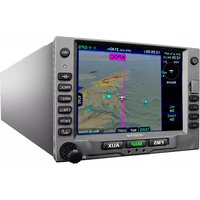
IFD510 - Gps Avidyne - Free user manual and instructions
Find the device manual for free IFD510 Avidyne in PDF.


Pick your language and provide your email: we'll send you a specifically translated version.
| Product Type | GPS Navigation System for Aviation |
| Model | IFD510 |
| Brand | Avidyne |
| Dimensions | 6.25 x 2.25 x 6.25 inches (approximate) |
| Weight | 2.5 lbs (1.13 kg) |
| Power Input | 10-32 VDC, 1.5A max |
| Display | 5.0 inch color touchscreen, high-brightness |
| GPS Receiver | WAAS enabled, 16-channel |
| Main Navigation Functions | Enroute, terminal, approach navigation; moving map; flight planning; nearest airports |
| Terrain Awareness | Built-in terrain and obstacle database with warning |
| Traffic Awareness | ADS-B and TIS traffic input support |
| Weather | XM WX Satellite Weather capable (optional subscription) |
| Database Updates | Via SD card or USB; Jeppesen NavData and obstacle data |
| Data Ports | RS-232, ARINC 429, USB |
| Audio Panel Integration | Compatible with Avidyne AXP340 or third-party audio panels |
| Mounting | Panel mount; standard tray included |
| Maintenance | Clean display with soft, dry cloth; no solvents |
| Safety | Use only as a supplemental navigation aid; follow all aviation regulations |
| Spare Parts & Repairability | Factory service centers; battery and fan replaceable; contact Avidyne support |
| Warranty | 2 years limited warranty (check documentation) |
| Approvals | TSO-C146a, STC available for various aircraft |
Frequently Asked Questions - IFD510 Avidyne
How do I update the navigation database on my IFD510?
You can update the database via the front SD card slot or USB port. Download the latest Jeppesen NavData or obstacle data from the Avidyne website, transfer to an SD card or USB drive, insert into the unit, and follow the on-screen prompts.
Can the IFD510 be used as a primary GPS navigator?
Yes, the IFD510 is certified as a primary GPS navigator for IFR en route, terminal, and non-precision approach phases of flight. It is TSO-C146a approved.
How do I connect the IFD510 to my aircraft's audio panel?
The IFD510 has a dedicated audio output that can be wired to an intercom or audio panel. Refer to the installation manual for pin assignments; typically it interfaces with Avidyne AXP340 or compatible third-party panels.
Does the IFD510 support ADS-B traffic and weather?
Yes, the IFD510 can display traffic from ADS-B receivers (TSO-C147 or C157) and weather from XM WX Satellite Weather (subscription required). It also supports TIS traffic via ARINC 429.
What are the screen specifications?
The IFD510 features a 5.0-inch color touchscreen with high brightness (1000 nits) for good visibility in direct sunlight. It has anti-reflective coating.
Can I use the IFD510 to fly approaches?
Yes, it supports all types of GPS approaches including LNAV, LNAV/VNAV, LPV, LP, and LPV approaches. It also provides vertical guidance when available.
How do I clean the touchscreen?
Use a soft, lint-free microfiber cloth slightly dampened with water or a mild glass cleaner. Do not use abrasive cleaners or spray directly onto the screen. Wipe gently.
Does the IFD510 include a terrain database?
Yes, it has an internal terrain and obstacle database that provides visual and aural alerts for terrain and obstacle proximity. The database is updated regularly.
How do I perform a factory reset?
Hold down the knob and the power button simultaneously while powering on the unit, then follow the menu to restore factory defaults. Note: this will erase all user settings.
Where can I find the latest software update?
Software updates are available for download on the Avidyne official website under the support section. You will need to register your unit to access updates.
User questions about IFD510 Avidyne
0 question about this device. Answer the ones you know or ask your own.
Ask a new question about this device
No questions yet. Be the first to ask one.
Download the instructions for your Gps in PDF format for free! Find your manual IFD510 - Avidyne and take your electronic device back in hand. On this page are published all the documents necessary for the use of your device. IFD510 by Avidyne.
USER MANUAL IFD510 Avidyne


Manual assistant
Powered by Anthropic
Waiting for your message
Product information
Brand : Avidyne
Model : IFD510
Category : Gps