IFD410 - Gps Avidyne - Free user manual and instructions
Find the device manual for free IFD410 Avidyne in PDF.


Pick your language and provide your email: we'll send you a specifically translated version.
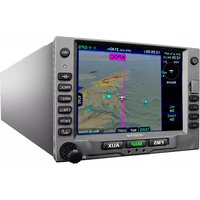
| Product Type | Panel-Mounted GPS Navigator |
| Brand | Avidyne |
| Model | IFD410 |
| Category | GPS |
| Dimensions (Width x Height x Depth) | 6.25 in x 1.35 in x 10.5 in (159 mm x 34 mm x 267 mm) |
| Weight | 1.8 lbs (0.82 kg) |
| Power Input | 10-32 V DC |
| Display Type | 4.3-inch Color VGA TFT with LED backlight |
| Touchscreen | Resistive touchscreen |
| GPS Receiver | 16-channel WAAS/EGNOS GPS receiver |
| GPS Features | VFR/IFR GPS navigation, approach procedures, terrain awareness, traffic (TIS), weather (XM) |
| Map Data | Jeppesen NavData, Obstacles, Terrain, Charts |
| Certifications | TSO-C146b, DO-178B, DO-160F |
| Installation | Panel mount with rack and tray (sold separately) |
| Operating Temperature | -20°C to +55°C (-4°F to 131°F) |
| Storage Temperature | -30°C to +70°C (-22°F to 158°F) |
| Water Resistance | IP54 (splash resistant) |
| Languages Supported | English |
| Warranty | 2 years limited warranty |
| Included Accessories | User manual, mounting hardware, power cable |
| Maintenance | Software updates via SD card; periodic cleaning of screen with microfiber cloth |
| Cleaning | Use a soft, dry cloth for the display. Avoid cleaners |
| Safety | Complies with FAA guidelines; do not obstruct cooling vents |
| Spare Parts | Available from Avidyne dealers; including knobs, bezels, connectors |
| Reparability | Factory service only; no user-serviceable parts inside |
| General Information | The IFD410 is a full-featured GPS navigator designed for retrofit upgrade from older units like Garmin 430/530. |
Frequently Asked Questions - IFD410 Avidyne
How do I update the navigation database on my Avidyne IFD410?
To update the database, use a standard SD card. Download the latest Jeppesen NavData from Avidyne's website, copy it to the SD card, insert into the IFD410, and follow the on-screen prompts. Ensure the unit is powered on and not in flight.
Can I use the IFD410 for IFR flights?
Yes, the IFD410 is certified for IFR operations. It supports en route navigation, terminal procedures, and approach procedures including non-precision and LPV approaches. Ensure your database is current.
How do I enter a flight plan?
Press the FPL key on the bezel. Use the touchscreen or knobs to enter departure, destination, and waypoints. The unit can load airways and intersections automatically. Confirm the plan on the map.
What type of SD card is required for updates?
The IFD410 accepts standard SD cards up to 32 GB formatted as FAT32. Use a high-quality card for reliability. Do not use SDHC or SDXC without testing.
How do I clean the touchscreen?
Use a soft, lint-free microfiber cloth slightly dampened with water. Avoid abrasive materials or chemical cleaners. Gently wipe in circular motions. Do not apply pressure directly to the screen.
What should I do if the screen freezes?
Press and hold the POWER button for 10 seconds to force a reboot. If the issue persists, remove power for 30 seconds. For recurring issues, check for software updates or contact Avidyne support.
Does the IFD410 integrate with autopilots?
Yes, the IFD410 can interface with many autopilots via ARINC 429 and analog outputs. It supports GPSS steering and altitude preselect functions. Consult your autopilot interconnect guide.
What traffic and weather features are available?
The IFD410 displays TIS traffic traffic data and XM WX satellite weather when paired with optional receivers. It can also show ADS-B traffic via external receivers.
Where can I find the user manual?
The full user manual is available for free download on notice-facile.com in PDF format. You can also request a translated version by selecting your language and providing your email.
Is the IFD410 compatible with Garmin 430/530 installation trays?
The IFD410 is designed as a form-fit-function replacement for Garmin 400/500 series units. It uses the same panel opening and connector pinout, but requires a new tray and harness adapter for optimal performance.
User questions about IFD410 Avidyne
0 question about this device. Answer the ones you know or ask your own.
Ask a new question about this device
No questions yet. Be the first to ask one.
Download the instructions for your Gps in PDF format for free! Find your manual IFD410 - Avidyne and take your electronic device back in hand. On this page are published all the documents necessary for the use of your device. IFD410 by Avidyne.
USER MANUAL IFD410 Avidyne


Manual assistant
Powered by Anthropic
Waiting for your message
Product information
Brand : Avidyne
Model : IFD410
Category : Gps