Xpress-Rack 1024 - Controller Chauvet - Free user manual and instructions
Find the device manual for free Xpress-Rack 1024 Chauvet in PDF.


Pick your language and provide your email: we'll send you a specifically translated version.
| Product Type | DMX Lighting Controller |
| Brand | Chauvet |
| Model | Xpress-Rack 1024 |
| DMX Channels | 1024 |
| Rack Mountable | Yes, 19-inch rackmount design |
| Dimensions (W x D x H) | 483 x 177 x 88 mm (19" x 7" x 3.5") |
| Weight | 4.5 kg (9.9 lb) |
| Power Supply | 100-240 V AC, 50/60 Hz |
| Fader Channels | 24 channel faders |
| Fixture Control | Supports up to 48 fixtures |
| Programmable Scenes | Up to 240 scenes |
| Programmable Chases | Up to 30 chases with up to 999 steps |
| Display | Backlit LCD screen |
| DMX Output | 2 DMX universes via 5-pin XLR connectors |
| MIDI Support | Yes, via MIDI input |
| Audio Input | Yes, for sound-activated chases |
| Keypad | Numeric keypad for direct addressing |
| Memory | Flash memory for show storage |
| Software | Windows-compatible for editing and saving shows |
| Maintenance | Clean with dry cloth; avoid solvents |
| Safety | Operate in well-ventilated area; avoid moisture |
| Repairability | Modular design; replaceable faders and power supply |
| Manual | Free PDF download available from notice-facile.com |
Frequently Asked Questions - Xpress-Rack 1024 Chauvet
What is the Chauvet Xpress-Rack 1024?
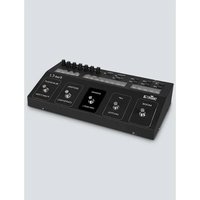
The Xpress-Rack 1024 is a DMX lighting controller designed for professional stage and lighting applications. It provides 1024 DMX channels across two universes, has 24 faders, and supports up to 48 fixtures, making it suitable for medium-sized shows.
How do I reset the controller to factory defaults?
To reset, power off the unit, then hold the Mode button while powering on. Continue holding for 3 seconds until the display flashes. This restores all settings to factory defaults. Always back up your shows before resetting.
How do I connect fixtures to the DMX output?
Connect a standard DMX cable from the controller's DMX output (5-pin XLR) to the first fixture's DMX input. Then daisy-chain additional fixtures using DMX cables. Ensure the last fixture is terminated with a 120-ohm resistor to avoid signal reflections.
Can I program scenes without a computer?
Yes, the controller has a standalone programming mode. Set your faders and parameters, then press the Record Scene button and assign a scene number. You can program up to 240 scenes directly from the front panel.
How do I save my show to a computer?
Use the USB connection (if available) or the MIDI/SysEx interface with the included software. Install the Chauvet editor software on a Windows PC, connect the controller, and use the Save to Computer function. Always keep a backup file.
How do I set up a chase?
Program individual chase steps using the Record Chase mode. You can then assign each step a time, fade, and even enable sound activation using the built-in microphone. Save the chase and run it from the Go button.
What is the difference between the two DMX universes?
The Xpress-Rack 1024 supports two DMX universes (Universe A and Universe B). Each universe controls up to 512 channels. Use Universe A for your main fixtures and Universe B for additional or separate zones. Fixtures are assigned to a universe during patching.
How do I update the firmware?
Firmware updates are done via the MIDI input or a dedicated USB port, depending on the model. Download the latest firmware from the Chauvet website, connect the unit to your computer, and follow the update utility instructions. Do not power off during the update.
What power cable is required?
The controller uses a standard IEC 320 C14 power inlet. Connect a suitable AC power cord rated for the voltage in your region (100-240 V AC). The unit automatically adjusts to the input voltage.
How should I clean and maintain the controller?
Use a soft, dry cloth to remove dust from the front panel and faders. Avoid water, solvents, or compressed air near the electronics. Periodically check fader knobs for wear and replace them if they become loose. Keep the ventilation slots clear to prevent overheating.
User questions about Xpress-Rack 1024 Chauvet
0 question about this device. Answer the ones you know or ask your own.
Ask a new question about this device
No questions yet. Be the first to ask one.
Download the instructions for your Controller in PDF format for free! Find your manual Xpress-Rack 1024 - Chauvet and take your electronic device back in hand. On this page are published all the documents necessary for the use of your device. Xpress-Rack 1024 by Chauvet.
USER MANUAL Xpress-Rack 1024 Chauvet
Manual assistant
Powered by Anthropic
Waiting for your message
Product information
Brand : Chauvet
Model : Xpress-Rack 1024
Category : Controller