
DS-3E0505D-O - Network switch Hikvision - Free user manual and instructions
Find the device manual for free DS-3E0505D-O Hikvision in PDF.


Pick your language and provide your email: we'll send you a specifically translated version.
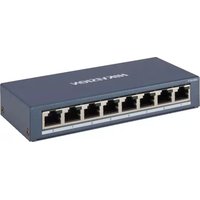
| Product Type | Unmanaged desktop network switch |
| Ports | 5 x RJ-45 10/100/1000 Mbps |
| Switching Capacity | 10 Gbps |
| MAC Address Table | 4K entries |
| Enclosure | Metal housing |
| Cooling | Fanless for silent operation |
| Power Supply | DC 5V, 1A (external adapter) |
| Power Consumption | ≤ 2W |
| Operating Temperature | 0°C to 40°C |
| Storage Temperature | -40°C to 70°C |
| Humidity | 5% to 95% non-condensing |
| Dimensions (W x D x H) | 105 mm x 62 mm x 26 mm |
| Weight | 150 g |
| Mounting | Desktop |
| LED Indicators | Power, Link/Act per port |
| Network Standards | IEEE 802.3, 802.3u, 802.3ab, 802.3x |
| Data Transfer Mode | Store-and-forward |
| Auto Features | Auto-negotiation, auto MDI/MDIX |
| Maintenance & Cleaning | Keep vents clean; wipe with dry cloth |
| Spare Parts & Repairability | No user-serviceable parts; contact support |
| General Information | Plug-and-play, no configuration required |
Frequently Asked Questions - DS-3E0505D-O Hikvision
Does the DS-3E0505D-O support Power over Ethernet (PoE)?
No, this is a standard unmanaged switch and does not support PoE. It simply forwards network traffic between devices.
What is the maximum data transfer speed of this switch?
Each port supports speeds up to 1000 Mbps (Gigabit), with a total switching capacity of 10 Gbps.
Do I need to install drivers or configure the switch?
No, the switch is plug-and-play. Simply connect power and Ethernet cables, and it automatically negotiates the best speed.
Is this switch suitable for a home network?
Yes, it is perfect for home or small office use, connecting devices like computers, printers, or IP cameras, provided PoE is not required.
Can I mount the switch on a wall?
The switch is designed for desktop placement. For wall mounting, you may need a separate bracket or enclosure.
How many devices can I connect to this switch?
You can connect up to 5 wired devices directly. Additional switches can expand the network further.
What should I do if the switch is not working?
Check the power adapter and LED indicators. Ensure the Ethernet cables are properly connected. Restart the switch by unplugging it for 10 seconds.
Does this switch support jumbo frames?
Most Hikvision unmanaged switches support a maximum frame size of 16 KB, which includes jumbo frames. However, performance may vary depending on the connected devices.
Can this switch be used in an industrial environment?
The operating temperature range is 0°C to 40°C, making it suitable for typical indoor environments, but not for extreme industrial conditions.
Is there a warranty on the DS-3E0505D-O?
Hikvision typically offers a 3-year warranty on this model. Check with your local reseller for specific terms and conditions.
User questions about DS-3E0505D-O Hikvision
0 question about this device. Answer the ones you know or ask your own.
Ask a new question about this device
No questions yet. Be the first to ask one.
Download the instructions for your Network switch in PDF format for free! Find your manual DS-3E0505D-O - Hikvision and take your electronic device back in hand. On this page are published all the documents necessary for the use of your device. DS-3E0505D-O by Hikvision.
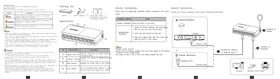
USER MANUAL DS-3E0505D-O Hikvision

Manual assistant
Powered by Anthropic
Waiting for your message
Product information
Brand : Hikvision
Model : DS-3E0505D-O
Category : Network switch