
TL-SG3428XF - Switch TP-LINK - Free user manual and instructions
Find the device manual for free TL-SG3428XF TP-LINK in PDF.


Pick your language and provide your email: we'll send you a specifically translated version.
| Product Type | Managed L2+ Ethernet switch |
| Brand | TP-Link |
| Model | TL-SG3428XF |
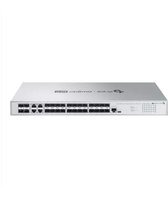
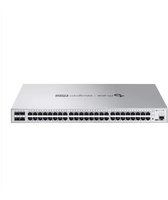
| Ports | 24 x Gigabit RJ45, 4 x 10G SFP+ |
| Switching Capacity | 128 Gbps |
| Forwarding Rate | 95.2 Mpps |
| Dimensions (W x D x H) | 440 x 220 x 44 mm |
| Weight | 3.6 kg |
| Power Supply | 100-240V AC, 50/60Hz |
| Max Power Consumption | 27 W |
| Management Features | Web GUI, CLI, SNMP, RMON |
| VLAN Support | Up to 4K VLANs |
| Security Features | ACL, port security, storm control |
| Layer 2 Features | Link aggregation, spanning tree, loop protection |
| Layer 3 Features | Static routing |
| Operating Temperature | 0°C to 40°C |
| Storage Temperature | -40°C to 70°C |
| Humidity | 10% to 90% non-condensing |
| Maintenance and Cleaning | Wipe with a dry cloth; keep vents clean |
| Safety Precautions | Use grounded power outlet; avoid liquids |
| Spare Parts and Repairability | No user-serviceable parts; contact TP-Link support |
| General Information | Rack-mountable switch for enterprise networks |
Frequently Asked Questions - TL-SG3428XF TP-LINK
What is the TP-Link TL-SG3428XF?
The TP-Link TL-SG3428XF is a managed L2+ switch designed for business networks. It offers 24 Gigabit Ethernet ports and 4 10G SFP+ uplinks for high-bandwidth environments.
Does the TL-SG3428XF support PoE?
No, the TL-SG3428XF does not support Power over Ethernet. It is a standard network switch and devices connected to it need their own power source.
How can I access the management interface?
You can configure the switch via its web-based GUI. The default IP address is typically 192.168.0.1, and you can log in with 'admin' as both username and password (check the manual for details).
What is the switching capacity?
The TL-SG3428XF has a switching capacity of 128 Gbps and a forwarding rate of 95.2 Mpps, ensuring high-performance data transfer.
Can this switch be rack-mounted?
Yes, the switch comes with a rack-mount kit and has a standard 19-inch form factor. Its dimensions (440 x 220 x 44 mm) fit standard server racks.
What VLAN features are supported?
It supports up to 4K VLANs, including 802.1Q tagging, port-based VLAN, and protocol-based VLAN, allowing flexible network segmentation.
How do I reset the switch to factory defaults?
Press and hold the Reset button on the front panel for about 5 seconds until the system LED blinks. This will restore factory settings. The switch will reboot automatically.
What are the power requirements?
The switch uses a 100-240V AC, 50/60Hz power supply and consumes a maximum of 27W. It has an auto-sensing power supply.
Does it support static routing?
Yes, the TL-SG3428XF supports static routing for basic Layer 3 forwarding, allowing inter-VLAN routing without a separate router.
What security features are included?
The switch includes ACL (Access Control Lists), port security, IP-MAC binding, and storm control to protect against unauthorized access and traffic storms.
User questions about TL-SG3428XF TP-LINK
0 question about this device. Answer the ones you know or ask your own.
Ask a new question about this device
No questions yet. Be the first to ask one.
Download the instructions for your Switch in PDF format for free! Find your manual TL-SG3428XF - TP-LINK and take your electronic device back in hand. On this page are published all the documents necessary for the use of your device. TL-SG3428XF by TP-LINK.
USER MANUAL TL-SG3428XF TP-LINK

Manual assistant
Powered by Anthropic
Waiting for your message
Product information
Brand : TP-LINK
Model : TL-SG3428XF
Category : Switch