
Omada Pro S4500-16GP - Switch TP-LINK - Free user manual and instructions
Find the device manual for free Omada Pro S4500-16GP TP-LINK in PDF.


Pick your language and provide your email: we'll send you a specifically translated version.
| Product Type | Managed L2+ Switch |
| Brand | TP-Link |
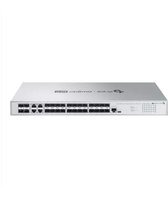
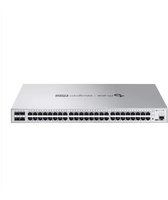
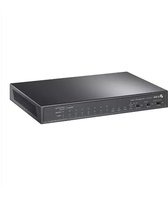
| Model | Omada Pro S4500-16GP |
| Ports | 16× 10/100/1000 Mbps PoE+ ports |
| Uplink Ports | 4× 10GE SFP+ slots |
| PoE Power Budget | 250W |
| Switching Capacity | 128 Gbps |
| Forwarding Rate | 95.2 Mpps |
| Management Features | Static routing, VLAN, QoS, IGMP snooping, Link Aggregation, PoE management |
| Dimensions (W x D x H) | 440 × 214 × 44 mm (17.3 × 8.4 × 1.7 in) |
| Weight | 4.0 kg (8.8 lb) |
| Power Supply | 100-240V AC, 50/60 Hz |
| Power Consumption | Maximum 290W (including PoE) |
| Operating Temperature | 0–50 °C (32–122 °F) |
| Certifications | CE, FCC, RoHS |
| Maintenance and Cleaning | Wipe with a dry cloth. Do not expose to moisture. Keep vents unobstructed. |
| Security Features | Access Control Lists, 802.1X authentication, port security, DHCP snooping |
| Spare Parts and Repairability | No user-serviceable parts. Contact certified TP-Link support for repairs. |
| General Information | Ideal for SMB networks; rack-mountable design. |
| Package Contents | Switch, power cord, rack mounting kits, quick installation guide |
Frequently Asked Questions - Omada Pro S4500-16GP TP-LINK
What is the PoE power budget of the TP-Link Omada Pro S4500-16GP?
The switch provides up to 250W for PoE+ devices, sufficient to power multiple IP cameras or wireless access points.
Does this switch support 10G uplinks?
Yes, it features 4× 10GE SFP+ slots for high-speed fiber or DAC uplinks.
Is this a managed switch? What are its management capabilities?
Yes, it is an L2+ managed switch with support for static routing, and can be managed via web GUI, CLI, or Omada SDN.
Can the switch be mounted in a network rack?
Yes, it is rack-mountable and includes the necessary mounting hardware for a standard 19-inch cabinet.
What is the maximum power consumption of the switch?
The maximum power consumption is 290W, including the PoE budget used to power connected devices.
Does the switch support VLAN configuration?
Yes, it supports 802.1Q VLANs for traffic segmentation and enhanced network security.
What security features are built into this switch?
The switch includes Access Control Lists, 802.1X authentication, DHCP snooping, and port security features.
Which SFP modules are compatible with the S4500-16GP?
The switch supports standard 10G SFP+ modules for 10G connections and also accepts 1G SFP modules.
How can I reset the switch to factory default settings?
Press and hold the RESET button for 5 seconds, or use the factory reset option in the management interface.
What is the operating temperature range?
The switch operates in temperatures from 0°C to 50°C (32°F to 122°F).
User questions about Omada Pro S4500-16GP TP-LINK
0 question about this device. Answer the ones you know or ask your own.
Ask a new question about this device
No questions yet. Be the first to ask one.
Download the instructions for your Switch in PDF format for free! Find your manual Omada Pro S4500-16GP - TP-LINK and take your electronic device back in hand. On this page are published all the documents necessary for the use of your device. Omada Pro S4500-16GP by TP-LINK.
USER MANUAL Omada Pro S4500-16GP TP-LINK

Manual assistant
Powered by Anthropic
Waiting for your message
Product information
Brand : TP-LINK
Model : Omada Pro S4500-16GP
Category : Switch