
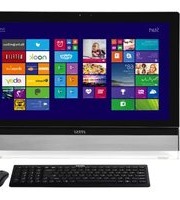
Nightblade MI-014EU - Desktop computer MSI - Free user manual and instructions
Find the device manual for free Nightblade MI-014EU MSI in PDF.


Pick your language and provide your email: we'll send you a specifically translated version.
| Product type | Compact gaming desktop PC |
| Brand | MSI |
| Model | Nightblade MI-014EU |
| Processor | Intel Core i5 quad-core processor |
| Memory | 8GB DDR3 RAM |
| Storage | 1TB 7200RPM SATA hard drive |
| Graphics | NVIDIA GeForce GTX 960 2GB GDDR5 |
| Operating system | Windows 10 Home |
| Dimensions (W x D x H) | 346 x 245 x 98 mm |
| Weight | 3.5 kg (approx.) |
| Power supply | 230W external power adapter |
| Connectivity | Wi-Fi 802.11ac, Bluetooth 4.0, Gigabit Ethernet |
| Front ports | 2 x USB 3.0, 1 x USB 2.0, headphone and microphone jacks |
| Rear ports | 2 x USB 3.0, 2 x USB 2.0, HDMI, DisplayPort, DVI, LAN, audio jacks |
| Key features | Gaming performance, compact footprint, silent cooling, tool-free access |
| Expansion capability | 2.5-inch drive bay, M.2 SSD slot, two DDR3 SO-DIMM slots |
| Security | Kensington lock slot, BIOS password protection |
| Maintenance and cleaning | Use dry cloth; clean vents with compressed air; avoid liquids and harsh chemicals |
| Spare parts and repairability | Upgradeable RAM and storage; replaceable graphics card; spare parts via MSI service centers |
Frequently Asked Questions - Nightblade MI-014EU MSI
How do I open the case of my Nightblade MI-014EU?
Turn off the PC and unplug the power cable. Remove the thumbscrew on the rear panel, then slide the side cover backwards. The tool-less design gives you access to the 2.5-inch drive and M.2 SSD slot for upgrades.
Can I upgrade the RAM?
Yes, the Nightblade MI-014EU supports up to 16 GB DDR3 using two SO-DIMM slots. Press the clips outward to release the old module, insert the new one at a 30-degree angle, then push down until it clicks.
How can I clean the dust inside the case?
Turn off the computer, unplug it, then use compressed air to blow dust out of the cooling fans, heatsink, and air intake vent. Avoid touching components with your hands and never use wet cloths or vacuum cleaners on the motherboard.
My computer is running slowly, what should I check first?
Open Task Manager and check high CPU or memory usage. Close unnecessary background programs, run a disk cleanup, and disable startup items. If the HDD is full, consider freeing space or upgrading to an SSD.
How do I reset Windows to factory settings?
Go to Settings > Update & Security > Recovery and select Reset this PC. Choose 'Remove everything' and follow the prompts. Make sure to back up your files first, as the process deletes all user data.
Can I connect a second monitor?
Yes, the dedicated graphics card offers HDMI, DisplayPort, and DVI outputs. Connect a second screen to one of these ports and use the Windows display settings to choose extend or duplicate mode.
Why is my Nightblade noisy under load?
The Silent Storm cooling increases fan speed automatically when the GPU or CPU is hot. If the noise is excessive, check that ventilation slots are not blocked, clean the fans with compressed air, and place the computer on a hard, flat surface.
Is the power supply unit removable?
The system uses an external power adapter, not an internal ATX power supply. If the adapter fails, replace it with an identical 230W model from MSI spare parts to avoid electrical damage.
Where can I find drivers for the Nightblade MI-014EU?
Download the official drivers from the MSI support website by searching for 'Nightblade MI-014EU'. Install the chipset, graphics, audio, and network drivers in the order listed on the download page.
Can I replace the dedicated graphics card?
The case supports a low-profile graphics card up to a certain length. The GPU is mounted on a riser and can be removed by unscrewing the bracket, disconnecting the power cable, and pulling it out. Verify power and dimensions before upgrading.
User questions about Nightblade MI-014EU MSI
0 question about this device. Answer the ones you know or ask your own.
Ask a new question about this device
No questions yet. Be the first to ask one.
Download the instructions for your Desktop computer in PDF format for free! Find your manual Nightblade MI-014EU - MSI and take your electronic device back in hand. On this page are published all the documents necessary for the use of your device. Nightblade MI-014EU by MSI.
USER MANUAL Nightblade MI-014EU MSI
Manual assistant
Powered by Anthropic
Waiting for your message
Product information
Brand : MSI
Model : Nightblade MI-014EU
Category : Desktop computer