
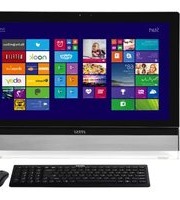
Adora 2M - Desktop computer MSI - Free user manual and instructions
Find the device manual for free Adora 2M MSI in PDF.


Pick your language and provide your email: we'll send you a specifically translated version.
| Product Type | Desktop PC |
| Brand | MSI |
| Model | Adora 2M |
| Form Factor | Tower |
| Dimensions | 440 x 175 x 450 mm (17.3 x 6.9 x 17.7 in) |
| Weight | 8.5 kg (18.7 lbs) |
| Power Supply | 350 W AC power supply |
| Processor | Multi-core desktop processor (Intel/AMD compatible) |
| Memory | DDR4 DIMM slots, expandable |
| Storage | SATA HDD/SSD bays |
| Graphics | Integrated graphics (discrete GPU upgradeable) |
| Connectivity | USB 2.0/3.0, Ethernet, audio jacks |
| Display Outputs | HDMI, VGA |
| Operating System | Windows compatible |
| Main Functions | Office tasks, web browsing, multimedia playback, basic gaming |
| Cooling System | Air cooling with system fans |
| Expansion Slots | PCIe x16, PCIe x1 |
| Maintenance | Clean air vents and fans with compressed air |
| Safety | Use grounded power outlet, avoid moisture |
| Spare Parts | RAM, storage drives, power supply are replaceable |
| General Information | Free user manual available for download in PDF |
Frequently Asked Questions - Adora 2M MSI
How do I connect an external monitor to my MSI Adora 2M?
You can connect a monitor using the HDMI, VGA, or DisplayPort outputs on the back of the desktop. Once connected, turn on the monitor and select the correct input source. If no image appears, try reseating the cable or checking the resolution settings in your operating system.
Can I upgrade the memory (RAM) on the Adora 2M?
Yes, the Adora 2M has DIMM slots for DDR4 memory. To upgrade, power off the PC, unplug it, open the case, and insert new RAM modules compatible with the motherboard. Check the user manual for supported capacities and speeds.
How should I clean my desktop computer safely?
Always power off and unplug the computer before cleaning. Use compressed air to remove dust from vents, fans, and components. Avoid using liquids or vacuum cleaners inside the case. Wipe the exterior with a lightly dampened cloth.
What should I do if my Adora 2M does not boot?
First, verify the power cable is connected and the power outlet works. Check that the monitor is on and correctly connected. If the PC powers on but no display, try reseating RAM and graphics card. If the problem persists, consult the troubleshooting section of your manual.
How do I enter the BIOS setup?
Restart the computer and continuously press the Del or F2 key during startup until the BIOS menu appears. From there you can change boot order, enable/disable components, and adjust hardware settings.
Can I add additional storage drives?
Yes, depending on the chassis, the Adora 2M may have 2.5-inch and 3.5-inch drive bays. Install additional SATA HDDs or SSDs and connect them to the motherboard with SATA cables and the power supply.
Is the Adora 2M equipped with Wi-Fi?
Many desktop configurations include built-in Wi-Fi and Bluetooth. Check the front or rear panel for antenna connectors. If not, you can add a USB Wi-Fi adapter or PCIe wireless card.
How often should I perform maintenance?
It's advisable to clean internal dust every 3 to 6 months, depending on your environment. Also, update your drivers and operating system regularly to ensure security and performance.
How can I restore my Adora 2M to factory settings?
If your system runs Windows, go to Settings > Update & Security > Recovery and choose Reset this PC. This will reinstall Windows while preserving or removing your files. For a full restore, use the restore media that came with your computer.
Where can I find replacement parts like fans or power supplies?
Contact MSI support or visit their official website for spare parts. You can also use compatible third-party components from resellers. Always ensure parts match the specifications in your user manual.
User questions about Adora 2M MSI
0 question about this device. Answer the ones you know or ask your own.
Ask a new question about this device
No questions yet. Be the first to ask one.
Download the instructions for your Desktop computer in PDF format for free! Find your manual Adora 2M - MSI and take your electronic device back in hand. On this page are published all the documents necessary for the use of your device. Adora 2M by MSI.
USER MANUAL Adora 2M MSI
Manual assistant
Powered by Anthropic
Waiting for your message
Product information
Brand : MSI
Model : Adora 2M
Category : Desktop computer