
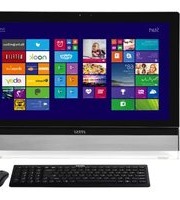
Vortex G65 6QF-045NL PC - Desktop computer MSI - Free user manual and instructions
Find the device manual for free Vortex G65 6QF-045NL PC MSI in PDF.


Pick your language and provide your email: we'll send you a specifically translated version.
| Product Type | Desktop computer |
| Brand | MSI |
| Model | Vortex G65 6QF-045NL PC |
| Category | Desktop computer |
| Form Factor | Compact gaming desktop |
| Dimensions | Approx. 45 x 35 x 20 cm (W x D x H) |
| Weight | Approx. 6 kg |
| Power Supply | 600W 80 PLUS Bronze |
| Main Features | Gaming, multimedia, VR-ready |
| Processor | 6th Gen Intel Core i5 (Skylake) |
| Graphics | NVIDIA GeForce GTX 900 series |
| Memory | DDR4 RAM (8GB/16GB configurable) |
| Storage | M.2 SSD + 2.5" HDD |
| Connectivity | Wi-Fi, Bluetooth, USB 3.0, HDMI, DisplayPort |
| Cooling | Dual-fan cooling system |
| Lighting | RGB LED lighting |
| Operating System | Windows 10 (original) |
| Maintenance and Cleaning | Use compressed air for fans; avoid liquids |
| Safety | Kensington lock slot; thermal protection |
| Spare Parts and Repairability | User-accessible RAM and storage; professional repair for GPU |
| General Information | 36-page English manual in PDF |
Frequently Asked Questions - Vortex G65 6QF-045NL PC MSI
How can I update drivers on my MSI Vortex G65?
Use MSI Live Update or visit the official MSI support site to download the latest graphics, chipset, and network drivers. Always restart your computer after installation to apply changes.
Can I open the case to clean the internal components?
Yes, unplug the power cable first. Remove the side screws and slide the panel off. Use compressed air to blow dust from fans and heatsinks. Avoid vacuum cleaners, and do not touch exposed circuits.
How do I connect the Vortex G65 to a TV?
Use an HDMI cable from the graphics card to the TV's HDMI input. Select the correct source on your TV. If no picture, press Win+P and choose 'Duplicate' or 'Extend' to optimize display.
Why is my PC not turning on?
Check the power cable and outlet, ensure the power supply switch is set to ON. If still nothing, press and hold the power button for 10 seconds to hard reset. If the issue persists, contact MSI support.
How can I reset the BIOS to default settings?
Enter BIOS by pressing Delete during boot. In BIOS, select 'Load Optimized Defaults' and exit saving changes. Alternatively, remove the CMOS battery for 30 seconds and reinstall.
Is the Vortex G65 upgradeable?
Yes, the RAM and M.2 SSD for storage are user-accessible. The CPU and GPU are soldered or proprietary, so upgrading those requires professional service.
How do I connect to Wi-Fi?
Use the network icon in the system tray to scan for wireless networks. If Wi-Fi is disabled, enable it via the hardware switch or Fn key shortcut. Install the appropriate Wi-Fi driver if needed.
What should I do if the display is black but the fans are spinning?
This often indicates a graphics card or BIOS issue. Try resetting the BIOS, reseating the GPU (if accessible), and checking monitor cable connections. Ensure the monitor is set to the correct input.
Can I use the Vortex G65 for VR gaming?
Yes, the Vortex G65 is VR-ready with high-performance graphics. Ensure you have the required ports (HDMI) and install the latest drivers for your VR headset.
How do I create a system recovery drive?
Use the Windows Media Creation Tool to create a bootable USB drive, or use the built-in 'Create a recovery drive' function in Windows Control Panel.
User questions about Vortex G65 6QF-045NL PC MSI
0 question about this device. Answer the ones you know or ask your own.
Ask a new question about this device
No questions yet. Be the first to ask one.
Download the instructions for your Desktop computer in PDF format for free! Find your manual Vortex G65 6QF-045NL PC - MSI and take your electronic device back in hand. On this page are published all the documents necessary for the use of your device. Vortex G65 6QF-045NL PC by MSI.
USER MANUAL Vortex G65 6QF-045NL PC MSI
Manual assistant
Powered by Anthropic
Waiting for your message
Product information
Brand : MSI
Model : Vortex G65 6QF-045NL PC
Category : Desktop computer