POT822BL - Toaster Point - Free user manual and instructions
Find the device manual for free POT822BL Point in PDF.


Pick your language and provide your email: we'll send you a specifically translated version.
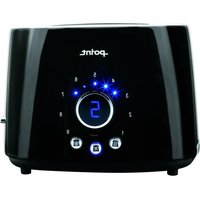
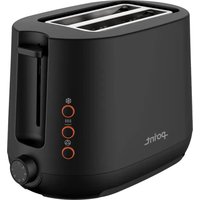
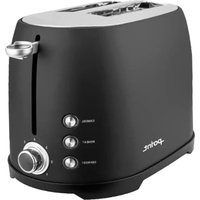
| Product Type | Toaster |
| Brand | Point |
| Model | POT822BL |
| Color | Black |
| Housing Material | Stainless steel and plastic |
| Number of Slots | 2 |
| Slot Size | Extra-wide for bagels and thick slices |
| Control Type | Lever with electronic browning control |
| Functions | Toast, defrost, reheat, cancel |
| Bagel Function | Yes |
| Power | 850 W |
| Voltage | 220-240 V, 50/60 Hz |
| Cord Length | 0.8 m |
| Cord Storage | Yes, underside |
| Crumb Tray | Removable, easy to clean |
| Auto Shut-off | Yes, automatically pops up when toasted |
| Safety Features | Crumb tray interlock, overheat protection |
| Cleaning | Wipe exterior with damp cloth; empty crumb tray |
| Spare Parts | Crumb tray and heating elements available separately |
| Repairability | Moderate; authorized service center recommended |
| Dimensions (WxDxH) | 28 x 18 x 20 cm |
| Weight | 1.2 kg |
Frequently Asked Questions - POT822BL Point
How do I use the toaster for the first time?
Before first use, run the toaster empty on the highest browning setting without bread. This burns off any manufacturing residues. Allow the toaster to cool, then clean the crumb tray. Always use the toaster on a stable, heat-resistant surface.
Can I toast gluten-free bread in this toaster?
Yes, the toaster accommodates gluten-free bread. Since gluten-free bread is often softer, use a lower browning setting and check the toast cycle. Always clean the crumb tray regularly to avoid cross-contamination.
How do I use the defrost function?
Select the defrost function before starting the toasting cycle. This adjusts the toasting time to properly thaw and toast frozen bread. The indicator light will show that the defrost function is active.
How do I reheat already toasted bread?
Place the bread in the toaster and press the reheat button. The toaster will warm the bread without further browning. This function is ideal for cold or soggy toast.
What is the bagel function and how do I use it?
The bagel function toasts only the cut side of a bagel while warming the outer side. Insert the bagel halves with the cut surfaces facing inward. Select the bagel function and set your desired browning level, then lower the lever.
How do I clean the toaster?
Unplug the toaster and let it cool completely. Remove and empty the crumb tray, washing it in warm soapy water. Wipe the exterior with a soft, damp cloth. Never immerse the toaster in water or use abrasive cleaners.
Why does the toaster smoke when I use it?
Light smoke on first use is normal as manufacturing residues burn off. If smoke occurs later, it may be due to excess crumbs or food debris. Turn off and unplug the toaster, let it cool, and clean the crumb tray thoroughly.
Can I toast pastries or items with sugary fillings?
It is not recommended to toast pastries with sugary fillings in a toaster, as the sugar can drip and cause a fire hazard. Use the toaster oven or conventional oven instead for such items.
What should I do if the toaster jams or doesn't lower?
Unplug the toaster and carefully remove the stuck item using tongs or a wooden utensil. Never use metal objects. Check the slot for obstructions and ensure the bread is not too thick. If the problem persists, contact customer support.
How do I adjust the browning level?
Use the browning control knob to select the desired shade, from light (1) to dark (6). Lower the lever to start toasting. The toaster automatically adjusts the toasting time based on the selected level.
User questions about POT822BL Point
0 question about this device. Answer the ones you know or ask your own.
Ask a new question about this device
No questions yet. Be the first to ask one.
Download the instructions for your Toaster in PDF format for free! Find your manual POT822BL - Point and take your electronic device back in hand. On this page are published all the documents necessary for the use of your device. POT822BL by Point.
USER MANUAL POT822BL Point
Manual assistant
Powered by Anthropic
Waiting for your message
Product information
Brand : Point
Model : POT822BL
Category : Toaster