
WR120 - Weather radio MIDLAND - Free user manual and instructions
Find the device manual for free WR120 MIDLAND in PDF.



| Product type | Weather radio with S.A.M.E. technology |
| Brand | MIDLAND |
| Model | WR120 |
| Main power supply | AC/DC power adapter (included) |
| Backup power supply | 3 AA alkaline batteries (not included) |
| Battery life (standby) | Approximately 75 hours |
| Battery life (emergency) | Approximately 5 hours |
| Display | LCD screen with backlight |
| Reception channels | 7 weather channels (NOAA/Environment Canada) |
| SAME code programming | Up to 25 codes |
| Alert types | Display, voice, siren (selectable) |
| Available languages | French, English, Spanish |
| Clock function | Yes, adjustable with AM/PM |
| Alarm/snooze function | Yes, with snooze (8 minutes) |
| Backlight | Normal, constant, or off (selectable) |
| Button beeps | Can be enabled or disabled |
| Weekly test | Can be enabled or disabled |
| Antenna | Telescopic, extendable |
| Reception range | Up to 80 km from the weather station |
| Recent alert memory | Up to 10 alerts |
| Certification | Public Alert Certified |
| Dimensions (approx.) | 15 x 8 x 4 cm |
| Weight (approx., without batteries) | 200 g |
| Warranty | 1 year limited |
| Cleaning | Soft dry cloth, do not use abrasive products |
| Safety | Do not expose to water, use only recommended accessories |
| Spare parts/accessories | Power adapter, standard AA batteries, optional external antenna (18-259W) |
Frequently Asked Questions - WR120 MIDLAND
User questions about WR120 MIDLAND
0 question about this device. Answer the ones you know or ask your own.
Ask a new question about this device
Download the instructions for your Weather radio in PDF format for free! Find your manual WR120 - MIDLAND and take your electronic device back in hand. On this page are published all the documents necessary for the use of your device. WR120 by MIDLAND.
USER MANUAL WR120 MIDLAND
Kansas City, MO 64120
Tel. (816) 241-8500
WWW.MIDLANDRADIO.COM
All Hazards Alert Weather Radio with S.A.M.E
Quick Start Instructions:
- Place 3 AA alkaline batteries (not supplied) into the compartment on the underside of radio.
(Note: Batteries provide approximately 5 hours of emergency power or 75 hours of standby power for the radio in case of a power outage).
- Plug the AC Adapter into a standard outlet. Plug the other end of the adapter into the DC jack on the back of the radio.
- Pull out antenna and extend to its full length.
- Ensure ON/OFF switch is in the ON position
- WELCOME will be displayed.
- To SET LANGUAGE press the SELECT button then:
- Choose your language by pressing or then press the SELECT button.
- To SET LOCATION press the SELECT button then:
- Choose location type ANY then press SELECT.
(Note: see page 8 for more programming instructions).
- To SET TIME press the SELECT button then:
- Set the time by using or then press SELECT.
- To SET CHANNEL press the SELECT button then:
- Tune the channel to the desired broadcast by using or .
- Adjust the volume by using the VOLUME UP or VOLUME DOWN button.
- To complete setup press the SELECT button.
NOTE: To reset the radio to the factory defaults, press and hold the WEATHER / SNOOZE button while turning on the unit.
To get the S.A.M.E. code in the USA: Call 1-888-697-7263 or go to www.nws.noaa.gov/nwr/indexnw.htm
To get the CLC in Canada: Call 1-877-789-7733 or go to www.ec.gc.ca/weatherradio
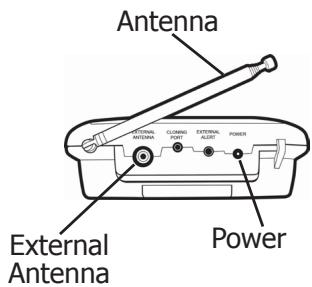
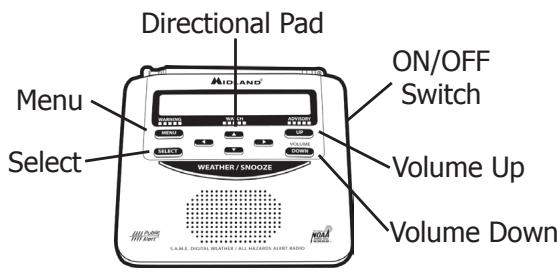
Table of Contents
Welcome 3
Getting to know your Weather Radio
WR-120 Features 4
Icons on the Display 4
Accessory Jacks 4
Setting up your Weather Radio
Set Time 5
Set Alarm 5
Set Language 5
Locating your S.A.M.E codes.
S.A.M.E. (Specific Area Message Encoding) Codes 6
Getting the S.A.M.E. Codes
In the USA. 6
In Canada 6
Set Location
"ANY" S.A.M.E. Code is Factory Default. 7
"Single" S.A.M.E. Code 7
"Multiple" S.A.M.E. Codes 7
User Notifications
Alert Type (Display, Voice, or Tone) 8
Reviewing Recent Alerts 8
Alert Test. 8
Set Channel/Volume 8
Backlight 9
Button Beeps 9
Weekly Test 9
Troubleshooting 10
Reception 11
Test Signals Broadcast 11
One Year Limited Warranty 12
Service 12
Accessory order form 37
Other Midland Products 38
Welcome!
Congratulations on your purchase of the Midland WR-120 All Hazards Alert Weather Radio with S.A.M.E.
All Hazards means the radio is the fastest, most reliable means of receiving information on life threatening weather such as tornadoes, hurricanes, floods, ice storms as well as civil emergencies such as Amber alerts, hazardous explosions, fires and chemical spills. This information is broadcast 24 hours a day, 7 days a week so you can stay informed no matter what time of day it is.
In addition to all hazards, the WR-120 also has S.A.M.E. technology (Specific Area Message Encoding). This gives you the option of screening out unwanted broadcasts and receiving alerts only specifically targeted for the geographical area you live in. Finally, Midland is proud to say the WR-120 is Public Alert Certified - meaning it has been tested and approved to meet the Consumer Electronics Association standards of reliability and quality as a product carrying public safety warnings. Therefore it is a quality piece of electronic equipment, skillfully constructed with the finest components and is designed for reliable and trouble-free performance for years to come. Enjoy!

NOTE: We encourage you to read this owner's manual before operating the radio. This manual is a valuable part of your new Midland All Hazards Weather Alert Radio. See the "Quick Start Instructions" section of this manual for initial setup and programming. After the radio is programmed and operating properly, store the manual in a safe place for future reference.
Getting to know your Weather Radio
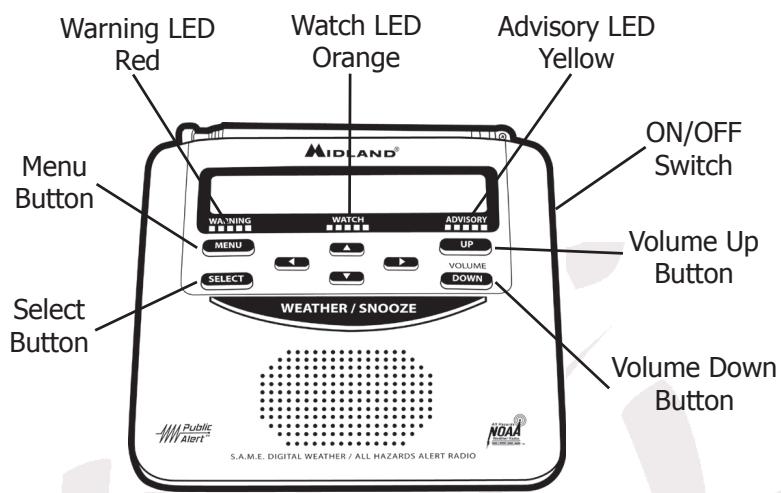
WR-120 Features
Icons on the Display
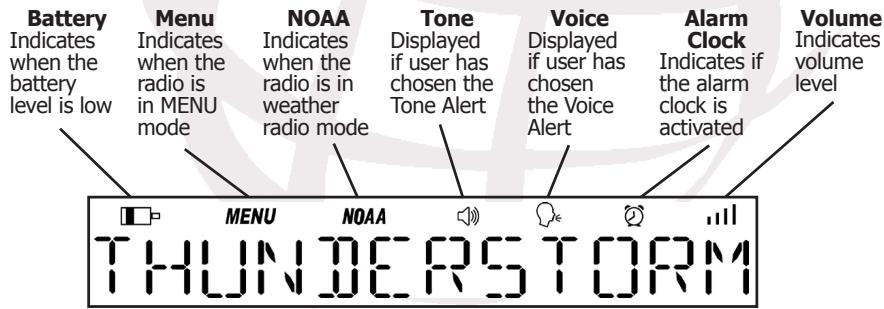
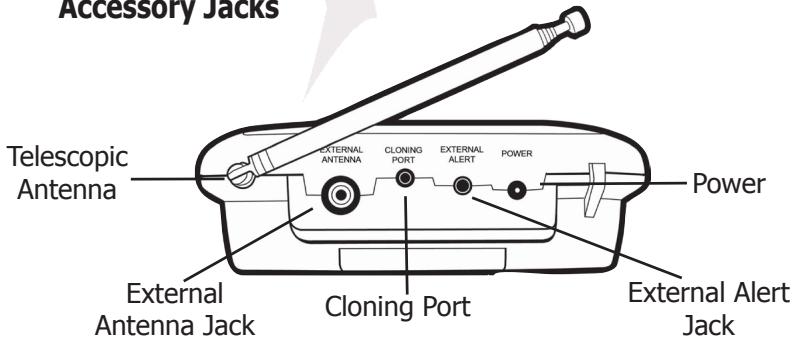
Accessory Jacks
Setting up your Weather Radio
Set Time:
- Press MENU to open menu options.
- Press to scroll through menu to SET TIME.
- Press SELECT (hour option will begin flashing)
- Press until current hour is displayed. (Note: AM/PM changes as you scroll through the hours)
- Press to save current hour and advance to minute settings.
- Program both minute digits the same way.
- Press SELECT to store the current time.
- Press MENU to exit menu mode.
Set Alarm:
- Press MENU to open menu options.
- Press to scroll through menu to SET ALARM, then press SELECT.
- Press to display ON. Press SELECT.
- Press until the hour you want is displayed. (Note: AM/PM changes as you scroll through the hours)
- Press to save alarm hour and advance to alarm minutes. Program both minute digits the same way.
- Press SELECT to save the alarm time.
- Press MENU to exit menu mode.
To temporarily silence the sleep alarm, press the WEATHER / SNOOZE button. This will advance the alarm time by 8 minutes. To silence the alarm for the remainder of the day, press the MENU button.
Set Language:
- Press MENU to open menu options.
- Press to scroll through menu to SET LANGUAGE then press SELECT.
- Press to choose "ENGLISH", "ESPANOL" or "FRANCAIS" then press SELECT.
- Press MENU to exit menu mode.
Locating your S.A.M.E codes.
S.A.M.E. (Specific Area Message Encoding) Codes:
You can program the WR-120 All Hazards Alert Weather Radio with up to 25 S.A.M.E. codes. The United States and Canada assign unique six digit identification codes to each forecast region and sub region. These codes are known as Federal Information Processing System (FIPS in the USA) or Canadian Location Coded (CLC in Canada).
Warnings, watches and statements of weather and other area emergencies, about 80 different types, will activate the weather radio for only your programmed specific area. The S.A.M.E. message contains information pertaining to the period for which the alert is valid. The broadcast station can set the active time of the alert from 15 minutes up to 6 hours. When the designated time has passed, the weather radio display message and light will automatically reset to their normal appearance.
Getting the S.A.M.E. Codes: For USA:
- The National Weather Service Toll-Free Number 1-888-NSW-SAME (1-888-697-7263)
- National Weather Service Website www.nws.noaa.gov/nwr/indexnw.htm
- Midland Radio Corporation Website www.midlandradio.com/Products/Be-Weather-Aware
For Canada:
- Environment Canada's Meteorological Service Number 1-877-789-7733 (Canada Only)
- Environment Canada's Meteorological Service www.ec.gc.ca/weatherradio
- Midland Radio Corporation website www.midlandradio.com/Products/Be-Weather-Aware
- E-mail weather.info.meteo@ec.gc.ca
Set Location:
Your WR-120 All Hazards Weather Alert Radio comes preprogrammed to receive weather and hazard alert transmissions for all S.A.M.E. codes within range. If this is what you want, leave the radio set to ANY.
"Any" S.A.M.E. Code: (recommended)
- Press MENU to open menu options.
- Press to scroll through menu to SET LOCATION, then press SELECT.
- Press to ANY then press SELECT.
- Press MENU to exit menu mode.
"Single" S.A.M.E. Code:
- Press MENU to open menu options.
- Press to scroll through menu to SET LOCATION, then press SELECT.
- Press to SINGLE then press SELECT.
- SAME 01 will be displayed. Press SELECT.
- Use ▲ ▼ or ⊥ to program the 6 digit S.A.M.E. code.
- Press SELECT.
- Press MENU to exit menu mode.
Note: In the single mode the last S.A.M.E. code programmed will be the only one the radio alerts to, even though multiple codes can be entered in alternate S.A.M.E. positions.
"Multiple" S.A.M.E. Code:
- Press MENU to open menu options.
- Press to scroll through menu to SET LOCATION, then press SELECT.
- Press to MULTIPLE then press SELECT.
- SAME 01 will be displayed. Press SELECT.
- Use ▲ ▼ or ⊥ to program the 6 digit S.A.M.E. code.
- Press SELECT.
- Press to advance to SAME 02.
- Repeat steps 4-7 to program up to 25 codes.
- Press SELECT.
- Press MENU to exit menu mode.
Note: While in MENU mode, if no buttons are pressed for 60 seconds, the radio will automatically exit MENU mode.
User Notifications:
Alert Type (Display, Voice or Tone):
- Press MENU to open menu options.
- Press to scroll through menu to ALERT TYPE, then press SELECT.
- Press to choose VOICE, TONE or DISPLAY then press SELECT.
- Press MENU to exit menu mode.
| Alert Type | Description |
| Display | When the DISPLAY alert type is chosen, only a text alert will scroll on the display. There will be no audible alarm. |
| Voice | When the VOICE alert type is chosen, the alert tone will sound for 8 seconds, then you will hear the voice of the weather broadcast for 3 minutes. |
| Tone | When the TONE alert type is chosen, the alert tone will sound for 3 minutes, or until you press any button. |
Reviewing Recent Alerts:
The WR-120 All Hazards Weather Alert Radio can store up to 10 different Weather/Hazard alerts (with overlapping effective times) in its memory. If the weather radio receives a new alert while any previous alert is still in effect, it automatically displays the new alert. You can review all alerts still in effect by pressing to scroll through the weather radio's active alert memory. A double beep indicates the end of the list. "NOMESSAGE" will be displayed if no alerts are active.
Alert Test:
- Press MENU to open menu options.
- Press to scroll through menu to ALERT TEST.
- Press SELECT to sound the alert siren.
- Press any button to silence the siren or press MENU to exit menu mode.
Note: Ensure ON/OFF switch is in the ON position
Set Channel/Volume:
- Press MENU to open menu options.
- Press to scroll through menu to SET CHANNEL then press SELECT.
- Tune the channel to the desired broadcast by using or .
- Adjust the volume to a comfortable level by using VOLUME UP or VOLUME DOWN.
- Press MENU to exit menu mode.
Note: Ensure ON/OFF switch is in the ON position
Backlight:
- Press MENU to open menu options.
- Press to scroll through menu to BACKLIGHT, then press SELECT.
- Press to choose BLT NORM, BLT ON, BLT OFF then press SELECT.
- Press MENU to exit menu mode.
| Backlight Type | Description |
| BLT NORM | The backlight turns on whenever any button is pressed and will turn off after 5 seconds. |
| BLT ON | The backlight comes on and will stay on continuously until you turn it off manually through the menu. |
| BLT OFF | The backlight will remain off at all times until turned on manually though the menu. |
Button Beeps:
- Press MENU to open menu options.
- Press to scroll through menu to BUTTON BEEPS, then press SELECT.
- Press to choose ON or OFF then press SELECT.
- Press MENU to exit menu mode.
Weekly Test:
- Press MENU to open menu options.
- Press to scroll through menu to WEEKLY TEST, then press SELECT.
- Press to choose ON or OFF then press SELECT.
- Press MENU to exit menu mode.
NOTE: A test signal is transmitted once a week. The "WEEKLY TEST" option enables or disables the audible siren for this event. By default, the siren is disabled.
Troubleshooting:
| Problem | Suggestion |
| No Power | Make sure the power adapter is securely plugged into back of the weather radio and into the wall outlet. Make sure batteries are installed in case of a power failure. |
| No Sound | Check VOLUME control to ensure volume is turned up to an audible level. |
| No Weather broadcast when you press the WEATHER/SNOOZE button | Ensure the telescoping antenna is up and fully extended. If you are using an external antenna, ensure it is connected properly. Ensure the radio is set to the weather channel in use in your area. Contact the broadcasting station to ensure they are presently broadcasting. If in a metal structure, make sure you are close to a window. If in a weak signal area, you will need an external antenna. |
| The radio is not responding properly to weather alert broadcasts | Check to see that you have programmed in the correct S.A.M.E. code(s). Check that the tower nearest you is broadcasting. |
For Technical Support Contact:
Midland Radio Corporation
5900 Parretta Drive
Kansas City, Missouri 64120
Phone: (816) 241-8500
Fax: (816) 241-5713
E-mail: mail@midlandradio.com
Web site: www.midlandradio.com
Reception:
The National Weather Service and Environment Canada operate a system of weather and hazard alert broadcasts covering a large area of the United States and Canada. Currently, only a few areas are not covered. Typical broadcasts are within reception distance of 25-40 miles of the weather station. Your WR-120 All Hazards Alert Weather Radio can receive broadcasts from up to 40 miles from the weather station depending on your location and conditions of weather, terrain, etc... If you find reception is not good in your area, try different locations in your home or office to find a spot of improved reception.
NOTE: Placement near a window usually improves reception.
If a weather broadcast cannot be heard on any of the 7 channels, contact your local weather office and verify the closest station is on air. Also verify the channel frequencies the station is broadcasting. If your station is transmitting and you are not receiving the broadcasts, you may need an external antenna. Please visit our web site at www.midlandradio.com to view our suggested antenna, the 18-259W VHF Through-Glass Antenna. This antenna improves reception when applied to a window.
NOTE: Metal structures are more difficult to receive reception in because metal interferes with the signal. If you live in a metal structure, you may need an external antenna.
Test Signals Broadcast:
All Weather Service stations periodically transmit test signals. You can find out when your local station broadcasts test signals by calling the NOAA National Weather Service Forecast Office (listed under "Weather" in the Federal Government section of the telephone book).
In Canada these tests are performed every Wednesday at 12:00 noon.
During the weekly test signal, the local station will give a list of counties covered by their transmitter. The test signal allows everyone with weather radio receivers to verify the operation of their equipment.
The following test signals may be sent during testing: required weekly test, required monthly test, system demo, and national periodic test.
During a test, the yellow advisory LED will light up and the "Weekly Test" or "Monthly Test" message will be visible on the display. While disabled in the menu, the radio will not sound an audible alert tone to avoid giving the impression of an actual alarm. The visual response to the test is confirmation that your radio is working properly.
One Year Limited Warranty:
MIDLAND Radio Corporation will repair or replace, at its option without charge, your WR-120 All Hazards Alert Weather Radio which fails due to a defect in material or workmanship within ONE YEAR following the initial consumer purchase. This warranty does not include any antennas, which may be a part of or included with the warranted product, or the cost of labor for removal or re-installation of the product in a vehicle or other mounting. Performance of any obligation under this warranty may be obtained by returning the warranted product, freight prepaid, along with a copy of the original sales receipt to Midland Radio Corporation at the address provided below.
This warranty gives you specific legal rights, and you may also have other rights, which vary, from state to state.
NOTE: The above warranty applies only to merchandise purchased in the United States of America or any of the territories or possessions thereof, or from a U.S. Military exchange. For warranty coverage on merchandise purchased elsewhere ask your dealer.
Service:
If your Midland Weather Radio fails to operate properly, check the "Troubleshooting" section in this manual before returning it for service. If necessary, return as follows:
- Pack the unit in its original box and packing. Then pack the original box in a suitable shipping carton. Caution: Improper packing may result in damage during shipment.
- Include the following:
a. Full description of any problems
b. Daytime telephone number, name & address
- For warranty service include a photocopy of the bill of sale from an authorized dealer or other proof of purchase showing the date of sale.
- You do not need to return accessory items (AC/DC Adapter, Batteries, Owner's Guide) unless they might be directly related to the problem.
- A flat rate of $25.00 will apply to repairs not covered by warranty or units that are over one year old. Send only cashier's check, money order or Master Card or Visa card number.
Midland Radio Corporation
5900 Parretta Drive
Kansas City, Missouri 64120
Phone: (816) 241-8500
Fax: (816) 241-5713
E-mail: mail@midlandradio.com
Website: www.midlandradio.com
Kansas City, Missouri 64120
Telephone:(816)241-8500
Fax: (816) 241-5713
Kansas City, Missouri 64120
Telephone : (816) 241-8500
Fax:(816)241-5713
Site Web: www.midlandradio.com
http://www.ec.gc.ca/weatherradio
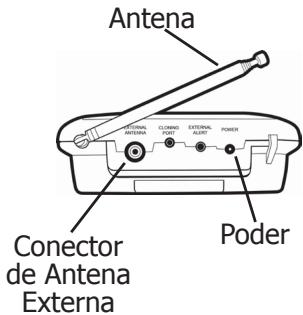
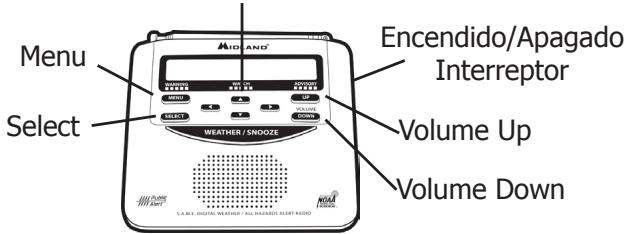
Almohadilla Direcctionable
Índice de Contendidos
Bienvenida 27
Establisher Canal/Volumen:
Kansas City, Missouri 64120
Telefon: (816) 241-8500
Fax: (816) 241-5713
E-mail: mail@midlandradio.com
Págrina Web: www.midlandradio.com
Recepción:
Accessories Order Form
Please send Money Order or Fill in Visa/Master Card information and mail to the address below. Please DO NOT send cash or checks. Make Money Order to: Midland Radio Corporation.
Name:
Address:
City:
Tel:
CC#:
State: Zip Code:
E-mail:
| QTY | ITEM | PRICE | Total |
| 18-STR | 19.99 | ||
| 18-259W | 21.99 |
Sub Total
$
Tax (MO,CO,IL,FL only)
$
Shipping & Handling
$14.95
Applies to Domestic US only.
For Hawaii, Alaska, Puerto Rico shipping and handling will be 36.25 for 1 lb. and 64.25 for 2 lbs. or more
$
Total
$
Mail To:
Midland Radio Corporation
Consumer Dept.
5900 Parretta Drive
Kansas City, MO 64120
Or Call (816) 241-8500
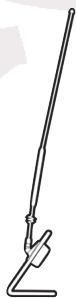
18-259W
Window Mount All Hazard / Weather Alert Radio Antenna
Improves Range and Reception
17-7 Stainless Steel Rod
$21.99
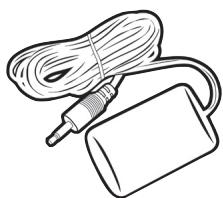
18 -STR
External Alert Strobe Light Easy Connection
High Strobe Visibility
\$19.99

MIDLAND®
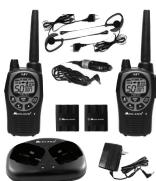
GMRS RADIOS
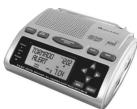
WEATHER RADIOS
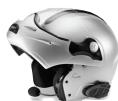
Bluetooth
MOTORCYCLE COMMUNICATION SYSTEM
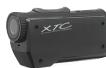
EXTREME ACTION CAMERA
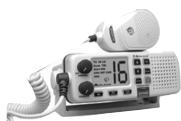
MARINE RADIOS
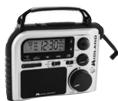
EMERGENCY CRANK RADIOS
CITIZEN BAND RADIOS
CHECK OUT THE OTHER GREAT MIDLAND PRODUCTS AT www.midlandradio.com
Note: Features & Specifications are subject to change without notice. MIDLAND is not responsible for unintentional errors or omissions on its packaging.
- Quick Start Instructions:
- Table of Contents
- Getting to know your Weather Radio
- Setting up your Weather Radio
- Locating your S.A.M.E codes.
- Set Location
- User Notifications
- Welcome!
- Congratulations on your purchase of the Midland WR-120 All Hazards Alert Weather Radio with S.A.M.E.
- Icons on the Display
- Set Time:
- Set Alarm:
- Set Language:
- S.A.M.E. (Specific Area Message Encoding) Codes:
- Getting the S.A.M.E. Codes: For USA:
- For Canada:
- Set Location:
- "Any" S.A.M.E. Code: (recommended)
- "Single" S.A.M.E. Code:
- "Multiple" S.A.M.E. Code:
- User Notifications:
- Alert Type (Display, Voice or Tone):
- Reviewing Recent Alerts:
- Alert Test:
- Set Channel/Volume:
- Backlight:
- Button Beeps:
- Weekly Test:
- For Technical Support Contact:
- Reception:
- Test Signals Broadcast:
- One Year Limited Warranty:
- Service:
- Índice de Contendidos
- Establisher Canal/Volumen:
- Recepción:
- Accessories Order Form
- Window Mount All Hazard / Weather Alert Radio Antenna
- External Alert Strobe Light Easy Connection
- MIDLAND®
Brand : MIDLAND
Model : WR120
Category : Weather radio