
H210 - Soundbar HISENSE - Free user manual and instructions
Find the device manual for free H210 HISENSE in PDF.


Pick your language and provide your email: we'll send you a specifically translated version.
| Product type | Soundbar |
| Brand | HISENSE |
| Model | H210 |
| Total power (RMS) | 40 W |
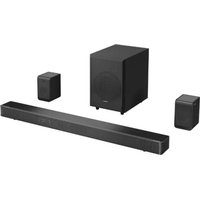
| Number of channels | 2.1 |
| Subwoofer | Wireless |
| Connectivity | Bluetooth, HDMI ARC, optical, auxiliary |
| Supported audio formats | PCM, Dolby Digital |
| Frequency response | 60 Hz – 20 kHz |
| Dimensions (W × H × D) | 650 × 80 × 100 mm |
| Weight | 2.5 kg |
| Power supply | 100-240 V ~ 50/60 Hz |
| Standby power consumption | Less than 0.5 W |
| Main functions | Volume control, source selection, equalizer settings |
| Remote control | Yes, included |
| Wall mounting | Compatible |
| Care and cleaning | Dust regularly with a soft dry cloth |
| Usage safety | Do not expose to moisture, unplug during thunderstorms |
| Spare parts and repairability | Remote control, cables, adapter; repair by an approved technician |
| General information | Manual in French available online for free |
Frequently Asked Questions - H210 HISENSE
How to connect the Hisense H210 soundbar to a television?
The H210 soundbar can be connected via HDMI ARC, optical cable or auxiliary cable. For HDMI ARC, plug the HDMI cable into the TV's ARC output, then select the corresponding source on the soundbar.
How to pair a smartphone via Bluetooth with the H210 soundbar?
Enable Bluetooth on your phone, then put the soundbar in Bluetooth mode by pressing the source button. Search for the Hisense H210 device in the list and select it. Pairing is confirmed by an audible signal.
What to do if the remote control does not work?
First check the remote control batteries. Then make sure the soundbar is powered and no obstacle blocks the infrared sensor. If the problem persists, reset the soundbar by unplugging it for 30 seconds and then plugging it back in.
How to adjust bass and treble on the H210 soundbar?
Use the equalizer buttons on the remote control or on the soundbar itself. Press the EQ button to cycle through presets like Music, Movie or Voice. You can also manually adjust bass and treble if your model allows it.
Is the H210 soundbar compatible with Dolby Atmos?
No, the H210 supports common audio formats like PCM and Dolby Digital, but not Dolby Atmos. It is designed for an improved sound experience compared to TV speakers, but without Atmos technology.
How to reset the soundbar to factory settings?
Press and hold the Source button for about 5 seconds until the indicator flashes. The soundbar turns off and then back on, indicating that factory settings have been restored.
Can the H210 soundbar be mounted on a wall?
Yes, the H210 has mounting points on the back. Use the drilling template provided in the manual, drill at the desired height, then install the wall brackets with wall plugs suitable for your wall.
Why is there no sound when I watch a movie?
Check that the correct source is selected and that the soundbar volume is not muted. Make sure the cable is properly connected and that the TV audio output is set to PCM or Bitstream in the settings.
How to clean the H210 soundbar?
First unplug the device. Use a soft dry cloth to dust the exterior surface. Avoid chemical products or damp cloths that could damage the speakers or internal components.
Is there a warranty for the H210 soundbar?
All Hisense products benefit from a legal warranty of conformity for a period of 2 years in France. Keep your purchase receipt and contact customer service if there is a problem.
User questions about H210 HISENSE
0 question about this device. Answer the ones you know or ask your own.
Ask a new question about this device
No questions yet. Be the first to ask one.
Download the instructions for your Soundbar in PDF format for free! Find your manual H210 - HISENSE and take your electronic device back in hand. On this page are published all the documents necessary for the use of your device. H210 by HISENSE.
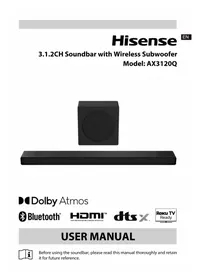
USER MANUAL H210 HISENSE


Manual assistant
Powered by Anthropic
Waiting for your message
Product information
Brand : HISENSE
Model : H210
Category : Soundbar