
EA2000H - Drill Herkules - Free user manual and instructions
Find the device manual for free EA2000H Herkules in PDF.


Pick your language and provide your email: we'll send you a specifically translated version.
| Product Type | Corded Drill |
| Brand | Herkules |
| Model | EA2000H |
| Power Source | 230V ~ 50Hz mains |
| Power Input | 1050 W |
| Chuck Capacity | 13 mm keyless chuck |
| No-Load Speed | 0-3000 rpm (variable speed) |
| Impact Rate | 0-48000 bpm |
| Drilling Capacity in Wood | 40 mm |
| Drilling Capacity in Steel | 13 mm |
| Drilling Capacity in Concrete | 20 mm |
| Forward/Reverse Function | Yes |
| Additional Handle | Adjustable auxiliary handle |
| Depth Stop | Integrated depth gauge |
| Cable Length | 2.5 m |
| Weight | 2.4 kg |
| Dimensions (L x W x H) | 290 x 210 x 85 mm |
| Protection Class | II (double insulated) |
| Grip | Soft grip for comfortable handling |
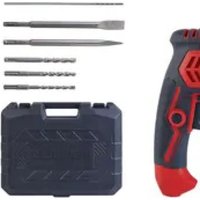
| Scope of Delivery | Drill, auxiliary handle, depth gauge, chuck key, carrying case |
Frequently Asked Questions - EA2000H Herkules
How do I change the drill bit on the Herkules EA2000H?
First ensure the drill is unplugged. Open the keyless chuck by turning it counterclockwise. Insert the bit up to the stop and tighten the chuck by turning it clockwise. For secure fixing, use the auxiliary chuck key if necessary. Always check that the bit is centered and firmly locked before starting.
How do I activate the hammer function?
The Herkules EA2000H has a selector switch for drill and hammer modes. Slide the switch to the hammer icon for impact drilling in concrete or masonry. For normal drilling in wood or metal, slide it back to the drill icon. Do not use hammer mode on sensitive materials like tiles unless necessary.
What speed should I set for different materials?
Use low speeds for metal (around 1000-1500 rpm) and medium speeds for wood (1500-2500 rpm). For masonry, use full speed with hammer mode. Always start at low speed and increase gradually to avoid overheating the bit and material.
How do I maintain the drill and keep it clean?
After use, unplug and wipe the drill with a dry cloth. Keep the ventilation slots free from dust. Clean the chuck regularly and apply a few drops of oil to moving parts. Store in a dry place. Periodically check the carbon brushes and replace them when visibly worn.
Can I use the EA2000H for screwdriving?
Yes, the variable speed trigger and forward/reverse switch make it suitable for driving screws. Use a screwdriving bit and set the torque if available; otherwise, maintain low speed and control pressure. For hard materials, pre-drill a pilot hole.
What safety precautions should I take when drilling?
Always wear safety goggles and gloves. Keep the cable away from the drilling area. Clamp the workpiece securely. Use the auxiliary handle for two-handed operation. Do not use the drill in wet conditions. Disconnect power before changing bits.
How do I replace the carbon brushes?
The carbon brushes are located on the motor sides in e.g. the motor housing. Unscrew the brush caps, remove the worn brushes, insert new pairs, and tighten caps. Use only original spare parts which are available from Herkules service centers or qualified dealers.
The drill does not start. What should I check?
Check whether the power cord is plugged in and the socket works. Inspect the switch mechanism for debris. If the brushes are worn, replace them. If the drill still does not run, the motor or wiring may be damaged; contact a professional service center.
Can I use a bit adapter for larger bits?
The 13 mm keyless chuck accepts bits and shanks up to 13 mm. For larger sizes, use a reduction sleeve or mounting a chuck adapter is not recommended, as it may overload the motor. Use the correct capacity bits only.
How should I store the drill when not in use?
Clean the drill, wrap the cable loosely, and store it in a dry, frost-free room. Put the drill in the carrying case to protect it from dust. Avoid placing heavy objects on the case. Store away from children's reach.
User questions about EA2000H Herkules
0 question about this device. Answer the ones you know or ask your own.
Ask a new question about this device
No questions yet. Be the first to ask one.
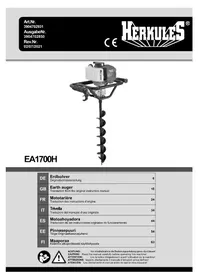
Download the instructions for your Drill in PDF format for free! Find your manual EA2000H - Herkules and take your electronic device back in hand. On this page are published all the documents necessary for the use of your device. EA2000H by Herkules.
USER MANUAL EA2000H Herkules
Manual assistant
Powered by Anthropic
Waiting for your message
Product information
Brand : Herkules
Model : EA2000H
Category : Drill