
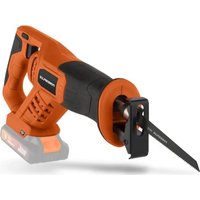
POWEBJSS3 - Saw PowerPlus - Free user manual and instructions
Find the device manual for free POWEBJSS3 PowerPlus in PDF.



Pick your language and provide your email: we'll send you a specifically translated version.
| Product Type | Jigsaw |
| Brand | PowerPlus |
| Model | POWEBJSS3 |
| Power Supply | 230-240 V, 50 Hz |
| Power Consumption | 550 W |
| No-load speed range | 0-3000 min⁻¹ |
| Stroke length | 20 mm |
| Cutting capacity in wood | 70 mm |
| Cutting capacity in steel | 5 mm |
| Cutting capacity in aluminium | 10 mm |
| Bevel cuts | 0-45 degrees |
| Pendulum action | 4-position adjustable |
| Blade type | T-shank |
| Dust extraction port | Yes, 36 mm |
| Weight | 2.4 kg |
| Cable length | 2 m |
| Safety features | Blade guard, trigger lock |
| Maintenance | Clean air vents and lubricate blade holder regularly |
| Spare parts availability | PowerPlus authorized service centers |
| Included in box | Jigsaw, anti-splinter plate, hex key, user manual |
Frequently Asked Questions - POWEBJSS3 PowerPlus
How do I properly insert and remove blades on my POWEBJSS3 jigsaw?
To change blades, unplug the jigsaw. Use the blade release lever to open the clamp. Insert the T-shank blade until it clicks. Ensure the blade is securely locked before use.
What kind of saw blades are compatible with the POWEBJSS3?
The POWEBJSS3 uses standard T-shank blades, which are widely available for wood, metal, and plastic cutting.
How do I adjust the cutting speed on the jigsaw?
The jigsaw has a variable speed dial on the top. Turn it to select the appropriate speed for the material: slower for metal and plastics, faster for wood.
Can I make bevel cuts with this jigsaw?
Yes, you can adjust the base plate to any angle from 0 to 45 degrees. Loosen the bevel lock, tilt the base plate to the desired angle, and tighten the lock securely.
How do I reduce splintering when cutting wood?
Use a fine-tooth blade and place the good side facing down. You can also install the anti-splinter plate (included) onto the base plate for cleaner cuts.
What maintenance does the POWEBJSS3 require?
Clean the air vents regularly with a brush to ensure proper cooling. Wipe the housing with a dry cloth. Occasionally lubricate the blade holder with a drop of oil to keep it smooth.
What safety precautions should I follow?
Always wear protective goggles and ear protection. Keep the power cord away from the cutting path. Do not touch the moving blade. Unplug the tool before changing blades or cleaning.
Why is my blade getting very hot during use?
A hot blade usually indicates too high speed or a dull blade. Reduce the speed setting, use a sharper blade, and make sure you are not pressing too hard.
Can I do plunge cuts with the POWEBJSS3?
Yes, to make a plunge cut: tilt the jigsaw forward on the front edge of the base plate, turn it on, and slowly lower the blade into the material. Ensure the blade is correctly aligned.
Where can I find spare parts for the POWEBJSS3?
Spare parts are available through PowerPlus authorized service centers and selected retailers. Contact PowerPlus support for the nearest parts provider.
User questions about POWEBJSS3 PowerPlus
0 question about this device. Answer the ones you know or ask your own.
Ask a new question about this device
No questions yet. Be the first to ask one.
Download the instructions for your Saw in PDF format for free! Find your manual POWEBJSS3 - PowerPlus and take your electronic device back in hand. On this page are published all the documents necessary for the use of your device. POWEBJSS3 by PowerPlus.
USER MANUAL POWEBJSS3 PowerPlus



Manual assistant
Powered by Anthropic
Waiting for your message
Product information
Brand : PowerPlus
Model : POWEBJSS3
Category : Saw