POFH30IN2B - Cooker Point - Free user manual and instructions
Find the device manual for free POFH30IN2B Point in PDF.


Pick your language and provide your email: we'll send you a specifically translated version.
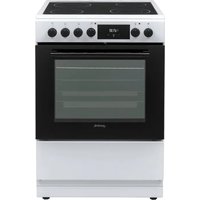
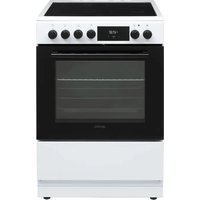
| Product Type | Freestanding Cooker |
| Brand | Point |
| Model | POFH30IN2B |
| Colour | Stainless Steel with Black Glass |
| Hob Type | Ceramic Glass |
| Number of Cooking Zones | 4 |
| Cooking Zone Layout | 1 x 120 mm / 1.2 kW, 1 x 180 mm / 1.8 kW, 2 x 210 mm / 2.0 kW |
| Oven Type | Multifunction Electric |
| Oven Functions | 8 Functions (Conventional, Fan, Grill, Fan-assisted + Grill, etc.) |
| Oven Capacity | 72 Litres |
| Oven Energy Rating | A |
| Grill Power | 2.5 kW |
| Control Type | Knobs |
| Digital Timer | Yes, with programmer |
| Cleaning Type | Easy-clean enamel interior |
| Safety Features | Child lock, automatic shut-off, residual heat indicators |
| Power Supply | 220-240 V, 50/60 Hz |
| Total Connected Load | 9.6 kW |
| Dimensions (W x H x D) | 50 cm x 85 cm x 60 cm |
| Net Weight | 42 kg |
| Included Accessories | Oven grill, baking tray and side pan supports |
| Spare Parts Availability | Heating elements, thermostats and knobs available online |
| Repairability | Modular design; DIY-friendly instruction manual included |
Frequently Asked Questions - POFH30IN2B Point
How do I install the cooker correctly?
Ensure the cooker is placed on a flat, heat-resistant surface. Maintain a gap of at least 150 mm from the rear wall. Connect to a dedicated power supply of 220-240 V with a 30 A circuit breaker. Do not use extension cords.
How do I set the clock?
This model features a digital programmer. To set the clock, press the "Clock" button, then use the "+" and "-" buttons to adjust the time. Confirm by pressing "Clock" again. The clock must be set before using the timer functions.
Which oven functions are best for baking?
Use the fan-assisted mode for even baking on multiple racks. For crisp pastries, select conventional heating. Preheat the oven to the required temperature before placing your dish.
How do I clean the ceramic hob?
Wait until the hob is completely cool. Use a ceramic hob scraper to remove burned residues, then apply a small amount of ceramic glass cleaner with a soft cloth. Avoid abrasive sponges.
What should I do if the oven is not heating?
Check if the power supply is on and the timer is set to manual. Verify the selected function is not a cooling mode. If the problem persists, inspect the heating element for signs of damage and test the thermostat. For electrical repairs, contact a qualified technician.
Can I use the cooker on a 20 amp circuit?
No, this appliance requires a dedicated circuit with a 32 amp fuse due to its 9.6 kW total load. Using a lower-rated circuit will cause the breaker to trip and may damage the cooker.
How do I replace the oven light bulb?
Disconnect the cooker from the power supply. Remove the light cover by turning it counter-clockwise. Replace the bulb with a 40 W E14 heat-resistant bulb. Reattach the cover and reconnect the power.
Is there a child lock feature?
Yes, the operator has a child lock. To activate it, press and hold the "Lock" button for 3 seconds. While locked, the cooking zones and oven controls will not respond.
How do I remove grease from the oven walls?
Use a degreasing spray or a mixture of baking soda and water. Apply to the interior surfaces, allow it to react for 20 minutes, then wipe with a damp microfiber cloth. Avoid cleaning the heating elements directly.
Where can I buy spare parts?
Spare parts such as knobs, heating elements and thermostats are available from online parts suppliers or authorized Point service centers. Always quote your model number POFH30IN2B to ensure compatibility.
User questions about POFH30IN2B Point
0 question about this device. Answer the ones you know or ask your own.
Ask a new question about this device
No questions yet. Be the first to ask one.
Download the instructions for your Cooker in PDF format for free! Find your manual POFH30IN2B - Point and take your electronic device back in hand. On this page are published all the documents necessary for the use of your device. POFH30IN2B by Point.
USER MANUAL POFH30IN2B Point
Manual assistant
Powered by Anthropic
Waiting for your message
Product information
Brand : Point
Model : POFH30IN2B
Category : Cooker