POCO3060IHW - Cooker Point - Free user manual and instructions
Find the device manual for free POCO3060IHW Point in PDF.


Pick your language and provide your email: we'll send you a specifically translated version.
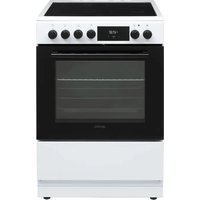
| Product Type | Freestanding Cooker |
| Brand | Point |
| Model | POCO3060IHW |
| Energy Source | Electric / Induction |
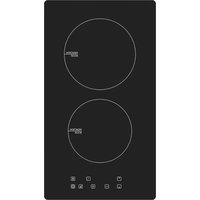
| Hob Type | Induction hob with 4 cooking zones |
| Oven Type | Electric oven with multiple functions |
| Width | 60 cm |
| Height | 85 cm (adjustable) |
| Depth | 60 cm |
| Weight | 45 kg |
| Power Supply | 220-240 V, 50/60 Hz |
| Oven Capacity | 72 liters |
| Number of Cooking Zones | 4 |
| Oven Functions | Conventional, fan-assisted, grill, defrost |
| Cleaning | Easy-clean enamel interior |
| Control Type | Touch controls and knobs |
| Safety Features | Child lock, automatic shut-off, residual heat indicators |
| Spare Parts Availability | Available for 10 years |
| Repairability Index | 8.2 / 10 |
| Accessories Included | Oven grid, baking tray |
| Installation | Freestanding, standard connection |
Frequently Asked Questions - POCO3060IHW Point
How do I clean the induction hob?
Use a soft damp cloth with mild detergent after the hob has cooled. Avoid abrasive sponges. For burnt-on residue, use a ceramic scraper designed for induction hobs.
How can I activate the child lock?
Press and hold the key symbol on the control panel for 3 seconds until the indicator lights up. To deactivate, repeat the same action.
What should I do if the oven does not heat up?
Check that the power supply is connected and the circuit breaker is on. Ensure the oven function selector is set to a heating mode and the temperature dial is above 50°C. If still not working, contact a qualified technician.
How do I replace the oven light bulb?
Switch off the oven and let it cool. Remove the lamp cover by twisting it counterclockwise. Replace with a new bulb of the same type (usually 25W, E14). Tighten the cover back.
Can I use aluminium foil in the oven?
Yes, but avoid covering the oven floor or the heating elements. Do not put foil too close to the elements, as it may cause fire risk or damage the enamel.
How do I set the clock on the cooker?
Press the clock button until the hour digits flash. Use the + / - buttons to adjust hours, then press clock again to set minutes. Wait 5 seconds to confirm.
What are the available oven functions?
The oven includes conventional heating (top and bottom), fan-assisted for even baking, grill for browning, and defrost for thawing food. Use the selector knob to choose the desired function.
How do I connect the cooker to the electrical supply?
The cooker must be connected to a 220-240V circuit by a qualified electrician. Use a dedicated circuit with a suitable fuse (typically 32A for induction hobs). Check the wiring diagram in the manual.
Why does the induction hob show an error code?
Error codes indicate issues like overheating, incompatible cookware, or a voltage problem. Turn off the hob, wait 10 minutes, and restart. If the error persists, consult the manual or contact service.
How do I use the timer function?
Press the timer button, set the desired hours and minutes using the +/- controls, then press start. When finished, the oven turns off automatically and an alarm sounds.
User questions about POCO3060IHW Point
0 question about this device. Answer the ones you know or ask your own.
Ask a new question about this device
No questions yet. Be the first to ask one.
Download the instructions for your Cooker in PDF format for free! Find your manual POCO3060IHW - Point and take your electronic device back in hand. On this page are published all the documents necessary for the use of your device. POCO3060IHW by Point.
USER MANUAL POCO3060IHW Point
Manual assistant
Powered by Anthropic
Waiting for your message
Product information
Brand : Point
Model : POCO3060IHW
Category : Cooker