
Archer TBE400UH - Network card / adapter TP-LINK - Free user manual and instructions
Find the device manual for free Archer TBE400UH TP-LINK in PDF.


Pick your language and provide your email: we'll send you a specifically translated version.
| Product Type | USB Wi-Fi 7 Network Adapter |
| Brand | TP-Link |
| Model | Archer TBE400UH |
| Interface | USB 3.0 Type-A |
| Wireless Standard | IEEE 802.11be (Wi-Fi 7), backward compatible with 802.11ax/ac/a/b/g/n |
| Frequency Band | Tri-band (2.4 GHz, 5 GHz, and 6 GHz) |
| Maximum Speed | Up to 2.9 Gbps |
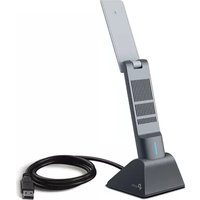
| Antenna | 2x high-gain external antennas |
| Security | WPA3/WPA2/WPA-PSK encryption |
| MU-MIMO | Yes |
| OFDMA | Yes |
| Beamforming | Yes |
| Compatibility | Windows 11/10, macOS, Linux |
| Dimensions | 73 x 30 x 15 mm (approx.) |
| Weight | 25 g (approx.) |
| Power Supply | USB bus powered (5V/1A) |
| Operating Temperature | 0°C to 40°C |
| Storage Temperature | -20°C to 70°C |
| LED Indicator | Yes |
| Warranty | 2-year limited |
Frequently Asked Questions - Archer TBE400UH TP-LINK
What is the maximum speed of the Archer TBE400UH?
The Archer TBE400UH delivers wireless speeds up to 2.9 Gbps when connected to a Wi-Fi 7 router. This speed is achieved on the 6 GHz band, with lower speeds on 5 GHz and 2.4 GHz bands.
Does this adapter support Wi-Fi 6E?
Yes, the Archer TBE400UH is fully backward compatible with Wi-Fi 6E (802.11ax) and earlier standards. It can connect to any 2.4 GHz, 5 GHz, or 6 GHz network, ensuring broad compatibility with existing routers.
How do I install the Archer TBE400UH adapter?
Simply plug the adapter into an available USB 3.0 port on your computer. On Windows, the system will automatically install the basic driver, but for full features and performance, download and install the latest driver from the TP-Link website. On macOS and Linux, similar automatic detection occurs with manual driver installation recommended.
Is the adapter compatible with my router?
As long as your router supports 802.11be, 802.11ax, or older Wi-Fi standards (a/b/g/n/ac), the Archer TBE400UH will work. It is designed for universal compatibility with any standard home router, and its tri-band capability ensures optimal connection on the 6 GHz band if your router supports it.
Can I connect this adapter to a USB hub or docking station?
For best performance, connect the Archer TBE400UH directly to a USB 3.0 port on your computer. While using a powered USB hub or docking station may work, it could reduce power delivery and cause connection instability, especially during heavy data transfer.
What should I do if the adapter is not recognized by my computer?
First, try a different USB port and ensure it is USB 3.0 or higher. Check Device Manager for unrecognized devices and update the driver manually from TP-Link's official support page. Also, verify that the adapter's LED is lit; if not, it may be a power issue. Restart your computer after driver installation.
How do I secure my wireless connection with this adapter?
The Archer TBE400UH supports the latest WPA3 encryption, along with WPA2 and WPA-PSK. To maximize security, enable WPA3 on your router and select a strong, unique password. The adapter automatically negotiates the highest security mode supported by your router.
Does the adapter support VPN passthrough?
Yes, the adapter supports VPN passthrough at the hardware level, allowing VPN protocols like PPTP, L2TP, and IPsec to function normally. For WireGuard or OpenVPN, performance will be limited by the adapter's CPU, but it works for standard use.
Can I use the Archer TBE400UH on macOS?
Yes, the Archer TBE400UH is compatible with macOS (versions supporting 802.11be/ax). You may need to install the driver from TP-Link's website for optimal performance. On Apple Silicon Macs, ensure you download the appropriate driver version.
How do I update the driver for this adapter?
Go to TP-Link's official website, navigate to the Archer TBE400UH product page, and download the latest driver for your operating system. Uninstall the old driver in Device Manager, then run the installer as administrator. Reboot your computer after installation to ensure the update takes effect.
User questions about Archer TBE400UH TP-LINK
0 question about this device. Answer the ones you know or ask your own.
Ask a new question about this device
No questions yet. Be the first to ask one.
Download the instructions for your Network card / adapter in PDF format for free! Find your manual Archer TBE400UH - TP-LINK and take your electronic device back in hand. On this page are published all the documents necessary for the use of your device. Archer TBE400UH by TP-LINK.
USER MANUAL Archer TBE400UH TP-LINK
Manual assistant
Powered by Anthropic
Waiting for your message
Product information
Brand : TP-LINK
Model : Archer TBE400UH
Category : Network card / adapter