
Restyle i509-WRA-JK - Receiver ALPINE - Free user manual and instructions
Find the device manual for free Restyle i509-WRA-JK ALPINE in PDF.


Pick your language and provide your email: we'll send you a specifically translated version.
| Product Type | Car Stereo Receiver |
| Brand | Alpine |
| Model | Restyle i509-WRA-JK |
| Connectivity | Bluetooth, USB, and AUX input |
| Tuner | AM/FM radio with RDS |
| Power Output | 50 W x 4 channels (max) |
| Operating Voltage | 12 V DC (negative ground) |
| Mounting Size | Standard ISO double-DIN |
| Remote Control | Included |
| Audio Adjustments | 3-band parametric equalizer and time correction |
| Rear Camera Input | Yes (RCA) |
| Steering Wheel Controls | Supported (requires adapter) |
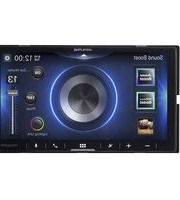
| Display | Touchscreen display |
| Media Playback | MP3, WMA, AAC, FLAC via USB |
| Radio Antenna | Standard ISO |
| Fuse Rating | 10 A |
| Weight | Approximately 1.8 kg |
| Dimensions | 2-DIN chassis (178 x 100 x 150 mm) |
| Safety Features | Detachable face and password protection |
| Repairability | Service manual available |
Frequently Asked Questions - Restyle i509-WRA-JK ALPINE
How do I pair my phone via Bluetooth?
Press the Bluetooth button on the faceplate, then search for "Alpine Restyle" on your phone. Enter the default PIN 0000 if requested. The unit will store the paired device automatically.
How do I reset the unit?
Press and hold the reset button (located near the eject button) for about 3 seconds using a pen. This restores factory defaults.
How do I set the clock?
Press the MENU button, select CLOCK, then use the volume knob to adjust hours and minutes. Confirm by pressing the volume knob.
How can I connect a backup camera?
Use the RCA video input labeled CAMERA on the rear of the unit. Connect the camera's yellow plug, and the unit will automatically switch when reverse gear is engaged (if wired properly).
How do I adjust sound settings?
Press the MENU button, then choose AUDIO. From there, you can adjust bass, treble, balance, and fader. Advanced equalizer settings are also available.
How do I remove the detachable faceplate?
Press the RELEASE button on the bottom left of the faceplate, then pull the faceplate away. Reattach by aligning the clips and pressing until it clicks.
What is the fuse rating?
The unit uses a 10 A blade fuse located in the rear power lead. Always replace with the same rating.
How do I clean the touchscreen?
Use a soft, microfiber cloth slightly dampened with water or a screen cleaner. Do not use abrasive products.
Can I use a USB drive with more than 32 GB?
The unit supports USB drives up to 128 GB formatted in FAT32 or exFAT. Larger capacities may work but are not guaranteed.
How do I update the software?
Check the Alpine website for firmware updates. Download the update file to a USB drive, insert it into the USB port, and follow the on-screen instructions in the SETUP menu.
User questions about Restyle i509-WRA-JK ALPINE
0 question about this device. Answer the ones you know or ask your own.
Ask a new question about this device
No questions yet. Be the first to ask one.
Download the instructions for your Receiver in PDF format for free! Find your manual Restyle i509-WRA-JK - ALPINE and take your electronic device back in hand. On this page are published all the documents necessary for the use of your device. Restyle i509-WRA-JK by ALPINE.
USER MANUAL Restyle i509-WRA-JK ALPINE
Manual assistant
Powered by Anthropic
Waiting for your message
Product information
Brand : ALPINE
Model : Restyle i509-WRA-JK
Category : Receiver