
KH 5503 / 5504 / 5505 DIGITAL GLASS SCALES - Kitchen scale BALANCE - Free user manual and instructions
Find the device manual for free KH 5503 / 5504 / 5505 DIGITAL GLASS SCALES BALANCE in PDF.

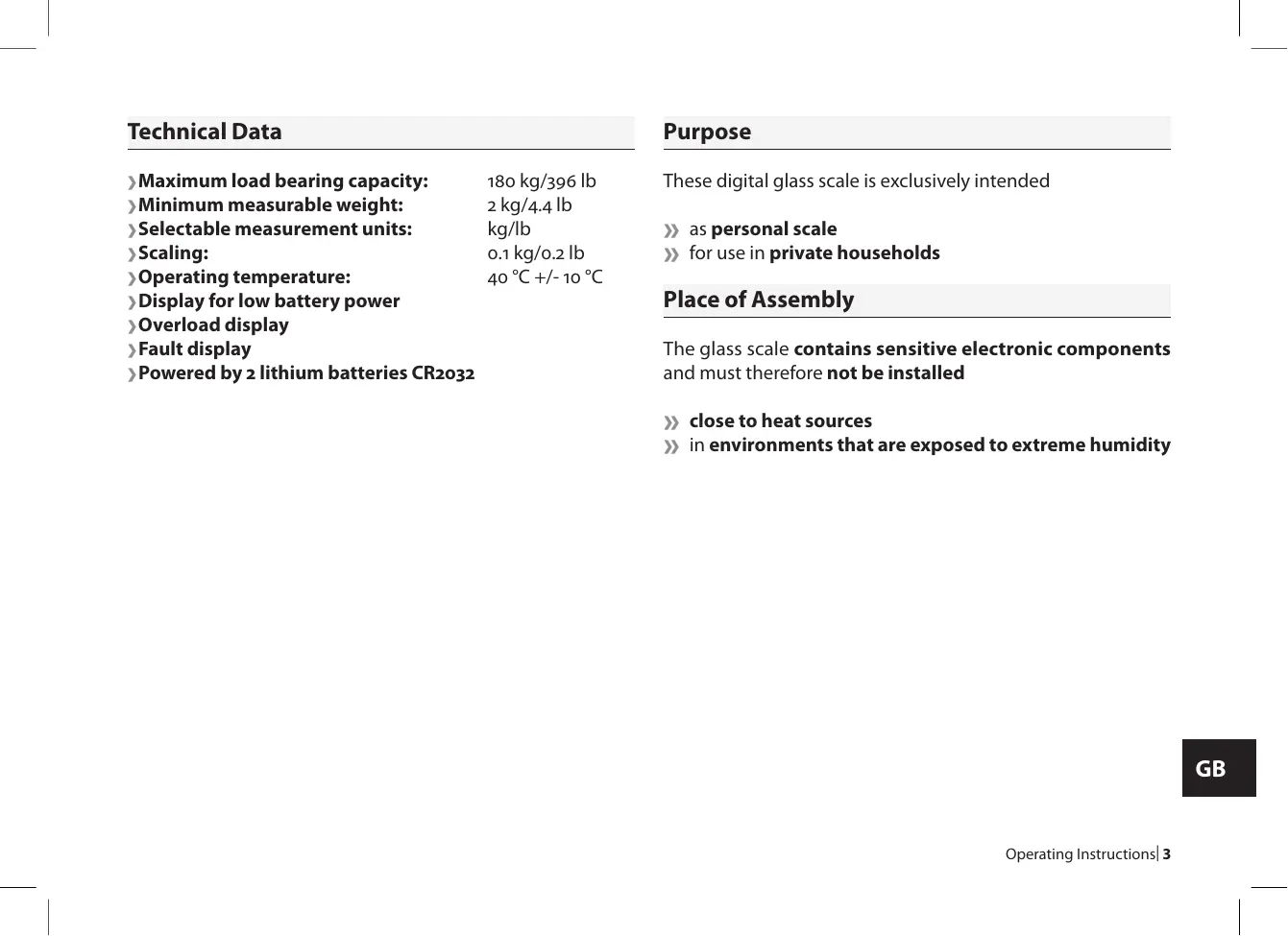


| Product type | Digital glass bathroom scale (private use) |
| Models | KH 5503, KH 5504, KH 5505 |
| Brand | BALANCE |
| Maximum capacity | 180 kg / 396 lb |
| Minimum measurable weight | 2 kg / 4.4 lb |
| Measurement units | kg or lb (selectable by switch) |
| Display division | 0.1 kg / 0.2 lb |
| Operating temperature | 20°C ± 10°C |
| Power supply | 2 CR2032 lithium batteries (included) |
| Low battery indicator | Display "Lo" |
| Overload indicator | Display "O-lD" |
| Error display | Display "Err" |
| Dimensions (estimated) | Approx. 30 x 30 x 2 cm |
| Weight (estimated) | Approx. 1.5 kg |
| Main functions | Automatic weighing, auto-off, unit selection |
| Power on | Tap the center with foot |
| Care and cleaning | Clean with a soft cloth and mild detergent; do not immerse |
| Storage | In a dry, clean place; remove batteries if unused for long |
| Safety | Do not jump on the scale; avoid moisture; do not open or repair yourself |
| Spare parts and repairability | Repairs only by qualified after-sales service |
| General information | Private use only; place on flat, solid floor |
Frequently Asked Questions - KH 5503 / 5504 / 5505 DIGITAL GLASS SCALES BALANCE
User questions about KH 5503 / 5504 / 5505 DIGITAL GLASS SCALES BALANCE
0 question about this device. Answer the ones you know or ask your own.
Ask a new question about this device
Download the instructions for your Kitchen scale in PDF format for free! Find your manual KH 5503 / 5504 / 5505 DIGITAL GLASS SCALES - BALANCE and take your electronic device back in hand. On this page are published all the documents necessary for the use of your device. KH 5503 / 5504 / 5505 DIGITAL GLASS SCALES by BALANCE.
USER MANUAL KH 5503 / 5504 / 5505 DIGITAL GLASS SCALES BALANCE
Operating Instructions

Bedienungsanleitung
Digitale Glaswaage
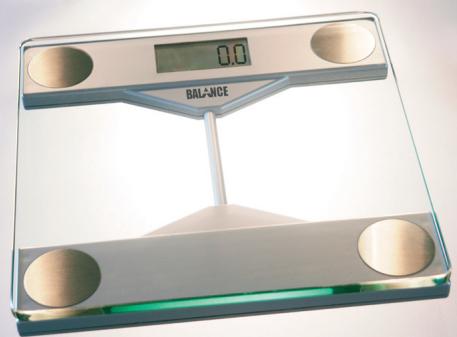
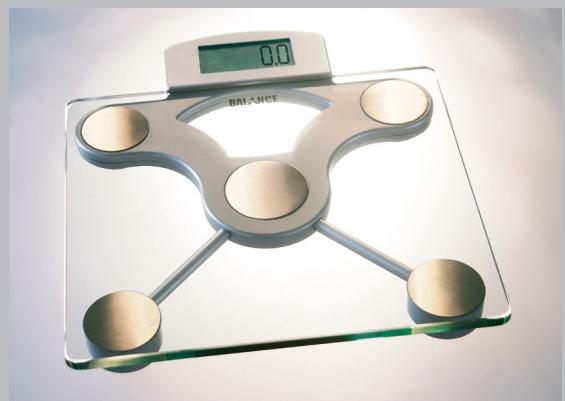
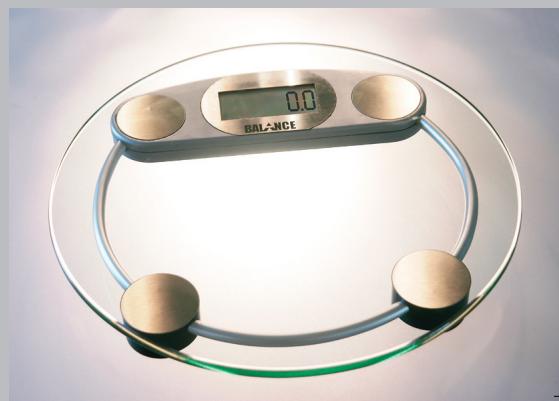
Balance KH 5503 / 5504 / 5505
D
Inhaltsverzeichnis
Operating Instructions
Digital glass scales
Balance KH 5503 / 5504 / 5505
GB
Table of contents
Technical Data 3
Purpose 3
Place of Assembly. 3
Commissioning 4
Use 5
Warning Displays. 5
Replacing the Batteries 6
Use and Storage 7
Cleaning. 7
Troubleshooting 7
Technical Data
Maximum load bearing capacity: 180 kg/396 lb
Minimum measurable weight: 2 kg/4.4 lb
Selectable measurement units: kg/lb
Scaling: 0.1 kg/0.2 lb
Operating temperature: 40^ + / - 10^
Display for low battery power
Overload display
Fault display
Powered by 2 lithium batteries CR2032
Purpose
These digital glass scale is exclusively intended
as personal scale
for use in private households
Place of Assembly
The glass scale contains sensitive electronic components and must therefore not be installed
close to heat sources
in environments that are exposed to extreme humidity
Commissioning
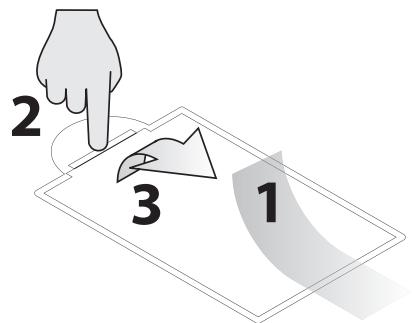
Remove the insulation tape on the battery compartment
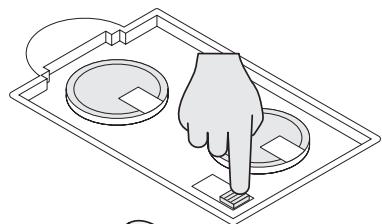
Set the desired measurement unit by pressing the button in the battery compartment
Place your glass scale on a flat, solid surface. Please ensure that both the floor where the weigh scales are set up and the surface of the weigh scales are not wet to ensure that nobody slips.
Use
1 Tap your foot lightly on the centre of the scale until "HI" appears on the LCD display.
2 Stand with both feet on the scale once "o.o" appears on the LCD display. Stand calmly and without shifting your weight.
3 During weighing, the "kg/lb" LCD display flashes and the displayed value rises until your weight has been determined.
4 The "kg/lb" display now stops flashing and your weight is displayed in grades of 0.1 kg/0.2 lb.
Attention: never jump on to the scale as this may cause damage.
Warning Displays

"O-Ld" appears in the LCD display if the weight exceeds the maximum weighing capacity of 180 kg/396 lb. Step off the scale immediately as you may otherwise cause damage.

Replace the batteries if "Lo" appears in the display.

The scale is unable to measure the weight if "Err" appears in the display. Step off the scale in this case, wait for a few seconds and then try again. Make sure you stand calmly and do not interrupt the weighing process.
Replacing the Batteries
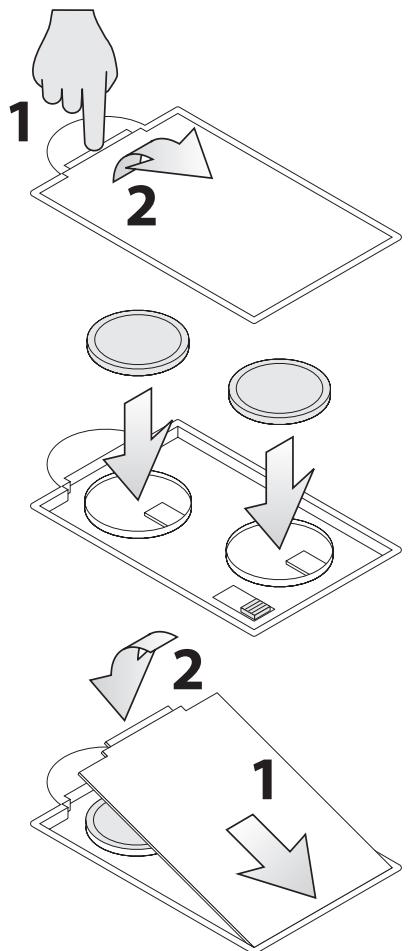
Remove the lid on the battery compartment.
» Remove the batteries and replace two new ones of the type CR2032 in the battery compartment. Make sure the batteries are facing in the right direction.
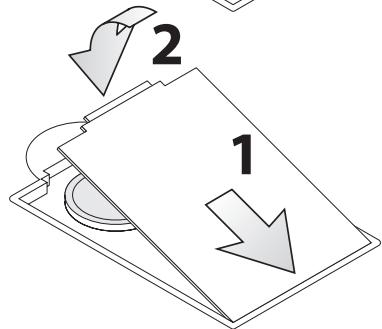
» Replace the lid on the battery compartment and press until it audibly snap locks.
Use and Storage
Please take note that the measurement results of different scales may differ slightly.
» Avoid using the batteries unnecessarily. Therefore, do not store any items on the scale if it is not being used. Remove the batteries if you will not use the scale for a longer period.
Keep the scale in a clean and dry environment.
» Your glass scale represent a sensitive electronic instrument. As such, high-frequency devices may sometimes cause disturbance when used in the immediate vicinity (e.g. mobile telephones, CB radio stations, remote controls and microwave ovens).
If there are faults such as irregular or faulty displays in the LCD display, remove the scale from the source of disturbance or deactivate the source of disturbance when you are using the product.
Cleaning
Only use neutral detergent and a soft cloth to clean the glass scale.
Troubleshooting
Do not attempt to dismantle the scale to repair any defects yourself. You may otherwise damage the sensitive electronic components.
Only qualified service personnel are authorised to repair the glass scale!
No liability will be accepted for damage resulting from improper use and/or opening of the appliance!


Brand : BALANCE
Model : KH 5503 / 5504 / 5505 DIGITAL GLASS SCALES
Category : Kitchen scale