
HE-CLOCK-31W - Radio BALANCE - Free user manual and instructions
Find the device manual for free HE-CLOCK-31W BALANCE in PDF.


| Product Type | Clock Radio |
| Brand | Balance |
| Model | HE-CLOCK-31W |
| Dimensions (W x H x D) | Approx. 20 x 10 x 10 cm |
| Weight | Approximately 0.5 kg |
| Power Supply | Mains (adapter included) + backup batteries (not included) |
| Main Functions | FM radio, clock, alarm, LED display, sleep function |
| Radio Frequency Range | FM 87.5 - 108 MHz |
| Display | Digital LED, brightness adjustable |
| Care and Cleaning | Use a soft, dry cloth. Do not use abrasive products. |
| Safety | Not suitable for children under 3 years. Choking hazard from batteries. |
| Spare Parts and Repairability | Backup batteries (AAA) available commercially. No internal spare parts. |
| General Information | 2-year warranty. Made in China. |
Frequently Asked Questions - HE-CLOCK-31W BALANCE
User questions about HE-CLOCK-31W BALANCE
0 question about this device. Answer the ones you know or ask your own.
Ask a new question about this device
Download the instructions for your Radio in PDF format for free! Find your manual HE-CLOCK-31W - BALANCE and take your electronic device back in hand. On this page are published all the documents necessary for the use of your device. HE-CLOCK-31W by BALANCE.
USER MANUAL HE-CLOCK-31W BALANCE
Press Radio On/Off Off Alarm key to turn On or Off the radio.
TO SET AL1 & AL2 On /Off
Setting in 4 steps, 1. Press AL1,AL2 On/Off AM/FM key and hold 1 second to set AL1 ON, 2. Press and hold again to set AL2 On, 3.
Press and hold for AL1&AL2 both On, 4. Press again and hold AL1&AL2 both Off. (Set AL1 and AL2 at the same time, it default for AL2 sound).
TO SET TIME
Press Set/AM/FM Memory key and hold 1 second, Hour digit will flashing, then press /Tun + / F.F or /Tun - / F.Rew key to select correct
HOUR time, then press Time Set AM/FM Memory key again, the minute digit flashing, then press Clock ▲ Tun+/F.F or Clock ▼ Tun-/F.Rew key to set
MINUTES, Then press \ Set/AM/FM\ Memory to confirm Time setting.
TO SET SLEEP TIMER
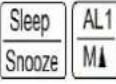
Press Sleep Snooze key to set 90 minutes radio count down timer to listen radio, press each time to deduct 10 minutes, until remaining minimum 10 minutes. Then it will Automatically to count down, when the time is reach zero, it will stop the radio.
TO SET TIME ZONE
Press Time Zone key to set your time zone.
TO VIEW AL1 & AL2 TIME
Press AL1 key and release, it will show the AL1 Time. After 5 seconds later it will auto return to show real the time.
Press key AL2 M and release, it will show the AL2 Time. After 5 seconds later it will auto return to show the real time
TO SET AL1 AND AL2 TIME.
AL1 Setting: Press 1 key and hold 1 second, AL1 Hour digit will flashing, then press or to select the desire AL1 Hour time
Press AL1 key again, the AL1 Minute digit flashing, then press Clock ▲ Tun+/F.F or Clock ▼ Tun-/F.Rew key to set AL1 MINUTES, Then Press AL1 to confirm AL1 setting. (AL1 was designed for wake to radio, at the first time use, it should be search radio station)
AL2 Setting:: Press AL2 key and hold 1 second, AL2 Hour digit will flashing, then press Clock ▲ or Clock ▼ to select the desire AL2 Hour Time
Press AL2 key again, the AL2 minute digit flashing, then press Clock↓ Tun+/F.F or Clock↓ Tun-/F.Rew key to set AL2 Minutes, then press AL2 key to confirm the AL2 Setting. (AL2 was designed for wake to buzzer)
TO SET DST
In radio Off mode, press DST to On or Off the DST
RADIO ON MODE SETTING
TO SET ALARM OFF
When Alarm sound is On, press Radio On/Off Off Alarm key to set it Off.
TO OFF SLEEP TIMER
When the sleep timer return to show real time, Press key once to set it Off.
TO SET AM/FM BAND AND RADIO FREQUENCY
In radio On mode, press AL1,AL2 On/Off AM/FM key to select AM or FM. Then Press Clock ↑ Tun+/F.F or Clock ↑ Tun-/F.Rew to turn the radio frequency up or down, press and hold Clock ↑ Tun+/F.F key, It will automatically to search next station up and locked. Press and hold Clock ↑ Tun-/F.Rew key, it will automatically to search down another station and locked.
TO SET RADIO MEMORY
In radio On mode, press AL1,AL2 On/Off AM/FM key to select Am/Fm then press Clock↓ or Clock▼ to search radio stations then press Time Set AM/FM Memory and hold 1 second, the program number is flashing, press Clock↓ or Clock▼ to select the program number that you want to save. During the number flashing, press Time Set AM/FM Memory key to confirm setting.
TO LISTEN MEMORY STATIONS
In radio On mode, press AL1 M↓ key sequence to listen memory stations up. Press AL2 M↑ key sequence to listen memory stations down.
TO SET SNOOZE
When alarm sound is on, press Sleep Snooze key to stop alarm sound 9 minutes, this procedure can repeat up to 1 hour.
TO SET VOLUME UP
In radio On mode, press Vol + key sequence to set volume up (0—16 steps)
TO SET VOLUME DOWN
In radio On mode, press Vol - key sequence to set volume down (16 - 0 steps)
TO SET COUNT DOWN TIMER
In radio Off mode, press Countdown key to obtain 180 minutes count down timer. Press it sequence to deduct 10 minutes step by step until the time reach 10 minutes.
CE

Bedienungsanleitung


- ALARM 2 RADIO MEMORY - 8. CLOCK + TUNING+/F.F.
- TIME ZONE 9. COUNTDOWN
- RADIO ON/OFF ALARM OFF 10. TIME SET AM/FM MEMORY
- AL1 & AL2 MODE AM/FM 11. CLOCK - TUNING-/F.REW.
- DST 12. RADIO VOLUME -
- ALARM 1 RADIO MEMORY + 13. SLEEP SNOOZE
- RADIO VOLUME +
AUSGESCHALTETER RADIO
J
EINGESCHALTETER/RADIO:
 |  |  |  |  |  |  |



- TO SET TIME
- TO SET SLEEP TIMER
- TO SET TIME ZONE
- TO VIEW AL1 & AL2 TIME
- TO SET AL1 AND AL2 TIME
- TO SET DST
- RADIO ON MODE SETTING
- TO SET ALARM OFF
- TO OFF SLEEP TIMER
- TO SET AM/FM BAND AND RADIO FREQUENCY
- TO SET RADIO MEMORY
- TO LISTEN MEMORY STATIONS
- TO SET SNOOZE
- TO SET VOLUME UP
- TO SET VOLUME DOWN
- TO SET COUNT DOWN TIMER
- BEDIENUNGSANLEITUNG
Brand : BALANCE
Model : HE-CLOCK-31W
Category : Radio