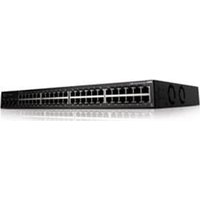
PowerConnect N4064F - Switch DELL - Free user manual and instructions
Find the device manual for free PowerConnect N4064F DELL in PDF.


Pick your language and provide your email: we'll send you a specifically translated version.
| Product Type | Managed L3 10GbE/40GbE switch |
| Brand | Dell |
| Model | PowerConnect N4064F |
| Category | Network switch |
| Ports | 48 x 10GbE SFP+ plus 4 x 40GbE QSFP+ (each splitable into 4x10GbE) |
| Switching Capacity | Up to 1.28 Tbps |
| Forwarding Rate | Up to 952 Mpps |
| Dimensions (W x H x D) | Approximately 44.5 cm x 4.4 cm x 50.8 cm (17.5 x 1.7 x 20 inches) |
| Weight | Approximately 10.8 kg (24 lb) |
| Power Supply | AC 100-240 VAC, 50/60 Hz, redundant hot-swappable power supplies |
| Power Consumption | Typical 250W, maximum 600W |
| Key Functions | Layer 3 routing, VLAN, QoS, link aggregation, ACL, IPv4/IPv6, stacking |
| Management | CLI, Web GUI, SNMP, SSH, Telnet, console port |
| Cooling | Fan trays with redundant fans, front-to-back airflow |
| Mounting | 19-inch rack-mountable, 1U height |
| Operating Temperature | 0°C to 45°C (32°F to 113°F) |
| Operating Humidity | 10% to 90% non-condensing |
| Safety Compliance | UL, CE, FCC, RoHS certified |
| Maintenance | Regularly update firmware, monitor system logs, replace fans/PSUs as needed |
| Cleaning | Dust the exterior with dry cloth, ensure vents are unobstructed |
| Spare Parts & Reparability | Hot-swappable power supplies and fans; other repairs should be performed by qualified technicians |
| General Information | Suitable for data centers and enterprise networks; supports N+1 redundancy |
Frequently Asked Questions - PowerConnect N4064F DELL
What is the default IP address of the Dell PowerConnect N4064F switch?
The default IP address is 192.168.2.1 with a subnet mask of 255.255.255.0. You can access the management interface through this address after initial setup.
How can I reset the switch to factory defaults?
To reset, press and hold the Reset button on the front panel for at least 10 seconds. Alternatively, use the CLI command erase startup-config and then reload.
What types of SFP+ transceivers are supported?
The switch supports Dell compatible 10GbE SFP+ modules, including SR, LRM, LR, and ER variants. Use only Dell qualified transceivers for optimal performance.
Can I stack multiple N4064F switches?
Yes, the N4064F supports native stacking up to 8 switches via dedicated stacking ports or using QSFP+ ports with stacking cables. Stacking provides a single management plane and simplifies network administration.
How do I configure VLANs on the switch?
Use the CLI commands: vlan database, vlan
What is the maximum number of VLANs supported?
The switch supports up to 4096 VLANs, with 1024 active VLANs simultaneously. This allows for extensive network segmentation.
How can I monitor port traffic and statistics?
Use the show interfaces command for real-time counters, or enable SNMP and use a network monitoring tool. The web GUI provides graphical statistics under Monitoring.
Is there a fan failure alert mechanism?
Yes, the switch monitors fan status and will generate an SNMP trap and display an error LED if a fan fails. Replace the fan tray promptly to prevent overheating.
Can I use the 40GbE QSFP+ ports as four separate 10GbE ports?
Yes, with the appropriate breakout cables (QSFP+ to 4xSFP+), each QSFP+ port can operate as 4 independent 10GbE ports. Configure the port in breakout mode using the CLI command port-group.
What should I do if the switch becomes unresponsive?
First try a graceful reload via CLI (reset). If that fails, perform a power cycle. For persistent issues, check the system logs and contact Dell support with the show tech-support output.
User questions about PowerConnect N4064F DELL
0 question about this device. Answer the ones you know or ask your own.
Ask a new question about this device
No questions yet. Be the first to ask one.
Download the instructions for your Switch in PDF format for free! Find your manual PowerConnect N4064F - DELL and take your electronic device back in hand. On this page are published all the documents necessary for the use of your device. PowerConnect N4064F by DELL.
USER MANUAL PowerConnect N4064F DELL

Manual assistant
Powered by Anthropic
Waiting for your message
Product information
Brand : DELL
Model : PowerConnect N4064F
Category : Switch