
OSMO Bike Mount - Tripod DJI - Free user manual and instructions
Find the device manual for free OSMO Bike Mount DJI in PDF.


| Type of product | Bike mount |
| Brand | DJI |
| Model | OSMO Bike Mount |
| Compatibility | DJI Osmo Action cameras |
| Mounting type | Handlebar clamp |
| Adjustability | Multi-angle rotation |
| Material | High-strength plastic and metal |
| Dimensions | Approx. 120 × 60 × 50 mm |
| Weight | Approx. 130 g |
| Installation | Tool-free quick release |
| Security | Anti-slip rubber pads and locking mechanism |
| Handlebar diameter compatibility | Fits standard 20–35 mm handlebars |
| Rotation range | 360° horizontal, 180° vertical |
| Maintenance | Wipe clean with a dry cloth |
| Included items | Mount, rubber pads, mounting base, user manual |
| Warranty | Manufacturer warranty applies |
Frequently Asked Questions - OSMO Bike Mount DJI
User questions about OSMO Bike Mount DJI
0 question about this device. Answer the ones you know or ask your own.
Ask a new question about this device
Download the instructions for your Tripod in PDF format for free! Find your manual OSMO Bike Mount - DJI and take your electronic device back in hand. On this page are published all the documents necessary for the use of your device. OSMO Bike Mount by DJI.
USER MANUAL OSMO Bike Mount DJI
Disclaimer and Warning
Congratulations on purchasing your new DJI product. The information in this document affects your safety and your legal rights and responsibilities. Read this entire document carefully to ensure proper configuration before use. Failure to read and follow instructions and warnings in this document may result in serious injury to yourself or others, damage to your DJI product, or damage to other objects in the vicinity. This document and all other collateral documents are subject to change at the sole discretion of DJI. For up-to-date product information, visit http://www.dji.com and click on the product page for this product.
By using this product, you hereby signify that you have read this disclaimer and warning carefully and that you understand and agree to abide by the terms and conditions herein. You agree that you are solely responsible for your own conduct while using this product, and for any consequences thereof. You agree to use this product only for purposes that are proper and in accordance with all applicable laws, rules, and regulations, and all terms, precautions, practices, policies and guidelines DJI has made and may make available.
DJI accepts no liability for damage, injury or any legal responsibility incurred directly or indirectly from the use of this product. The user shall observe safe and lawful practices including, but not limited to, those set forth in this document.
Introduction
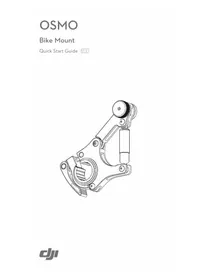
The Bike Mount for the Osmo provides a secure and stable platform to mount the Osmo on your bike's handle bar.
Specifications
Dimensions: 114 mm × 79 mm × 29 mm
Mounting Diameter: 20-32 mm
Weight: 106 g
Installation
-
Loosen the lever to open up the clamp.
-
Choose the appropriate sized rubber ring to wrap around your bike's handle bar.
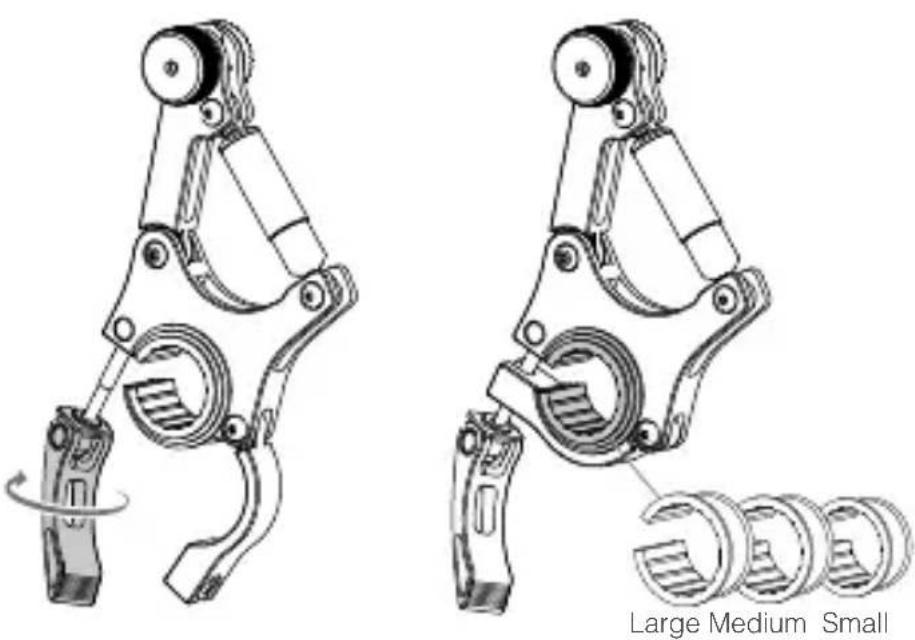
- Attach the clamp around your bike's handle bar and tighten the lever to secure. Ensure the vibration damper is perpendicular to the ground to attain optimal stabilization.

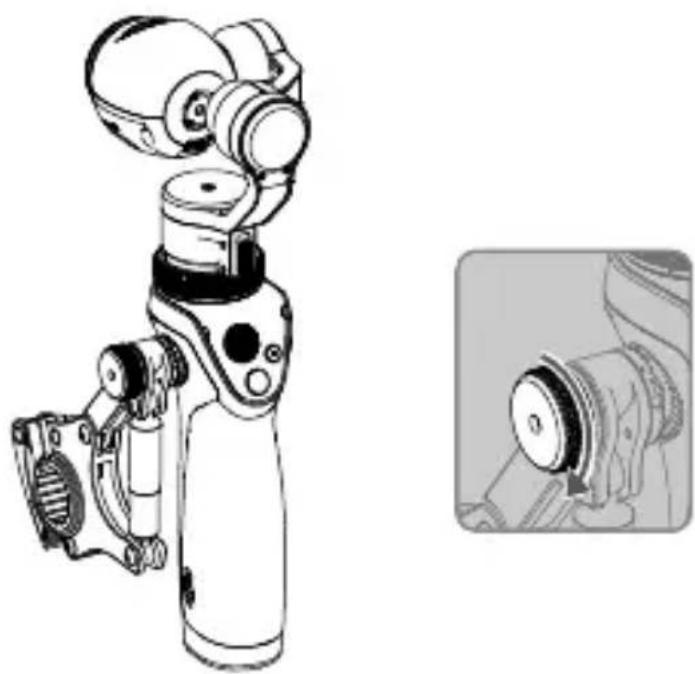
- Attach the Osmo handle to the Bike Mount's rosette mount and tighten the knob to secure.
WARNING
Ensure the Osmo and Bike Mount are secure and will not fall off. Be observant and check for signs of looseness during your ride.
The content is subject to change.
Download the latest version from www.dji.com/product/osmo
If you have any questions about this document, please contact DJI by sending a message to DocSupport@dji.com.
Brand : DJI
Model : OSMO Bike Mount
Category : Tripod