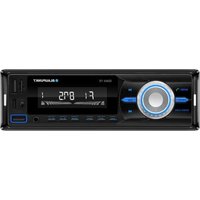
DR3 - Receiver BLAUPUNKT - Free user manual and instructions
Find the device manual for free DR3 BLAUPUNKT in PDF.


Pick your language and provide your email: we'll send you a specifically translated version.
| Product type | DAB+ / FM digital receiver |
| Brand | Blaupunkt |
| Model | DR3 |
| Frequency range | DAB+ Band III (174–240 MHz), FM (87.5–108 MHz) |
| Display | LCD display with backlight |
| Antenna | Integrated telescopic antenna for DAB+/FM |
| Audio output | 3.5 mm headphone jack, built-in speaker |
| Preset stations | Up to 30 DAB+ and 30 FM presets |
| Power supply | 5 V DC adapter or 4 x AA batteries (not included) |
| Dimensions (L x W x H) | 156 x 84 x 42 mm |
| Weight | 210 g (without batteries) |
| Operating temperature | 0 °C to 40 °C |
| Connectivity | Headphone output, line out (3.5 mm) |
| Functions | DAB+ and FM tuning, auto scan, station list, sleep timer, alarm clock |
| Remote control | Not included |
| Language support | English, French, German, Spanish, Italian |
| Maintenance | Clean with a soft, dry cloth; avoid solvents |
| Safety | Keep away from rain, moisture, and heat sources |
| Spare parts available | Replacement antenna and batteries standardised, easy to source |
| Package contents | DR3 receiver, user manual, AC adapter (if supplied) |
Frequently Asked Questions - DR3 BLAUPUNKT
How do I perform a full auto scan on the Blaupunkt DR3?
To perform a full auto scan, press the Scan button on the unit or remote control. The DR3 will automatically search for all available DAB+ and FM stations and store them in the station list. The process takes about 1-2 minutes. You can also access the scan function via the Menu > Full scan.
Can I use rechargeable batteries in the DR3?
Yes, the DR3 supports standard AA rechargeable batteries. However, please note that the battery indicator may not be fully accurate with rechargeable batteries. For best performance, use high-capacity NiMH batteries and charge them externally.
The display shows 'No service'. What should I do?
This message indicates that the receiver cannot find a DAB+ or FM signal. Check that the antenna is fully extended and positioned near a window or higher ground. Also, ensure that you are in an area with DAB+ coverage. If the problem persists, perform a full scan again.
How do I set the alarm clock on the DR3?
To set the alarm, press the Menu button and navigate to Alarm. Select an alarm slot (1 or 2), then set the time, duration, source (DAB+, FM, or buzzer), and frequency (once, daily, or weekly). Confirm with Select. The alarm icon will appear on the display when activated.
Can I connect the DR3 to my home stereo?
Yes, the DR3 has a 3.5 mm line out port on the back. Use a 3.5 mm audio cable to connect to the AUX input of your home stereo or amplifier. Make sure to adjust the volume on both devices for optimal sound quality.
What is the difference between DAB+ and FM modes?
DAB+ is a digital radio technology that offers clearer sound, more station information, and additional features like slideshow and text. FM is an analog signal that is more susceptible to interference. DAB+ also allows for simple station reordering and is generally easier to tune.
How do I manually tune a particular DAB+ channel?
Press the Tune/OK button and select Manual tune. Then rotate the dial or press the up/down buttons to cycle through DAB+ channel frequencies. Once you find a station, press Select to listen. Manual tuning is useful for weak signals.
The sound is distorted. How can I fix it?
Distortion can be caused by excessive volume or poor signal. Reduce the volume level. If the issue persists, check the antenna signal quality. Low signal strength may lead to garbled audio. Also, try moving the device away from electronics that cause interference.
How do I reset the DR3 to factory settings?
To reset the device, go to Menu > System settings > Factory reset. Confirm the reset with Yes. This will erase all presets and settings, returning the DR3 to its original state. You will need to scan for stations again.
Is the DR3 designed for both indoor and outdoor use?
The Blaupunkt DR3 is primarily intended for indoor use. It can be used outdoors if protected from moisture and direct sunlight. It is not weatherproof, so avoid exposing it to rain or extreme temperatures for extended periods.
User questions about DR3 BLAUPUNKT
0 question about this device. Answer the ones you know or ask your own.
Ask a new question about this device
No questions yet. Be the first to ask one.
Download the instructions for your Receiver in PDF format for free! Find your manual DR3 - BLAUPUNKT and take your electronic device back in hand. On this page are published all the documents necessary for the use of your device. DR3 by BLAUPUNKT.
USER MANUAL DR3 BLAUPUNKT
Manual assistant
Powered by Anthropic
Waiting for your message
Product information
Brand : BLAUPUNKT
Model : DR3
Category : Receiver