X7-55X - Access Point Cambium Networks - Free user manual and instructions
Find the device manual for free X7-55X Cambium Networks in PDF.


Pick your language and provide your email: we'll send you a specifically translated version.
| Product Type | Wireless Access Point |
| Brand | Cambium Networks |
| Model | X7-55X |
| Wireless Standard | Wi-Fi 6E (802.11ax) |
| Frequency Bands | Tri-band 2.4 GHz, 5 GHz, 6 GHz |
| MIMO Architecture | 4x4:4 on each band |
| Aggregate Data Rate | Up to 10 Gbps |
| Ethernet Ports | 2.5 GbE and 5 GbE |
| Power Over Ethernet | 802.3bt (PoE++) |
| Power Consumption | 30 W typical |
| Management | Web UI, CLI, SNMP, Cloud management |
| Security Features | WPA3, 802.1X, AES-256 encryption |
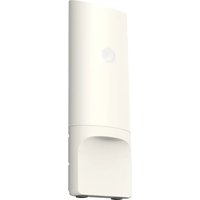
| Mounting | Ceiling or wall mount included |
| Operating Temperature | 0°C to 50°C (32°F to 122°F) |
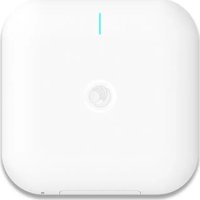
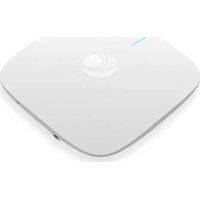
| Dimensions | 230 x 230 x 45 mm |
| Weight | 1.2 kg (2.65 lb) |
| Enclosure Material | Hardened plastic, indoor rated |
| LED Indicators | Power, Ethernet, Radio status |
| Included in Box | Access point, mounting bracket, screws, quick start guide |
| Maintenance | Wipe with dry soft cloth; avoid solvents |
| Repairability | No user-serviceable parts; contact support |
| Certifications | FCC, CE, IC |
Frequently Asked Questions - X7-55X Cambium Networks
What Wi-Fi standards are supported?
The X7-55X supports Wi-Fi 6E (802.11ax) on the 2.4 GHz, 5 GHz, and 6 GHz bands for high-capacity environments.
Does the X7-55X require a separate power adapter?
No, it supports Power over Ethernet (PoE++) (802.3bt) using a single Ethernet cable, simplifying installation.
Can the X7-55X be mounted on a wall?
Yes, it includes a wall and ceiling mounting bracket for flexible deployment.
How do I reset the device to factory defaults?
Press and hold the reset button for 10 seconds while powered on. The device reboots with its default settings.
What is the maximum data throughput?
The X7-55X can deliver an aggregate 10 Gbps throughput across all radios.
Is the X7-55X compatible with cloud management?
Yes, it works with Cambium Cloud and other SNMP-based platforms for remote monitoring and configuration.
What security features are included?
It supports WPA3, 802.1X authentication, and AES-256 encryption to protect wireless traffic.
Can it be used outdoors?
The X7-55X is rated for indoor use only. For outdoor scenarios, consider Cambium outdoor access points.
How many users can it handle simultaneously?
It can handle up to 512 concurrent users with optimal network planning.
What is the warranty period?
The device comes with a 1-year limited warranty from Cambium Networks.
User questions about X7-55X Cambium Networks
0 question about this device. Answer the ones you know or ask your own.
Ask a new question about this device
No questions yet. Be the first to ask one.
Download the instructions for your Access Point in PDF format for free! Find your manual X7-55X - Cambium Networks and take your electronic device back in hand. On this page are published all the documents necessary for the use of your device. X7-55X by Cambium Networks.
USER MANUAL X7-55X Cambium Networks
Manual assistant
Powered by Anthropic
Waiting for your message
Product information
Brand : Cambium Networks
Model : X7-55X
Category : Access Point