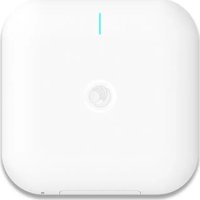
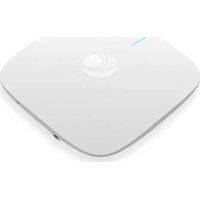
XV3-8 - Access Point Cambium Networks - Free user manual and instructions
Find the device manual for free XV3-8 Cambium Networks in PDF.


Pick your language and provide your email: we'll send you a specifically translated version.
| Product Type | Outdoor Access Point |
| Brand | Cambium Networks |
| Model | XV3-8 |
| Dimensions (approx) | 260 x 140 x 60 mm |
| Weight (approx) | 1.5 kg |
| Power Source | PoE (802.3af/at) |
| Frequency Bands | 2.4 GHz, 5 GHz |
| Maximum Data Rate | 1 Gbps |
| Interfaces | 2x Gigabit Ethernet (RJ-45) |
| Antenna | Integrated dual-band |
| Operating Temperature | -40°C to 60°C |
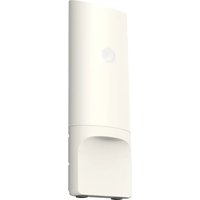
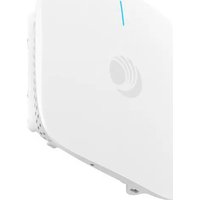
| Mounting Options | Pole or wall mount |
| Security Protocols | WPA2, WPA3 |
| Management | Web interface, SNMP, CLI |
| Ingress Protection | IP67 |
| Surge Protection | Integrated |
| Recommended Cabling | Shielded Cat5e or higher |
| Warranty | 1 year limited |
| Compliance | FCC, CE, IC |
| Included Accessories | Mounting bracket, PoE injector, quick start guide |
Frequently Asked Questions - XV3-8 Cambium Networks
How do I reset the Cambium Networks XV3-8 to factory defaults?
Press and hold the reset button on the device for 10 seconds using a paperclip until the LED blinks rapidly. Release and wait for the device to reboot. All settings will be cleared.
What type of power supply does the XV3-8 require?
The XV3-8 is powered via Power over Ethernet (PoE) compliant with 802.3af/at. A PoE injector is typically included. Ensure the injector is rated for at least 15.4W.
Can the XV3-8 be mounted outdoors?
Yes, the XV3-8 has an IP67 rating and is designed for outdoor use. It can be mounted on a pole or wall using the included bracket. Ensure proper sealing of Ethernet connections to prevent water ingress.
How do I access the web interface for configuration?
Connect your computer to the same network as the XV3-8. Open a web browser and enter the default IP address (usually 192.168.1.1). Log in with default credentials (admin/admin or as stated on the device label).
What is the maximum range of the XV3-8?
Range depends on environment and antenna choice. With integrated antennas, typical range is up to 500 meters in open line-of-sight. Using external antennas can extend range to several kilometers.
How to update the firmware on the XV3-8?
Download the latest firmware from the Cambium Networks support site. Log into the web interface, go to Maintenance > Firmware Update, upload the file, and follow prompts. Do not power off during update.
What should I do if the XV3-8 is not connecting to the network?
Check that the PoE injector and Ethernet cables are secure. Verify the device's IP address and that your DHCP server is functioning. Try a factory reset. If issues persist, contact support.
Can I use the XV3-8 as a wireless bridge?
Yes, the XV3-8 supports point-to-point and point-to-multipoint bridging modes. Configure via the web interface under Wireless > Bridge. Ensure both ends are properly aligned.
What is the default SSID and password?
The default SSID is typically 'Cambium-XXXX' (where XXXX is part of the MAC address) and there is no wireless security by default. Change these immediately for security.
How do I clean and maintain the XV3-8?
Clean the exterior with a soft, dry cloth. Do not use harsh chemicals. Check all cables and mounting hardware periodically. Ensure vents are not blocked. Firmware updates should be applied as needed.
User questions about XV3-8 Cambium Networks
0 question about this device. Answer the ones you know or ask your own.
Ask a new question about this device
No questions yet. Be the first to ask one.
Download the instructions for your Access Point in PDF format for free! Find your manual XV3-8 - Cambium Networks and take your electronic device back in hand. On this page are published all the documents necessary for the use of your device. XV3-8 by Cambium Networks.
USER MANUAL XV3-8 Cambium Networks

Manual assistant
Powered by Anthropic
Waiting for your message
Product information
Brand : Cambium Networks
Model : XV3-8
Category : Access Point