X7-53X - Access Point Cambium Networks - Free user manual and instructions
Find the device manual for free X7-53X Cambium Networks in PDF.


Pick your language and provide your email: we'll send you a specifically translated version.
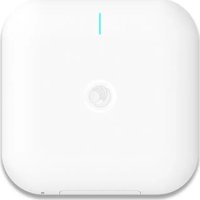
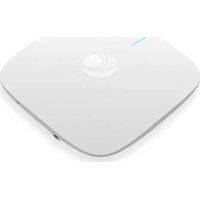
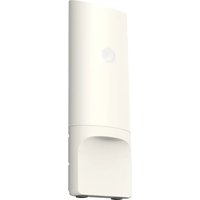
| Product Type | Wireless Access Point |
| Brand | Cambium Networks |
| Model | X7-53X |
| Wireless Standard | IEEE 802.11ax (Wi-Fi 6) |
| Frequency Band | Dual-band 2.4 GHz and 5 GHz |
| Maximum Data Rate | Up to 3.9 Gbps aggregate |
| Ethernet Ports | 1 x 2.5 GbE + 2 x 1 GbE |
| Power Supply | PoE+ (802.11at) or 48V DC injector |
| Power Consumption | 22 W (max) |
| Antenna Type | Integrated directional antenna array |
| Beamforming | Yes, with MU-MIMO and OFDMA |
| Security | WPA3-Personal, WPA3-Enterprise, AES-256 |
| Management | cnMaestro cloud management or local web UI |
| Mounting | Pole or wall mount kit included |
| Ingress Protection | IP67 rated enclosure |
| Operating Temperature | -40°C to 60°C (-40°F to 140°F) |
| Dimensions | 230 x 152 x 45 mm (9.1 x 6.0 x 1.8 in) |
| Weight | 1.15 kg (2.54 lb) |
| Maintenance | Weatherproof design; periodic visual inspection recommended |
| Cleaning | Wipe with soft cloth; avoid cleaning agents |
| Repairability | Modular design; factory service for repairs |
| Spare Parts | Not marketed separately; replace unit if faulty |
| General Information | Designed for outdoor point-to-multipoint coverage |
Frequently Asked Questions - X7-53X Cambium Networks
How do I mount the X7-53X access point?
The X7-53X comes with a pole/wall mounting kit. Attach the bracket securely, slide the unit into place and tighten the locking screws. Requires standard tools.
Does the X7-53X support Wi-Fi 6?
Yes, it operates on IEEE 802.11ax (Wi-Fi 6) for higher efficiency, capacity, and throughput.
What PoE standard is required?
It supports PoE+ (802.11at) and can also be powered by a 48V DC injector (sold separately).
How can I manage the access point?
Use Cambium Networks' cnMaestro cloud platform for centralized management, or the local web interface for individual configuration.
Can I use the X7-53X outdoors in harsh weather?
The IP67-rated enclosure protects against rain, snow, and dust, and the unit operates from -40°C to 60°C, making it suitable for outdoor deployment.
What is the maximum data throughput?
The aggregate data rate can reach up to 3.9 Gbps across both radios, depending on client capabilities and environmental conditions.
Is the device compatible with existing Wi-Fi devices?
Yes, it is backwards compatible with 802.11a/b/g/n/ac clients.
How do I perform a factory reset?
Press and hold the reset button for 10 seconds using a paperclip until the LED flashes. The device restores to default settings.
What security features does it offer?
It supports WPA3-Personal and WPA3-Enterprise, AES-256 encryption, and additional features like rogue AP detection when managed via cnMaestro.
What is the expected lifespan and warranty?
Cambium Networks provides a 1-year limited warranty; with reasonable outdoor installation, the product is designed for long-term reliable operation.
User questions about X7-53X Cambium Networks
0 question about this device. Answer the ones you know or ask your own.
Ask a new question about this device
No questions yet. Be the first to ask one.
Download the instructions for your Access Point in PDF format for free! Find your manual X7-53X - Cambium Networks and take your electronic device back in hand. On this page are published all the documents necessary for the use of your device. X7-53X by Cambium Networks.
USER MANUAL X7-53X Cambium Networks
Manual assistant
Powered by Anthropic
Waiting for your message
Product information
Brand : Cambium Networks
Model : X7-53X
Category : Access Point