 ManualGo.com
 URC 7525 - Télécommande universelle ONEFORALL - Free user manual and instructions
Find the device manual for free URC 7525 ONEFORALL in PDF.


Download the instructions for your Télécommande universelle in PDF format for free! Find your manual URC 7525 - ONEFORALL and take your electronic device back in hand. On this page are published all the documents necessary for the use of your device. URC 7525 by ONEFORALL.
USER MANUAL URC 7525 ONEFORALL
English UNIVERSAL ELECTRONICS INC./ONE FOR ALL warrants to the original purchaser that this product will be free from defects in materials and workmanship under normal and correct use for a period of one (1) year from the date of original purchase. This product will be replaced free of charge if it has been proven to be defective within the one (1) year warranty period. This warranty does not cover cartons, carrying cases, batteries, broken or marred cabinets or any other item used in connection with the product. Any further obligation than listed above is excluded. To obtain warranty service during the warranty period, please call us at the number mentioned on the Customer Service page. Please notice that we need your purchase receipt so that we may establish your eligibility for service. If you have bought this product for purposes which are not related to your trade, business or profession, please remind that you may have legal rights under your national legislation governing the sale of consumer goods. This guarantee does not affect those rights.
Universal Electronics BV Europe & International
P.O. Box 3332 7500 DH, Enschede The Netherlands
PICTURE OF ONE FOR ALL REMOTE
(Setting it up to control your devices) SEARCH METHOD SET-UP CODES • TV: Television, LCD, Plasma • STB: Set-Top-Box, Digital Satellite, Cable Box, Freeview DVB-T Box
About your ONE FOR ALL 2
Your ONE FOR ALL 2 remote is designed to control two devices, a Television and a Set-Top-Box (which could be a satellite, cable or Freeview box) as though they were one device. After a brief set up procedure, you will not need to swap between devices because each group of keys will address the device you want. For example, if you prefer to control the volume of your television, but the TV Guide of your Digital Satellite, the remote will control the TV when you press the volume key but the Satellite when you press the Guide key.
Installing the Batteries
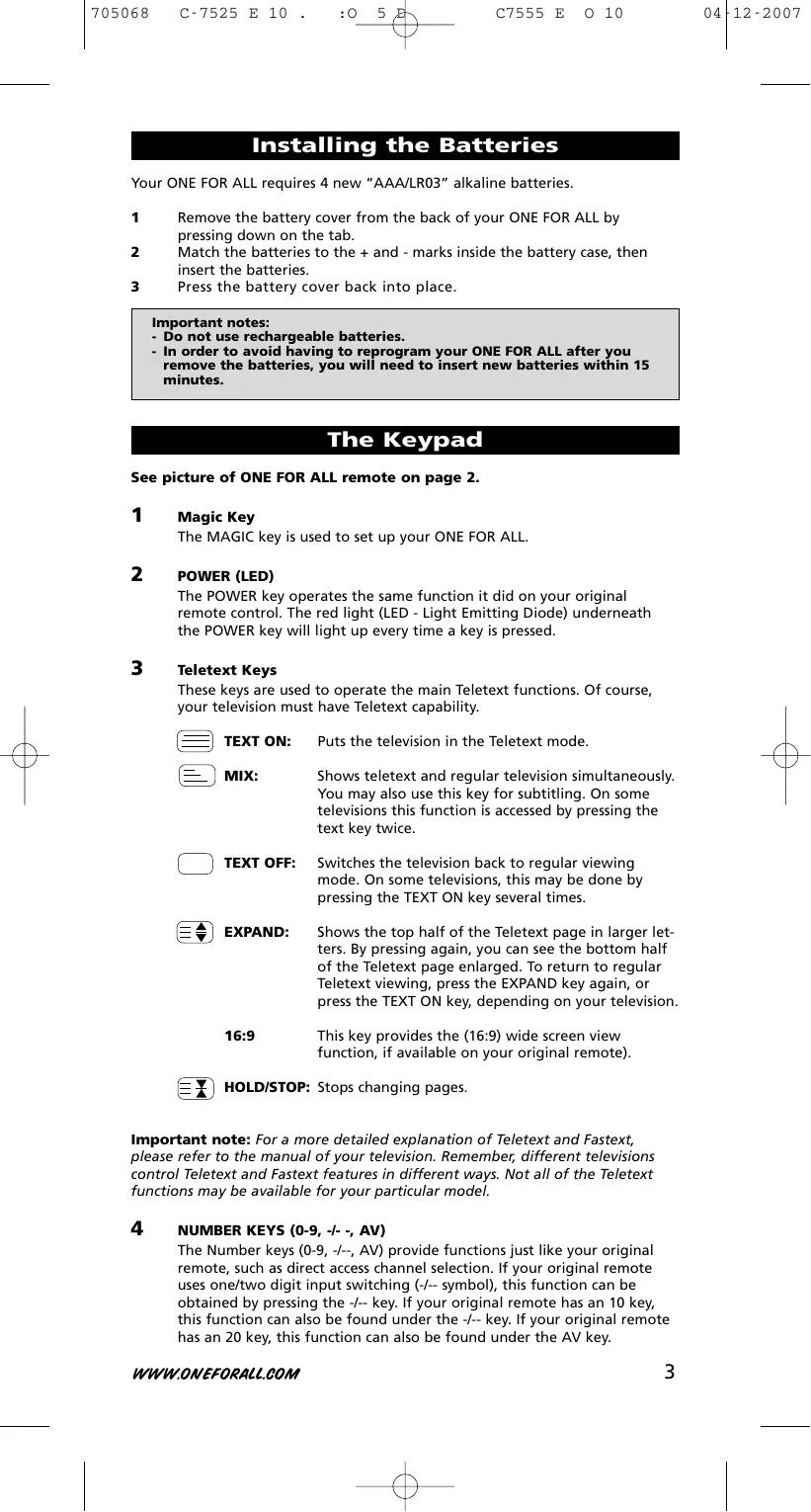
Your ONE FOR ALL requires 4 new “AAA/LR03” alkaline batteries. 1 2 3
Remove the battery cover from the back of your ONE FOR ALL by pressing down on the tab.
Match the batteries to the + and - marks inside the battery case, then insert the batteries. Press the battery cover back into place. Important notes: - Do not use rechargeable batteries. - In order to avoid having to reprogram your ONE FOR ALL after you remove the batteries, you will need to insert new batteries within 15 minutes.
See picture of ONE FOR ALL remote on page 2.
The MAGIC key is used to set up your ONE FOR ALL.
The POWER key operates the same function it did on your original remote control. The red light (LED - Light Emitting Diode) underneath the POWER key will light up every time a key is pressed.
These keys are used to operate the main Teletext functions. Of course, your television must have Teletext capability. TEXT ON:
Puts the television in the Teletext mode.
Shows teletext and regular television simultaneously.
You may also use this key for subtitling. On some televisions this function is accessed by pressing the text key twice.
Switches the television back to regular viewing mode. On some televisions, this may be done by pressing the TEXT ON key several times.
Shows the top half of the Teletext page in larger letters. By pressing again, you can see the bottom half of the Teletext page enlarged. To return to regular
Teletext viewing, press the EXPAND key again, or press the TEXT ON key, depending on your television.
This key provides the (16:9) wide screen view function, if available on your original remote).
HOLD/STOP: Stops changing pages.
Important note: For a more detailed explanation of Teletext and Fastext, please refer to the manual of your television. Remember, different televisions control Teletext and Fastext features in different ways. Not all of the Teletext functions may be available for your particular model.
NUMBER KEYS (0-9, -/- -, AV)
The Number keys (0-9, -/--, AV) provide functions just like your original remote, such as direct access channel selection. If your original remote uses one/two digit input switching (-/-- symbol), this function can be obtained by pressing the -/-- key. If your original remote has an 10 key, this function can also be found under the -/-- key. If your original remote has an 20 key, this function can also be found under the AV key.
The AV key will provide you the AV / Input function.
VOLUME +/- KEYS These keys operate in the same way as the keys on your original remote.
These keys operate in the same way as the keys on your original remote.
The MENU key controls the same function as it did on your original remote.
CHANNEL +/- KEYS These keys operate in the same way as the keys on your original remote.
If available on your original remote, these keys will allow you to navigate through the menu mode of your device.
OK The OK key will confirm your choice in menu operation.
If available these keys will operate the transport functions (PLAY, FF, REW etc.) of your Satellite Receiver / Cable Box / DVB-T Box. To prevent accidental recording, the RECORD key must be pressed twice to start recording.
After accessing the text mode, the bottom row of the keys marked red, green, yellow and blue, allow you to access the Fastext functions of your television. If on your original remote control these keys are used for Menu navigation, the ONE FOR ALL Fastext keys may operate in the same way.
Additional Function Keys
Guide If available on your original remote this key will provide you the “guide” function. I You may obtain the ‘Display”, “OSD” or “info” function, if available on your original remote. ? You will obtain the “help” function, if available on your original remote. Back You will obtain the “Menu Exit” function, if available on your original remote. In menu mode you may use the “back” key to go to the previous menu screen. PPV You will obtain the Pay Per View (PPV) function, if available on your original remote. Subt. You will obtain the “Subtitle” function, if available on your original remote. Radio You will obtain the “Radio” function, if available on your original remote. Fav This key provides the “Favorite” function, if available on your original remote.
(How to set up the ONE FOR ALL to control your devices) Example: to set up the ONE FOR ALL for your Television, LCD-TV or Plasma-TV:
ALL FOR ONE Find the code for your device in the Code list (page 91 - 102).
Codes are listed by brand name. The most popular code is listed first. Make sure your device is switched on (not on standby).
Press and hold the MAGIC key until the red light (LED underneath the POWER) blinks twice. The LED will light up once then twice.
Enter the first (five-digit device code) according to your brand using the number keys. The LED will blink twice.
Now, aim the ONE FOR ALL at your device and press POWER to see if your device switches off.
→ If your device switches off: proceed to step 5. → If your device does not respond: Repeat step 3 and 4 within 10 seconds. If you do not enter a new code within 10 seconds you will need to repeat step 2 also.
ATT: If none of the codes listed for your brand operate your device, or if your brand is not listed at all, try the search method described on page 6.
Press MAGIC as soon as your device switches off to store the code.
Most TV’s do not switch ON pressing the POWER key. Please press and release MAGIC followed by CHANNEL+ to switch your TV back on.
Some codes are quite similar. If your device does not respond or is not functioning properly with one of the codes, try another code listed under your brand. To differentiate between device types the first digit of every Television, LCD-TV or Plasma-TV code is “1” whilst the first digit of every Set-Top-Box, Digital Satellite, Cable Box or Freeview/DVB-T Box code is “2”.
Search Method --> If your device does not respond to the ONE FOR ALL after you have tried all the codes listed for your brand. --> If your brand is not listed at all. The Search Method allows you to scan through all the codes contained in the memory of the ONE FOR ALL.
Example: to search for your Television code:
Switch your television on (not on standby).
Press and hold the MAGIC key until the red light (LED underneath the POWER) blinks twice. The LED will light up once then twice.
In this example press 9 9 1 to search for your Television,
Aim the ONE FOR ALL at your Television. Now press CH+ over and over, until your Television turns off (every time you press the CH+ key the ONE FOR ALL will send out a POWER signal from the next code contained in the memory).
You may have to press this key many times (up to 150 times) so please be patient. If you skip past a code, you can go to the previous code(s) by pressing the CH- key. Remember to keep pointing the ONE FOR ALL at your Television while pressing this key.
As soon as your television switches off, press MAGIC to store the code.
To search for your Set-Top-Box, Digital Satellite, Cable Box, Freeview/DVB-T Box press 9 9 2 (instead of 9 9 1) during step 3.
Most TV’s do not switch on pressing the POWER key. Please try pressing the “TV-text off” key to switch your TV back on. If you cannot control your Television properly, please continue the Search Method, you may be using the wrong Code.
The URC-7525 is a preprogrammed universal remote containing (5-digit) codes for Television, LCD-TV, Plasma-TV (1xxxx) and Set-Top-Box, Digital Satellite, Cable Box, Freeview/DVB-T Box (2xxxx). The URC-7525 keypad contains both Television as (Digital) Satellite function keys. This is contained in Key Groups. Once you have set up your remote to control both devices, each group of keys is assigned to a particular device. The “POWER” button for example, will control the “Power” or “Standby” function of your television, whereas the digital functions such as “Info”, Help etc will control the digital features of your e.g. Set-Top-Box. The list of key groups and which device they control is displayed below:
Television, LCD-TV, Plasma-TV Television, LCD-TV, Plasma-TV Television, LCD-TV, Plasma-TV Set-Top-Box, Digital Satellite, Cable Box
Set-Top-Box, Digital Satellite, Cable Box
Set-Top-Box, Digital Satellite, Cable Box
Set-Top-Box, Digital Satellite, Cable Box
Set-Top-Box, Digital Satellite, Cable Box
Shifted mode (MAGIC = Shift)
If a key group controls one device, it does not mean that you cannot access that function for your other device. For example, pressing the Menu key will send the Menu function for your Set Top Box. But once in a while you may want to control the Menu of your TV (for example to change colour or brightness). This function is available as a “Shifted” function. To access a shifted function, press and release the Magic key, followed by the function you require (in this case Menu) within ten seconds. Pressing no key for ten seconds will mean that the remote returns to the “non-shifted” state. When in shifted mode, once you pressed the function key the remote will remain in shifted mode for another 10 seconds. If a key group is assigned to one device, the alternate device’s function is automatically shifted. So for example, if the Volume keys are assigned to TV, the Set Top Box’s Volume controls are accessible by the shifted method above. If you would like to change which Key Group is assigned to which device, this can be easily accomplished by following the steps on page 8 - 9.
As shown in the table on page 7, key groups are assigned by default to either TV or Set-Top-Box (STB). If you choose, you can change which Device a Key Group is assigned to. For example, you may want the Fastext Key Group (Red, Green, Yellow and Blue) to control your TV and not your Set Top Box. If you wish to change the device controlled by a Key Group, first you will need to find out what the “representative” key is for that particular Key Group. In this example, the representative key for the Fastext Key Group is the Red key. The list of representative keys is shown below: Key Group Name Power Text Controls 16:9 Digits AV Volume Controls Channel Controls Menu Controls Fastext Keys Digifunctions
Power Text On 16:9 -/-AV Volume Up Channel Up Menu Red Guide
To change which device a Key Group controls:
Example: changing the “Fastext Keys” (represented by the Red Key – see table above) from “Set-Top-Box, Digital Satellite, Cable Box” control into Television, LCD-TV, Plasma-TV control : 1
Press and hold the MAGIC key until the red light (LED underneath the TV Icon) blinks twice (the red LED will light up once then twice).
Press the representative key of the group you want to change (in this example, the Red key).
In this example we want the Fastext keys (red, green, yellow and blue) to control your TV so press 1.
1 = Television, LCD-TV, Plasma-TV
2 = Set-Top-Box, Digital Satellite, Cable Box 4
Press and hold the MAGIC key until the red light (LED underneath the TV Icon) blinks twice to store the change made.
You can change the device that a Key Group Controls at any time.
Please remember that the functions of the other device are not lost, they are simply “shifted”. So if you have performed the example above, the Fastext keys will control your TV when pressed directly, but if you press MAGIC and release and then one of the Fastext keys within ten seconds, they will control the Set Top Box. (see Shifted Keys on page 8 for more details).
Your brand is not listed in the code section?
Try the search method on page 6.
The ONE FOR ALL does not operate your device(s)?
A) Try all the codes listed for your brand.
B) Try the search method on page 6.
The ONE FOR ALL is not performing commands properly?
You may be using the wrong code. Try repeating the Direct Set-Up using another code listed under your brand or start the search method over again to locate the proper code.
Problems changing channels?
Enter the channel number exactly as you would on your original remote.
The ONE FOR ALL does not respond after pressing a key?
Make sure you are using new batteries and are aiming the
ONE FOR ALL at your device.
Just send a blank message, you’ll get auto-reply.
• TV: Television, LCD, Plasma • STB: Set-Top-Box, Digital Satellite, Cable Box, Freeview DVB-T Box
INSTALLATION DES PILES
PROBLEMAS Y SOLUcIONES
Televisor, LCD o plasma
Televisor, LCD o plasma
Quindi, premere POWER.
Accent Acer Adcom ADL Admiral Advent Adyson AEA AEG Agashi Agef Aiko
Anam National Andersson Anglo Anitech Ansonic
CMS CMS hightec Cobolt Combitech Concorde Condor
Conrac Conrad Contec Continental Edison Cosmel Crosley Crown
10247 10418 10264 10820
Digatron Digihome Digiline DigiLogic Digitex Digitor Digivision DigiX DiK Dixi DL DMTECH Domeos Domland Doric Dream Vision DSE DTS Dual
10556 10009 10011 10036 10037 10556 10287 10487 10037 10556 10247 10074 10084 10712 10556 10715 10653
10753 11371 10037 10037 10163 10001 10009 10264 Eurofeel 10037 EuroLine 10216 Euroman 10217 10037 Europa 10037 Europhon 10247 Evesham 11248 Evolution 11756 Excel 10037 Expert 10163 Exquisit 10037 Fagor 10037 FairTec 11191 10037 Family Life 10374 Fenner 10073 Ferguson 10109 10035 10108 11037 Fidelity 10163 10556 10264 Filsai 10217 Finlandia 10208 10163 10343 Finlux 10105 10714 10163 10179 10480 10606 Firstline 10037 10714 10247 10349 11037 11163 Fisher 10104 10370 10163 Flint 10037 10218 Force 11149 Formenti 10163 10216 Formenti-Phoenix 10216 Fortress 10093 Fraba 10037 Friac 10009 10499 Frontech 10247 10217 Fuchsware 10780 Fujimaro 10865 Fujitsu 10179 10163 10556 Fujitsu General 10009 Fujitsu Siemens 11298 10808 Funai 10668 11666 Furichi 10860 Futronic 10264 Future 10037 Galaxi 10037 Galaxis 10370 Galeria 10009 Emperor Enzer Erae Erres ESC Estèle Etron
10556 10556 10217 10037 10556 10820 10163 10217 10264 10037 10556 10370 10556 10163 10217 10556 10216 11259 10556 10556 10247 10556 10556 10009 10625 10560 10343 10361 11916 10512 10371 11908 10346 10363 10045 10104 10346 10715 10411 11556 10808 10556 10163 11909 10072 11191 11371 10217 10045 10349 10556 10455
10037 10653 10548 11908 10363 10412 10361
10556 10104 10443 10037 10216
10072 10287 10037 10217 10070 10631 10473
10072 10087 10492 10418
10009 10217 10208 10808 11612 10036 10087 10072 10610 10264
10216 10411 10361 11363 11308 10208 10361 10072
10087 10087 10556 10037 10655 10264 10009
10009 10361 10217 11259 11666 10179 11505
10556 10370 10610 10349 10363 10163
10352 10037 10163 11248 11163 10264 10412
10556 10556 10361 10163 10418 10037 10556
WWW.ONEFORALL.COM GBC
10037 10036 10487 10218 10714 10208
10473 10072 10556 10719 11137 10361 11037
10163 10481 10109 10634 10105 10512 11576
ITV 10036 10343 10499 10363 10744 10492 10480 11149
JEC JMB JNC Jocel Jubilee JVC Kaisui
10556 10455 10282 10216 11217 10216 10216 10217 10247 10556 10217 11037 10865 10753 11612 10556 10037 10218 10216 11137 11513 10890 10163 10556 10418 10556 10610
10282 10668 10556 10698 11474
10455 10486 10706 10876 11376
Korpel Korting Kosmos Kotron Koyoda KTV Kuba Kuba Electronic Kyoshu Kyoto L&S Electronic LaSAT Lava Lavis Leader
10371 10394 10264 10009 10247 10218 10455 10217 10037 10264 10163 10473 10208 10361 10480 10179 10631 10264 10374 11982 10036 10035 10037 10556 11964 10712 10556 10653 10606 10218 10216 10216 10163 10037 10163 10714 10556 10371 10216 10163 10610 10519 10411 11437 10163 11037 10105 10217 10216 10001 10800 10556 10037 10374 11908 11298 10037 10218 10009 10037 10418 10606 10487 10037 10087 10037 10412 10009 10217 10349 10349 10412 10163 10865 10486 11474 11037 10009
10519 10487 10247 10037 10371 10037
10216 10480 10548 10179 10548 10349 10339 10363 10037
10486 10218 10009 10556
10370 10163 10556 10218
10009 10349 10346 10610 10163 10346 10606
10556 10361 10339 10473 10208 10610
10499 10634 10374 10443 11908 10876
10556 10282 11556 10037
10370 10610 10264 10778 10606
10512 10370 10363 10247 10648 11037 10486
10370 10610 10411 10499 10556 10292
10370 10556 10264 11900
10163 10418 10264 10216 10217 10714 10370 10037 10163
Luker Luma Lumatron Lux May Luxor
Marantz Marelli Mark Master's Masuda Matsui
Matsuviama Maxam Maxdorf Maxim MCE Medialine Mediator
10009 10411 10037 10556 10009 10247 10037 11196 10264 10178 10009 10217 10109 11191 11663 10327 10037 10037 10668 11137 10264 10001 11037 10512 10556 10292 10011 10009 10880 10668 11982 10037 10556 10363 10361 10037 11163 10349 10163 11037 10178 10037 10087 10216 10037 10780 10648 10715 10264 10037 10035 10037 10668 10778 11298 10037 10087 10037 10374 10499 10218 10037 10037 10011 10371 10455 10035 10191 11037 10650 10587 10264 10773 11982 10009 11964 10037
10104 10587 11037 Megas Megatron MEI Melectronic
10072 10037 10556 10216 10698 11305
10370 10714 10163 10715 10247
10327 10009 10512 10556 11248 10009 11149 10633 10655
10328 10519 10655 10714 11259
11423 10001 10606 11637 10361
Mivar Monaco Morgan's Motorola MTC MTEC MTlogic Multitec Multitech
Musikland MyCom Myryad NAD Naiko Nakimura Naonis Narita NAT National
10698 10706 10264 11556 NEI 10556
10668 10698 11900 11289 10610 10178 11037 10346 10343 10374 10492 10163 10361 10714 10009 10072 10001 10264 10548 10388 11163 10037 11037 10178 10104 10037 10808 10808 10820 10264 11149 10037 10487 10191 10412 11666 11900 10108 10178 10556 10163 10292 10217 10009 10037 10093 10060 10163 10272 10714 10037 11037 10349 10037 10216 10104 10037 11376 10556 10166 10037 10374 10363 11982 10226 10226 10170 10036 10217 11704 10705 10037 10200 10418 10217 10037 11037
10556 11908 11248 11916
10512 11037 11259 11556
10037 10247 10009 10216 10287 10191 11652 10178 10009 10037 10556 10361 10447 10195 10556
10512 10105 10217 10411 10556 10195
10104 10480 10349 10634 10661
10009 10706 10163 10746 10535 10587
10060 10087 10191 10668
10556 10668 11037 11324 10698 10860 10706 11163 10744 10556 10535 10195 10070 10108 10037 10556
10087 10036 10535 10208 11037 10370 10216 10609
10370 10349 10512 10216 10361 11308 10556 11556 10009 10370 10247 10216 10218 10178 10037 10178 11982 10037 10163
11982 10363 10556 10264 10072 10247
10486 10217 10163 10556
10556 10349 10411 10556
10163 10087 10363 10371
10327 10247 10512 10163
Nesco Netsat Neufunk New Tech New World Nfren Nicamagic Nikkai
Normerel Novak Novatronic NU-TEC Nurnberg Oceanic Odeon Okano Olidata Omega Omni Onn Onwa Opera Optimus Optonica Orbit Orion
Pacific Packard Bell Pael Palladium
11376 10247 10037 10037 10218 10037 10217 10218 10800 10216 10072 10217 10009 10714 10178 10070 10109 10361 10548 10208 10346 10217 10109 10560 10556 11248 10163 10037 10037 10037 10455 10556 10163 10163 10548 10264 10370 10072 11376 10264 10780 11149 10371 10037 10650 10093 10037 10037 11954 10009 11908 10037 10668 10072 10037 10556 10037 10218 10072 10556 11505 10037 10349 10226 10282 11908 10037 11037 11474 10216 10370 10714 10200 10247 10519
11338 10179 10556 10009 10282 10009
10556 10610 10714 10556 10343
Philharmonic Philips
Phoenix Phonola Pilot Pioneer
Policom 10602 10218 10433 10556 10166 10556 10179 10714 10264 10880 10218 11037 10218 10412
10655 10412 11196 10556 10037 10217 10272
10036 10218 10037 10036 10556 10191 10247 10343
10535 10361 10217 10519
11137 10418 10327 10217
10191 10556 10087 10363
Poppy Portland Powerpoint Prandoni-Prince Precision Premier President Prima Princess Prinston Prinz Profex Profi Profitronic Proline Prosonic
Provision PVision Pye Pymi Quadral Quasar
10218 10001 11269 10009 10037 10001 10650 11636 10556 10853 10037 10037 10163 10370 10109 10009 10072 10282 10037 10087 10247 10556 10163 10217 10556 10343 10009 10361 11289 10037 10163 10037 10556 10760 10170 10370 10163 10370 10037 10714 10715 10109 10074 10282 10009 10374 10487 10247 10217 10009 10860 10009 10698 11037 10072 10009 10009 10037 10037 10411 10037 10371 10217 10037 10247 10668 11037 10178 10499 10714 11191 10037 10349 10009 10218 10247
10698 10556 10773 10418 10778 11196 10217 10264 10216 10556 10247 11650 11310 10163 10178 10411 10556 10216
10361 10037 10548 10001 10060 10556 10292 10349
10556 10556 10084 10074 10418 10163 10370 10037 10519
10374 10605 10772 10200 11756 11506 11308 10556 10087 10556 10037 10011 10679 10343 10287 10486 10556 10037 11652 10361 10084
10370 10072 10087 10712 10166 10556 10361 10486
10486 10216 10216 10706 10037 11260 10109 10512
10217 10339 10163 10070 10087 10535
10037 10556 10698 10361 10363 10264 10264 10412 11269
10163 10361 10363 10556 10556 10072 10556 10668
11376 10370 10374 10714 10216
10349 10264 10418 10282 10163 10486
11324 10876 10556 10087 10374 10412
R-Line Radialva Radiola Radiomarelli RadioShack Radiotone
Royal Lux Rukopir S-Media Saba
Saville SBR Schaub Lorenz
10093 10560 10335 10753 10825
10556 10548 10556 10556 10876 11612 10634 10556 10411
10036 10346 11037 10668 10877 11298 11909 10370 10247 10163
10037 10556 10486 10556 10418 10698 10264 10009 10418 10037 10714 10668 10218 10282 11916 11189
10706 10587 10606 10335
Scott Sears Seaway Seelver SEG
10009 10011 10264 10556 11163 11037
Soundesign Soundwave Soyea Spectra Ssangyong Staksonic Standard Starlite Stenway Stern Stevison Strato Strong Stylandia Sunic Line Sunkai Sunstar Sunwatt Sunwood Superla Supersonic SuperTech Supervision Supra Susumu Sutron SVA Svasa Swissline Swisstec Sydney Sysline Sytong T+A Tactus Tandberg Tandy Targa Tashiko Tatung
11298 10208 10037 10037 10282 10208 10361 10037 11505 10036 10170 10218 10178 10037 10773 10009 10009 10009 10037 10009 10009 10264 10282 10163 11982 10037 11163 10556 10217 10037 10455 10556 10371 10264 10455 10037 10216 10009 10264 10009 10218 10698 10178 10335 10009 10698 10805 10264 10247 11612 10865 10216 10037 10216 10447 10272 10411 10218 10093 11371 10036 10163 11556 10217 11756 11191 10714 10698 10556 10455 11909 10349 10714 10217 10037 10037 11163 11189
10370 10556 10556 10217 10163 10282 10556 11651 10037 10074 10374 10179 10556
10217 10163 10412 10218 10363 11556 10556 11149
10009 10264 11505 10548 10370 10009 11751 10011 10556 10093 10037 10556
Tek Teknika Tele System Teleavia Telecor Telefunken
10264 10009 11037 10037
10218 10610 10037 10487 10865 10037 10556 10009
10217 10208 10805 10037
Teleview Tempest Tennessee Tensai
Tiny Tiny Digital TMK Tobishi Tokai
Westinghouse Windsor Windstar Windy Sam Wintel World-of-Vision Worldview X-View Xenius XLogic Xoro Xrypton Yamaha Yamishi Yokan Yoko
Yoshita Zanussi Zenith Zenor ZX
10714 10037 11037 10037 10037 10891 11556 10216 10668 10282 10556 10714 10880 11298 10455 11191 10634 10698 11196 10037 10650 10282 10556 10037 10217 10264 10216 10218 10825 10363 11909 10339 11908
10556 10217 10556 10861 10896 10519 10556 10860 10698 10706 11324 11667 10037 10556 11909 11037
11217 10556 11576 10455 10218 10037 10217 10556 10037 10556 10218 10009 10370 10339 10247
Best Buy Big Sat Black Diamond Blaupunkt Blue Star Boca Boom Brainwave British Sky Broadcasting BSkyB BT Bush Cablecom Canal Digital Canal+ CanalSatellite Centrex CGV Cherokee Chesley Chess Chili CityCom Clatronic Comag Condor Conia Continental Edison Coship Crown CS Cyrus D-box Daewoo DAK Deltasat DGTEC Digatron Digenius Digiality DigiFusion Digihome Diginet DigiQuest DigiSat Digisky DigitAlb DigitAll World DigiTurk Dilog DiPro Distratel Distrisat DMT DNT Dream Multimedia DSE DStv Durabrand Echostar
Elap Electron Elta eMTech Energy Sistem Engel EuroLine
21993 21457 21284 20173 21279 21366 21232 21719 21214 21672 20847 20847 21296 21284 21672 21891 21622 21046 20853 20853 21547 21413 21567 21323 21547 21334 21718 21176 21075 21413 21366 21412 21700 21695 21695 21457 21284 21631 20200 21114 21296 21993 21075 21242 21294 20299 21605 21581 21284 21547 21457 21232 21457 21547 21227 21431 21780 21543 21704 20200 21075 20200 21237 21375 20642 21284 21200 21323 21767 21631 21611 21279 20200 21214 21631 21017 21251
21175 21662 21743 20642 21811
21232 20299 20818 21720 21413 21232 21579
21161 21685 21645 21743
21547 21473 21367 21705 21283
20879 20610 20167 20853 21477 21473 21409
Melectronic Metronic Metz MiCO Micro Micromaxx Microstar Morgan's Motorola Muller Multichoice Mx Onda Myryad NEC Neom Neotion Netgem Neuf TV Neuling Neusat Neveling Nevir NextWave Nikko Noda Electronic Nokia Nordmende Nova OctalTV Oggle Opentel Optex Optus Orbis Orbitech P/Sat Pace
Packard Bell Palcom Panasat Panasonic Panda peeKTON Philips
21414 20299 21626 21284 21284 21017 20299 21557 20853 20642 21017 20200 20173 20173 21705 21075 20853 21206 20853 21232 21626 20740 20200 20818 21691 21704 20173 21811 21294 20299 21075 20200 20856 21695 21959 21433 21659 20200 21617 21993 21334 21322 21322 21232 21279 21161 21659 21017 20723 21704 21114 20853 21611 20879 21294 21705 21232 21283 20879 21334 21099 21232 20847 21356 20720 21717 21375 21111 20299 20879 20847 20173 21457 20099 20853 20173 21273 21017
21473 21960 20642 20879 21559 21560
21705 21223 21023 20723 21310 21312 21311
21412 21611 21626 20853 21412 21100 20200 20887 21693 21175 21850 20241 21323 20200 20853 21423
Pino Pioneer Portland Power Sky Preisner Premiere Primacom Proline QNS Quadral Quelle Radiola Radix RCA Rebox Regal RFT Roadstar Rollmaster Rownsonic S-ZWO SAB Sagem Samsung
Technosat Technosonic Technotrend Techsan Techwood tekComm Tele System Tele System Electronic TeleClub Telestar
21206 21672 21429 21017 21284 21626 21017 21251 21409 21611 21801
Universal Electronics BV Europe & International
P.O. Box 3332 7500 DH, Enschede The Netherlands
UNIVERSAL ELECTRONICS INC./ONE FOR ALL warrants to the original purchaser that this product will be free from defects in materials and workmanship under normal and correct use for a period of one (1) year from the date of original purchase. This product will be replaced free of charge if it has been proven to be defective within the one (1) year warranty period. This warranty does not cover cartons, carrying cases, batteries, broken or marred cabinets or any other item used in connection with the product. Any further obligation than listed above is excluded. To obtain warranty service during the warranty period, please call us at the number mentioned on the Customer Service page. Please notice that we need your purchase receipt so that we may establish your eligibility for service. If you have bought this product for purposes which are not related to your trade, business or profession, please remind that you may have legal rights under your national legislation governing the sale of consumer goods. This guarantee does not affect those rights.
Universal Electronics BV Europe & International
P.O. Box 3332 7500 DH, Enschede The Netherlands