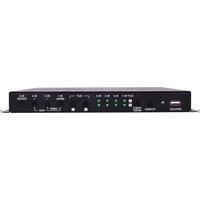
ANI-PIP-44UHD - Router A-NeuVideo - Free user manual and instructions
Find the device manual for free ANI-PIP-44UHD A-NeuVideo in PDF.


Pick your language and provide your email: we'll send you a specifically translated version.
| Type of product | Network Router |
| Model Number | ANI-PIP-44UHD |
| Brand | A-NeuVideo |
| Dimensions (W x D x H) | 210 x 160 x 35 mm |
| Weight | 450 g |
| Power Supply | 12V DC, 1A adapter included |
| Ethernet Ports | 4 x Gigabit LAN, 1 x Gigabit WAN |
| Wi-Fi Standard | IEEE 802.11ac (Wi-Fi 5) |
| Wi-Fi Bands | Dual-band 2.4 GHz & 5 GHz |
| Maximum Data Rate | Up to 1200 Mbps (300 Mbps on 2.4 GHz + 867 Mbps on 5 GHz) |
| USB Port | 1 x USB 3.0 for storage and printer sharing |
| Antennas | 4 external detachable antennas |
| Firewall | SPI firewall, DoS protection |
| VPN Support | Yes, PPTP/L2TP/IPSec pass-through |
| Quality of Service (QoS) | Bandwidth management and prioritization |
| Management | Web interface, mobile app |
| Security Features | WPA/WPA2/WPA3, MAC address filtering |
| Operating Temperature | 0°C to 40°C |
| Maintenance and Cleaning | Wipe with dry cloth; ensure ventilation |
| Spare Parts and Repairability | Replacement antennas and adapter available; repair service via support |
| General Information | Designed for home and small office networks with UHD video streaming support |
Frequently Asked Questions - ANI-PIP-44UHD A-NeuVideo
How to set up the ANI-PIP-44UHD router?
Connect the router to your modem via the WAN port, power it on, then open a web browser to access the setup wizard. Follow the on-screen instructions to configure your network.
How to change the Wi-Fi password?
Log in to the router's web interface, go to Wireless settings, and modify the pre-shared key. Save the changes and reconnect devices with the new password.
What is the default IP address of the router?
The default IP address is 192.168.1.1. Use it to access the admin panel when the router is in its factory state.
The router does not provide internet. What should I do?
Check the WAN cable connection and ensure your modem is working. Restart both devices, and verify that the router's WAN LED is lit. If the issue persists, consult the quick setup guide.
Can I connect a USB hard drive to this router?
Yes, the router has a USB 3.0 port. Connect a USB drive to share files over the network or create a personal cloud.
How to reset the router to factory settings?
Use a paperclip to press and hold the Reset button on the back panel for about 10 seconds until the power LED blinks. The router will reboot with default settings.
Is the router compatible with VPN connections?
Yes, it supports PPTP, L2TP, and IPSec VPN pass-through, allowing VPN traffic from your devices to pass through the router.
How to update the router's firmware?
Download the latest firmware from the A-NeuVideo support website. Log in to the router interface, go to System Administration, choose Firmware Upgrade, and select the downloaded file.
What should I do if I forget the router administrator password?
Perform a factory reset to restore the default admin password. After reset, use the default credentials printed on the router label to log in.
Does the router support IPv6?
Yes, the ANI-PIP-44UHD supports IPv6, helping to future-proof your network. Enable it in the network settings if your internet service provider offers IPv6.
User questions about ANI-PIP-44UHD A-NeuVideo
0 question about this device. Answer the ones you know or ask your own.
Ask a new question about this device
No questions yet. Be the first to ask one.
Download the instructions for your Router in PDF format for free! Find your manual ANI-PIP-44UHD - A-NeuVideo and take your electronic device back in hand. On this page are published all the documents necessary for the use of your device. ANI-PIP-44UHD by A-NeuVideo.
USER MANUAL ANI-PIP-44UHD A-NeuVideo
Manual assistant
Powered by Anthropic
Waiting for your message
Product information
Brand : A-NeuVideo
Model : ANI-PIP-44UHD
Category : Router