ANI-16-MV - Router A-NeuVideo - Free user manual and instructions
Find the device manual for free ANI-16-MV A-NeuVideo in PDF.


Pick your language and provide your email: we'll send you a specifically translated version.
| Product Type | Wired Gigabit Router |
| Brand | A-NeuVideo |
| Model | ANI-16-MV |
| Ports | 16 x 10/100/1000 Mbps Ethernet LAN ports |
| WAN Ports | 2 x Gigabit Ethernet WAN ports for multi-link redundancy |
| Switching Capacity | 32 Gbps |
| VLAN Support | IEEE 802.1Q VLAN tagging, up to 200 VLANs |
| QoS | Advanced Quality of Service for bandwidth prioritization |
| VPN Support | IPsec, PPTP, L2TP, and OpenVPN for secure remote access |
| Firewall | Stateful packet inspection (SPI), DoS protection, MAC filtering |
| Management | Web-based GUI, CLI, SSH, and SNMP support |
| Routing Protocols | Static, RIP v1/v2, OSPF, and BGP |
| Power Input | 100-240V AC, 50/60Hz auto-sensing |
| Power Consumption | 25W maximum |
| Dimensions | 440 x 220 x 44 mm (1U rack-mountable) |
| Weight | 3.2 kg |
| Operating Temperature | 0°C to 50°C |
| Storage Temperature | -20°C to 70°C |
| Humidity | 10% to 90% non-condensing |
| Mounting | Rack-mountable, desktop standing included |
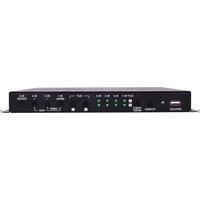
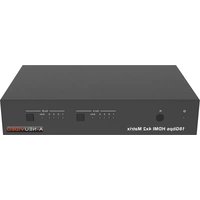
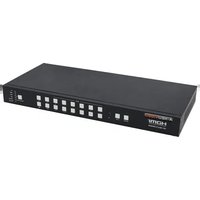
| LED Indicators | Power, System, Per-port Link/Act |
| Included Accessories | Power cable, rack mount brackets, rubber feet, manual |
| Cleaning | Wipe with a dry cloth; do not use solvents or liquids |
| Repairability | No user-serviceable parts; repairs by qualified technicians only |
Frequently Asked Questions - ANI-16-MV A-NeuVideo
How do I reset the A-NeuVideo ANI-16-MV router to factory defaults?
Locate the reset button on the rear panel. Use a paperclip to press and hold it for 10 seconds until the System LED blinks. The router will reboot with default settings. The default IP is 192.168.1.1 and login is admin/admin.
How can I update the firmware?
Download the latest firmware from the official A-NeuVideo website. Log into the web interface, go to System > Firmware Upgrade, select the file, and click Upgrade. Do not power off during the process.
Does the ANI-16-MV support VLANs?
Yes, it supports IEEE 802.1Q VLAN tagging. You can create up to 200 VLANs and assign ports to different VLANs for network segmentation.
Can I use the ANI-16-MV as a managed switch?
Absolutely. The ANI-16-MV can operate in L2 managed switch mode or as a full router. You can disable routing and use it purely as a switch with VLAN, QoS, and link aggregation.
What is the default IP address and login credentials?
The default LAN IP is 192.168.1.1 with subnet mask 255.255.255.0. The username and password are both admin. We recommend changing them after initial setup.
How do I configure port forwarding?
Go to NAT > Port Forwarding. Create a new rule by entering the external port range, internal IP address, and internal port range. Select TCP/UDP and apply. Make sure the internal IP is static.
Does the ANI-16-MV support VPN connections?
Yes, it supports IPsec, PPTP, L2TP, and OpenVPN. You can configure site-to-site and remote-access VPNs through the VPN menu in the web interface.
What are the power requirements for the ANI-16-MV?
The router uses a standard AC power supply with an input range of 100-240V AC, 50/60Hz. The maximum power consumption is 25W. Connect the included power cable to a grounded outlet.
How do I mount the ANI-16-MV in a server rack?
Attach the included rack mount brackets to the sides of the router using the provided screws, then slide it into a standard 19-inch rack and secure with rack screws. Ensure proper ventilation around the device.
How can I troubleshoot network connectivity issues?
First check the LEDs on the port - a steady green light indicates a link. Verify your IP settings and try pinging the default gateway. Use System > Diagnosis in the web interface to run ping and traceroute tests. Also check that the cables are securely connected.
User questions about ANI-16-MV A-NeuVideo
0 question about this device. Answer the ones you know or ask your own.
Ask a new question about this device
No questions yet. Be the first to ask one.
Download the instructions for your Router in PDF format for free! Find your manual ANI-16-MV - A-NeuVideo and take your electronic device back in hand. On this page are published all the documents necessary for the use of your device. ANI-16-MV by A-NeuVideo.
USER MANUAL ANI-16-MV A-NeuVideo
Manual assistant
Powered by Anthropic
Waiting for your message
Product information
Brand : A-NeuVideo
Model : ANI-16-MV
Category : Router