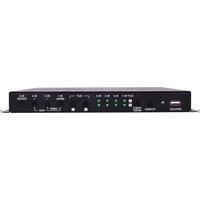
ANI-8X2MFS - Router A-NeuVideo - Free user manual and instructions
Find the device manual for free ANI-8X2MFS A-NeuVideo in PDF.


Pick your language and provide your email: we'll send you a specifically translated version.
| Product Type | Network Router |
| Brand | A-NeuVideo |
| Model | ANI-8X2MFS |
| Form Factor | Desktop / Rack-mountable metal chassis |
| Color | Black |
| Dimensions (W x D x H) | Approx. 230 x 150 x 40 mm |
| Weight | Approx. 400 g |
| Housing Material | Metal |
| Power Input | 12V DC, 1A |
| Power Consumption | ≤ 12 W |
| Ethernet Ports | 8 x 10/100/1000 Mbps RJ-45 |
| Fiber Ports | 2 x SFP slots |
| Routing Capabilities | Static routing, Policy routing |
| Network Protocols | IPv4, IPv6, TCP, UDP, ICMP, ARP |
| Security Features | Firewall, access control, MAC/Port filtering |
| VPN Support | PPTP, L2TP, IPSec pass-through |
| Management | Web GUI, SNMP, remote login |
| LED Indicators | Power, LAN, WAN, SFP |
| Operating Temperature | 0°C to 45°C |
| Storage Temperature | -20°C to 70°C |
| Cleaning Instructions | Wipe with a dry, soft cloth; keep air vents clear |
| Repairability | No user-serviceable parts; replace external power adapter if needed |
| Documentation | PDF manual available, 44 pages |
Frequently Asked Questions - ANI-8X2MFS A-NeuVideo
What are the physical connections on the ANI-8X2MFS?
The ANI-8X2MFS provides eight Gigabit Ethernet ports and two SFP slots for fiber connections, allowing flexible wired networking.
How do I perform a factory reset?
Press and hold the Reset button for about 10 seconds until the power LED blinks, then release. The router will return to its default settings.
How can I update the router firmware?
Download the latest firmware from the A-NeuVideo website, then go to the web management page and select System Tools > Firmware Upgrade.
Does the router support VPN?
Yes, the ANI-8X2MFS supports PPTP, L2TP and IPSec pass-through for VPN connections.
Can I set parental controls or web filters?
The router includes Access Control and URL filtering functions that can block or allow specified IP addresses and domains.
What kind of power adapter is required?
The router requires a 12V DC, 1A power adapter. It is recommended to use only the original power supply.
How to back up the configuration?
On the management page, go to System Tools > Backup/Restore to export a backup file or restore settings from a saved file.
Why are the SFP slots not being recognized?
Check that the SFP module is fully inserted and compatible. Verify the connection in the status page and ensure the module type matches your fiber network.
What are the recommended temperature conditions?
The operating temperature range is 0°C to 45°C, so place the router in a ventilated area away from heat sources.
What does the "MFS" in the model name mean?
"MFS" stands for Managed Fiber Switch features, indicating the router includes advanced management and fiber networking capabilities.
User questions about ANI-8X2MFS A-NeuVideo
0 question about this device. Answer the ones you know or ask your own.
Ask a new question about this device
No questions yet. Be the first to ask one.
Download the instructions for your Router in PDF format for free! Find your manual ANI-8X2MFS - A-NeuVideo and take your electronic device back in hand. On this page are published all the documents necessary for the use of your device. ANI-8X2MFS by A-NeuVideo.
USER MANUAL ANI-8X2MFS A-NeuVideo
Manual assistant
Powered by Anthropic
Waiting for your message
Product information
Brand : A-NeuVideo
Model : ANI-8X2MFS
Category : Router