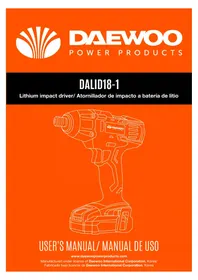
DALID18-1 - Screwdriver DAEWOO - Free user manual and instructions
Find the device manual for free DALID18-1 DAEWOO in PDF.


Pick your language and provide your email: we'll send you a specifically translated version.
| Product Type | Cordless Screwdriver |
| Brand | DAEWOO |
| Model | DALID18-1 |
| Voltage | 18 V |
| Battery Type | Lithium-ion |
| Battery Capacity | 1.5 Ah |
| Chuck Type | 1/2-inch (13 mm) keyless chuck |
| No Load Speed | 0-550 RPM |
| Max Torque | 25 Nm |
| Torque Settings | 20+1 (20 torque positions plus drill mode) |
| Charging Time | Approx. 1 hour |
| Variable Speed Trigger | Yes |
| Forward/Reverse Function | Yes |
| LED Light | Yes, integrated work light |
| Weight | 1.3 kg (approx.) |
| Dimensions (L x W x H) | 200 x 180 x 70 mm (approx.) |
| Charger Included | Yes |
| Storage Case Included | Yes |
| Safety Features | Electric brake, overcharge protection |
| Maintenance and Cleaning | Wipe with a dry cloth, keep vents clean |
| Spare Parts and Repairability | Battery and chuck replaceable, spare parts available |
| General Information | Suitable for drilling and driving screws in wood, metal, and plastic |
Frequently Asked Questions - DALID18-1 DAEWOO
How do I charge the battery of the DAEWOO DALID18-1 screwdriver?
Connect the charger to a power outlet and slide the lithium-ion battery onto the charger. The LED indicator will show charging status. Charging takes about 1 hour for a full charge.
What is the maximum screw size the DALID18-1 can drive?
With its 25 Nm torque and variable speed, it can typically drive screws up to 6 mm in diameter into wood, depending on the material and pre-drilled holes.
How do I install or remove a drill bit?
The tool features a keyless chuck. Rotate the chuck sleeve by hand to open or close the jaws, insert the bit, and tighten securely. Press the locking button to prevent rotation while adjusting.
Can I use the screwdriver for drilling into metal?
Yes, the DALID18-1 can drill into metal when set to the drill mode (position 21) and using appropriate HSS bits. Apply moderate pressure and use a lower speed for best results.
How do I change the torque setting?
Rotate the torque adjustment ring located behind the chuck. Choose from 20 torque positions for driving screws, or set it to the drill symbol for drilling operations.
Why does the drill stop suddenly during use?
This is likely due to the overload protection triggering when the tool is forced beyond its capacity. Release the trigger, allow the motor to cool down, and reduce pressure or select a lower torque setting.
How should I clean and maintain the screwdriver?
Always disconnect the battery before cleaning. Wipe the exterior with a dry cloth and avoid using water or solvents. Periodically clean the air vents to prevent dust accumulation.
Can the battery be replaced?
Yes, the battery is removable and can be replaced with a compatible 18V lithium-ion battery. Always use a genuine Daewoo battery or an approved equivalent for safety.
Is the tool equipped with a work light?
Yes, the DALID18-1 includes an integrated LED light that activates when the trigger is pressed, illuminating the work area in low-light conditions.
What is the recommended way to store the screwdriver?
Keep it in the storage case in a dry place. Remove the battery if storing for an extended period. Store at a temperature between 0°C and 45°C to avoid damaging the battery.
User questions about DALID18-1 DAEWOO
0 question about this device. Answer the ones you know or ask your own.
Ask a new question about this device
No questions yet. Be the first to ask one.
Download the instructions for your Screwdriver in PDF format for free! Find your manual DALID18-1 - DAEWOO and take your electronic device back in hand. On this page are published all the documents necessary for the use of your device. DALID18-1 by DAEWOO.
USER MANUAL DALID18-1 DAEWOO



Manual assistant
Powered by Anthropic
Waiting for your message
Product information
Brand : DAEWOO
Model : DALID18-1
Category : Screwdriver