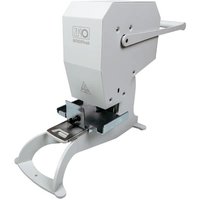
AutoLAM A3 - Uncategorized Opus - Free user manual and instructions
Find the device manual for free AutoLAM A3 Opus in PDF.


Pick your language and provide your email: we'll send you a specifically translated version.
| Type de produit | Automatic laminator |
| Brand | Opus |
| Model | AutoLAM A3 |
| Compatible paper size | A3 (up to 320 mm width) |
| Lamination type | Hot and cold lamination |
| Maximum pouch thickness | 125 microns |
| Number of rollers | 4 rollers for smooth feeding |
| Preheating time | 3 to 5 minutes |
| Lamination speed | 300 mm/min |
| Auto shut-off | Yes, after 30 minutes of inactivity |
| Reverse function | Yes, to release jammed pouches |
| Warm-up indicator | LED indicator |
| Non-slip feet | Yes |
| Jam release lever | Yes |
| Power supply | 220-240V, 50/60Hz |
| Power consumption | 300 W |
| Dimensions (W x H x D) | 480 x 110 x 140 mm |
| Weight | 1.8 kg |
| Maintenance | Clean rollers with a lint-free cloth after each session |
| Safety features | Overheat protection and auto shut-off |
Frequently Asked Questions - AutoLAM A3 Opus
How do I use the Opus AutoLAM A3?
Plug in the machine, turn it on, and wait for the warm-up indicator to stop flashing. Place a pouch with your document inside the feed tray, and it will automatically pull the pouch through and discharge it from the rear.
What is the maximum paper size I can laminate?
The AutoLAM A3 supports paper sizes up to A3 (297 x 420 mm). It can also handle smaller sizes such as A4 and A5.
Can I laminate without a pouch?
No, this laminator is designed for use with laminating pouches. Insert your document into a suitable pouch before feeding it into the machine.
How long does it take to warm up?
The preheating time is approximately 3 to 5 minutes. The LED indicator will show when the machine is ready for use.
What should I do if the pouch gets jammed?
Use the reverse function or the jam release lever to remove the jammed pouch. Switch off the machine, wait for it to cool, then gently pull out the pouch. Never force it while hot.
Can I use cold lamination?
Yes, the AutoLAM A3 supports cold lamination for heat-sensitive documents. Simply switch to cold mode if available and feed the cold pouch through.
How do I clean the laminator?
Unplug the machine and let it cool completely. Wipe the feed and output rollers with a lint-free cloth moistened with a mild cleaner. Do not use abrasive materials.
What type of pouches should I use?
Use pouches up to 125 microns thick. For best results, choose pouches from trusted brands and ensure they are designed for hot lamination if you are using that mode.
Is the machine safe to leave unattended?
The laminator has auto shut-off that activates after 30 minutes of inactivity, reducing fire risk. However, never leave it unattended while in use or plugged in for extended periods.
What does the reverse function do?
The reverse function rotates the rollers backward, helping to release jammed pouches and clear misfeeds safquickly and safely.
User questions about AutoLAM A3 Opus
0 question about this device. Answer the ones you know or ask your own.
Ask a new question about this device
No questions yet. Be the first to ask one.
Download the instructions for your Uncategorized in PDF format for free! Find your manual AutoLAM A3 - Opus and take your electronic device back in hand. On this page are published all the documents necessary for the use of your device. AutoLAM A3 by Opus.
USER MANUAL AutoLAM A3 Opus
Manual assistant
Powered by Anthropic
Waiting for your message
Product information
Brand : Opus
Model : AutoLAM A3
Category : Uncategorized