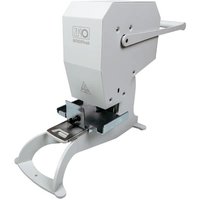
CS 2410 CD - Shredder Opus - Free user manual and instructions
Find the device manual for free CS 2410 CD Opus in PDF.


Pick your language and provide your email: we'll send you a specifically translated version.
| Type of product | Paper shredder |
| Brand | Opus |
| Model | CS 2410 CD |
| Cut type | Cross-cut |
| Shredding size | 4 x 40 mm |
| Shredding capacity | 10 sheets of 70-80 g/m² |
| Input width | 230 mm |
| Bin capacity | 20 liters |
| Operating voltage | 220-240 V, 50/60 Hz |
| Power | 180 W |
| Shredding speed | 2.5 m/min |
| Continuous operation | 3 minutes on / 20 minutes off |
| Reversible motor | Yes, for jam clearance |
| Anti-jam system | Yes |
| Safety features | Auto stop when bin is full, overload protection, safety switch |
| Noise level | ≤ 70 dB |
| Maintenance | Shredder oil recommended for regular lubrication |
| Dimensions | 360 x 260 x 450 mm |
| Weight | 7.5 kg |
| Certifications | CE |
Frequently Asked Questions - CS 2410 CD Opus
What type of oil should I use for my Opus CS 2410 CD shredder?
You should use a special shredder oil that is non-toxic and silicone-based. Apply a few drops across the paper entry width and run the shredder in reverse for about 10 seconds. Regular oiling ensures smooth operation and extends the life of the cutting blades.
How often should I empty the waste bin to maintain efficiency?
Empty the bin when it is about two-thirds full to prevent shredded material from blocking the exit. Most shredders, including the CS 2410 CD, have a viewing window to help you monitor the level. Regular emptying prevents jams and reduces wear on the motor.
Can I shred credit cards and staples?
Yes, the Opus CS 2410 CD is designed to handle credit cards and staples without damaging the blades. However, you should feed credit cards one at a time and avoid shredding more than one card at once. Do not shred metallic objects like CDs or DVDs.
What should I do if the shredder stops suddenly?
If the shredder stops suddenly, it may have overheated or triggered its overload protection. First, switch it off and unplug it. Let it cool down for about 30 minutes. After cooling, remove any jammed paper. If the issue persists, check the electrical outlet and the safety switch.
How do I clear a paper jam?
To clear a jam, first turn off and unplug the shredder. Use the reverse function (press the Rev button) to back out the paper. If that fails, gently pull the paper out with your hands, being careful not to force it. Avoid using tools that could damage the blades. After clearing, plug in and test with a single sheet.
Is the shredder safe for children?
The Opus CS 2410 CD is not a toy and should be kept out of reach of children. It features a safety switch that prevents accidental operation. Always supervise children around the shredder to avoid injury, and never let them insert fingers or objects into the feed slot.
Can I use the shredder continuously for large workloads?
The CS 2410 CD has a duty cycle of 3 minutes ON and 20 minutes OFF. This means you should let it rest after every 3 minutes of continuous shredding to prevent overheating. For larger jobs, alternate shredding and cooling periods to maintain performance and protect the motor.
How to maintain the blades sharpness?
Regularly applying shredder oil keeps the blades lubricated and prevents debris buildup. As a general rule, oil the shredder every time you empty the bin or after every 30 minutes of use. Also, avoid shredding wet paper or non-paper materials that can dull the blades.
What are the safety features of this model?
The CS 2410 CD includes several important safety features: an overheat protection system that shuts off the motor, a front safety switch that requires deliberate activation, and an auto-stop when the bin is full. Additionally, the lid interlocks with the power switch to ensure the machine cannot run when the bin is open.
What is the maximum sheet capacity and how to avoid overload?
The maximum capacity is 10 sheets of 70-80 g/m² paper at once. To avoid overload, never feed more than this amount, and feed paper straight into the entry slot without forcing. If you hear a change in motor sound, immediately reduce the load. For thicker paper, use fewer sheets.
User questions about CS 2410 CD Opus
0 question about this device. Answer the ones you know or ask your own.
Ask a new question about this device
No questions yet. Be the first to ask one.
Download the instructions for your Shredder in PDF format for free! Find your manual CS 2410 CD - Opus and take your electronic device back in hand. On this page are published all the documents necessary for the use of your device. CS 2410 CD by Opus.
USER MANUAL CS 2410 CD Opus

Manual assistant
Powered by Anthropic
Waiting for your message
Product information
Brand : Opus
Model : CS 2410 CD
Category : Shredder