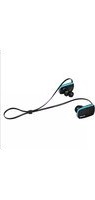
AU-889-TV - Headphones ELBE - Free user manual and instructions
Find the device manual for free AU-889-TV ELBE in PDF.


Pick your language and provide your email: we'll send you a specifically translated version.
| Product Type | Wireless Over-Ear Headphones |
| Brand | ELBE |
| Model | AU-889-TV |
| Connectivity | Bluetooth 5.0, 3.5 mm audio cable |
| Battery Capacity | 400 mAh |
| Charging Time | Approximately 2 hours |
| Playback Time | Up to 30 hours (50% volume) |
| Frequency Response | 20 Hz - 20 kHz |
| Impedance | 32 Ohms |
| Driver Size | 40 mm dynamic drivers |
| Microphone | Built-in with noise reduction |
| Controls | On-ear buttons for volume, calls, and music playback |
| Weight | Approximately 250 grams |
| Dimensions (Folded) | 18 x 16 x 8 cm |
| Compatibility | Smartphones, tablets, PC, TV with Bluetooth or audio jack |
| Box Contents | Headphones, USB charging cable, 3.5 mm audio cable, user manual |
| Spare Parts | Replacement ear cushions and audio cable available |
| Safety Certifications | CE, RoHS |
| Maintenance | Wipe with a soft dry cloth; avoid exposure to moisture |
| General Information | Foldable design for portability; adjustable headband |
Frequently Asked Questions - AU-889-TV ELBE
How do I pair the ELBE AU-889-TV with my TV?
Put the headphones in pairing mode by holding the power button for 5 seconds until the LED flashes. On your TV, enable Bluetooth scanning and select AU-889-TV from the list. If your TV lacks Bluetooth, use the included 3.5 mm audio cable to connect to the TV's headphone jack.
How long does it take to fully charge the headphones?
Charging the ELBE AU-889-TV takes approximately 2 hours using the included USB cable. A full charge provides up to 30 hours of playback time.
Can I use the headphones while they are charging?
Yes, you can use the headphones in wired mode while charging, but wireless playback during charging may not work depending on the adapter. For safety, we recommend charging with the device off.
Why is there no sound coming from the headphones?
First, ensure the headphones are powered on and paired correctly. Check the volume level on both the headphones and the connected device. If using the audio cable, confirm it is fully inserted in both ends. Try resetting the headphones by turning them off and on again.
How do I reset the ELBE AU-889-TV?
To reset the headphones, turn them off, then press and hold the power button and the volume up button together for 10 seconds until the LED flashes red and blue. This clears the pairing memory. Re-pair them with your device after reset.
Can I connect the headphones to two devices at the same time?
The ELBE AU-889-TV does not support multipoint pairing. You can only be connected to one Bluetooth device at a time. To switch devices, disconnect from the current device and pair with the new one.
Is the built-in microphone compatible with phone calls?
Yes, the built-in microphone supports hands-free calls and voice assistants. During a call, use the on-ear controls to answer or end calls and adjust the call volume.
How do I clean the headphones safely?
Use a soft, slightly damp cloth to wipe the outer surfaces. Avoid using harsh chemicals or submerging in water. Clean the ear cushions regularly by gently wiping them with a dry cloth and inspect for wear.
Are replacement ear cushions available?
Yes, you can order replacement ear cushions and audio cables from ELBE's service center or authorized retailers. This allows you to extend the lifespan of your headphones instead of replacing the whole unit.
What should I do if the headphones do not turn on?
Check that the battery is charged by connecting to a power source for at least 15 minutes. If it still does not turn on, try a different USB cable or adapter. If the issue persists, contact ELBE support for assistance.
User questions about AU-889-TV ELBE
0 question about this device. Answer the ones you know or ask your own.
Ask a new question about this device
No questions yet. Be the first to ask one.
Download the instructions for your Headphones in PDF format for free! Find your manual AU-889-TV - ELBE and take your electronic device back in hand. On this page are published all the documents necessary for the use of your device. AU-889-TV by ELBE.
USER MANUAL AU-889-TV ELBE

Manual assistant
Powered by Anthropic
Waiting for your message
Product information
Brand : ELBE
Model : AU-889-TV
Category : Headphones