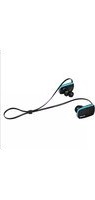
AU-630-GPC - Headphones ELBE - Free user manual and instructions
Find the device manual for free AU-630-GPC ELBE in PDF.


Pick your language and provide your email: we'll send you a specifically translated version.
| Product Type | Over-Ear Headphones |
| Brand | ELBE |
| Model | AU-630-GPC |
| Connectivity | Bluetooth 5.0 |
| Wireless Range | Up to 10 meters |
| Battery Capacity | 300 mAh |
| Playback Time | Up to 20 hours |
| Charging Time | Approximately 2 hours |
| Charging Port | Micro-USB |
| Driver Diameter | 40 mm |
| Impedance | 32 ohms |
| Frequency Response | 20 Hz - 20 kHz |
| Sensitivity | 105 dB |
| Weight | 250 grams |
| Dimensions | 18 x 8 x 20 cm |
| Foldable Design | Yes |
| Built-in Microphone | Yes, with noise cancellation |
| Controls | On-ear controls for volume, calls, and track selection |
| Cleaning Method | Wipe with a soft, dry cloth |
| Safety Warnings | Use at moderate volume to prevent hearing damage |
| Spare Parts Availability | Replacement ear cushions and cables |
| Warranty | 1 year manufacturer warranty |
Frequently Asked Questions - AU-630-GPC ELBE
How do I pair the headphones with my device?
Turn on the headphones and put them in pairing mode by pressing and holding the power button until the LED flashes. Then activate Bluetooth on your device and select ELBE AU-630-GPC from the available devices.
How do I recharge the battery?
Connect the included Micro-USB cable to the charging port on the headphones and plug it into a USB power adapter. The LED indicator will show charging status. A full charge takes about 2 hours.
What should I do if the headphones won't turn on?
Ensure the battery is charged. If they still don't turn on, try resetting by holding the power button for 10 seconds. If the issue persists, contact ELBE customer support.
Can I use the headphones while charging?
Yes, you can use the headphones in passive mode via a wired connection, but Bluetooth playback while charging is not recommended as it may affect battery performance.
How do I clean the ear cushions?
Gently wipe the ear cushions with a soft, dry cloth. Do not use any liquids or abrasive cleaners. Remove the cushions if possible for thorough cleaning.
Are the headphones compatible with all smartphones?
Yes, the headphones use Bluetooth 5.0, which is compatible with most modern smartphones, tablets, and other Bluetooth-enabled devices. For wired connection, a 3.5mm jack is required.
What is the battery life?
The headphones offer up to 20 hours of playback time on a full charge, depending on volume level and usage.
How do I reset the headphones?
Press and hold the power button and volume up button simultaneously for about 10 seconds until the LED flashes red and blue. This will clear the pairing list.
Can I use a wired connection?
Yes, the headphones come with a 3.5mm aux cable that allows you to connect to devices without Bluetooth, saving battery.
How do I answer calls?
When a call comes in, press the multi-function button once to answer. Press it again to end the call. Press and hold to reject the call.
User questions about AU-630-GPC ELBE
0 question about this device. Answer the ones you know or ask your own.
Ask a new question about this device
No questions yet. Be the first to ask one.
Download the instructions for your Headphones in PDF format for free! Find your manual AU-630-GPC - ELBE and take your electronic device back in hand. On this page are published all the documents necessary for the use of your device. AU-630-GPC by ELBE.
USER MANUAL AU-630-GPC ELBE

Manual assistant
Powered by Anthropic
Waiting for your message
Product information
Brand : ELBE
Model : AU-630-GPC
Category : Headphones