Shadow Micro - External hard drive Oyen Digital - Free user manual and instructions
Find the device manual for free Shadow Micro Oyen Digital in PDF.


Pick your language and provide your email: we'll send you a specifically translated version.
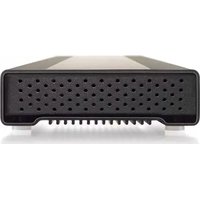
| Product Type | Portable external hard drive |
| Brand | Oyen Digital |
| Model | Shadow Micro |
| Form Factor | 2.5-inch external drive |
| Interface | USB 3.0 (backward compatible with USB 2.0) |
| Storage Capacity | Available in 500 GB, 1 TB, and 2 TB configurations |
| Maximum Transfer Rate | Up to 5 Gbps (USB 3.0) |
| Power Source | USB bus-powered; no AC adapter required |
| Dimensions | 114 x 71 x 10 mm (4.5 x 2.8 x 0.4 in) |
| Weight | 160 g (5.6 oz) |
| Compatibility | Windows, macOS, and most Linux systems |
| Main Functions | Store, transfer, and back up digital files |
| Enclosure Material | Aluminum casing for heat dissipation |
| Cables Included | USB 3.0 cable |
| Maintenance and Cleaning | Wipe the enclosure with a soft, dry cloth; keep USB port free of dust |
| Safety Instructions | Prevent drops, water exposure, and extreme temperatures; always eject safely |
| Spare Parts and Repairability | No user-serviceable internal parts; contact Oyen Digital support or authorized service |
| General Information | Plug-and-play operation; no driver installation required on most operating systems |
Frequently Asked Questions - Shadow Micro Oyen Digital
How do I connect the Shadow Micro to my computer?
Connect the included USB 3.0 cable to the Shadow Micro's port, then plug the other end into a USB port on your computer. The drive is plug-and-play and should appear as an external disk once powered on.
Do I need to install drivers to use the Oyen Digital Shadow Micro?
No. The Shadow Micro is designed as a plug-and-play device. On Windows, macOS and most Linux distributions, the operating system recognizes the drive automatically. In rare cases, you may need a USB controller driver update on older computers.
Why is my drive not recognized when connected?
First verify that the USB cable is firmly connected to both the drive and computer. Try another USB port, preferably a USB 3.0 port. If the drive still does not appear, open Disk Management (Windows) or Disk Utility (macOS) to check if the disk is present. Avoid using USB hubs, which can cause power issues.
Can I use the Shadow Micro with both Windows and Mac?
Yes. The drive is formatted with a compatible file system and works on Windows, macOS, and Linux. If you need to exchange files between systems, using exFAT is recommended. Note that formatting will erase all data.
How do I safely eject the hard drive?
On Windows, click the Safely Remove Hardware icon in the system tray and select the Shadow Micro. On macOS, drag the drive icon to the Trash or press Cmd+E. Wait until the system confirms it is safe before unplugging to prevent data loss.
What should I do if the drive gets hot during use?
The aluminum enclosure is designed to dissipate heat, so a warm surface is normal during extended use. Ensure the drive is on a hard, flat surface with good airflow, and avoid covering it. If it becomes excessively hot, disconnect it, wait for it to cool, and contact Oyen Digital support if the issue persists.
Is the Shadow Micro powered by a separate AC adapter?
No. The Shadow Micro is bus-powered, meaning it gets all power through the USB connection. This makes it highly portable, but it must be connected to a powered USB port or a compatible USB power source.
Can I use this hard drive for backup purposes?
Absolutely. The Shadow Micro is ideal for local backups, file storage, and data transfer. Use built-in backup software like Time Machine on macOS or File History on Windows, or simply copy your important files manually.
How do I clean and maintain the external drive?
Use a soft, dry microfiber cloth to wipe the aluminum enclosure. Never use liquid cleaners or submerge the drive in water. Keep the USB port free of dust and avoid dropping the drive. Do not disassemble the enclosure.
What is the warranty and how can I get support?
Oyen Digital provides a limited warranty for the Shadow Micro. For warranty terms and support, contact Oyen Digital customer service through their official website. Do not attempt to open the drive, as this may void the warranty. Keep your proof of purchase.
User questions about Shadow Micro Oyen Digital
0 question about this device. Answer the ones you know or ask your own.
Ask a new question about this device
No questions yet. Be the first to ask one.
Download the instructions for your External hard drive in PDF format for free! Find your manual Shadow Micro - Oyen Digital and take your electronic device back in hand. On this page are published all the documents necessary for the use of your device. Shadow Micro by Oyen Digital.
USER MANUAL Shadow Micro Oyen Digital
Manual assistant
Powered by Anthropic
Waiting for your message
Product information
Brand : Oyen Digital
Model : Shadow Micro
Category : External hard drive