Shadow Mini - External hard drive Oyen Digital - Free user manual and instructions
Find the device manual for free Shadow Mini Oyen Digital in PDF.


Pick your language and provide your email: we'll send you a specifically translated version.
| Product Type | External Portable Solid State Drive (SSD) |
| Brand | Oyen Digital |
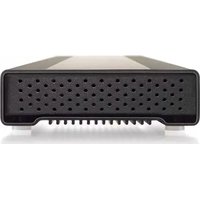
| Model | Shadow Mini |
| Capacity | 500 GB / 1 TB / 2 TB |
| Interface | USB 3.2 Gen 2 Type-C |
| Read Speed | Up to 1050 MB/s |
| Write Speed | Up to 1000 MB/s |
| Dimensions (L x W x H) | 4.5 x 2.8 x 0.4 in (114 x 71 x 10 mm) |
| Weight | 1.5 oz (42 g) |
| Power Source | Bus-powered via USB port |
| Operating Temperature | 32°F to 158°F (0°C to 70°C) |
| Storage Temperature | -40°F to 185°F (-40°C to 85°C) |
| Shock Resistance | Up to 1500G operating (non-operating) |
| Enclosure Material | Aluminum with rubberized coating |
| Included Cable | USB-C to USB-C and USB-C to USB-A adapter |
| Compatible Systems | Windows, macOS, Linux, Chrome OS, Android, iPadOS |
| File System (Factory) | exFAT |
| Warranty | 3 years limited |
| Maintenance | Clean with a soft, dry cloth; avoid liquids and abrasives |
| Safety | Do not disassemble; avoid exposure to extreme heat or moisture |
| Spare Parts | Replacement cables available; internal drive not user-serviceable |
| Repairability | Not user-repairable; contact support for warranty service |
Frequently Asked Questions - Shadow Mini Oyen Digital
How do I connect the Shadow Mini to my computer?
Use the included USB-C cable. If your computer has a USB-A port, use the provided adapter. Plug into any USB 3.0 or higher port for optimal speed.
Is the Shadow Mini compatible with PlayStation or Xbox?
Yes, it works with PS4, PS5, Xbox One, and Xbox Series X/S when formatted to a compatible file system (exFAT for PS5, NTFS for Xbox).
Do I need to install drivers?
No. The Shadow Mini is plug-and-play on Windows, macOS, Linux, and other major operating systems.
How fast is the Shadow Mini?
It offers read speeds up to 1050 MB/s and write speeds up to 1000 MB/s with USB 3.2 Gen 2.
Can I use the Shadow Mini as a boot drive?
Yes, if your system supports booting from USB. You may need to reformat the drive to a bootable file system (e.g., APFS for Mac, NTFS for Windows).
Is the Shadow Mini water or dust resistant?
No. It is not rated for water or dust ingress. Keep it dry and clean.
What is the warranty period?
The Shadow Mini comes with a 3-year limited warranty. Retain your receipt for support.
How do I format the drive for macOS?
Open Disk Utility, select the drive, click Erase, choose APFS or Mac OS Extended (Journaled), and confirm. Note: this erases all data.
Why is my transfer speed slower than expected?
Ensure you are using a USB 3.2 Gen 2 port and cable. Avoid USB hubs. Large file transfers may be slower due to the file system overhead.
Can I repair the Shadow Mini if it fails?
The drive is not user-serviceable. Do not attempt to open it. Contact Oyen Digital support for warranty replacement or repair options.
User questions about Shadow Mini Oyen Digital
0 question about this device. Answer the ones you know or ask your own.
Ask a new question about this device
No questions yet. Be the first to ask one.
Download the instructions for your External hard drive in PDF format for free! Find your manual Shadow Mini - Oyen Digital and take your electronic device back in hand. On this page are published all the documents necessary for the use of your device. Shadow Mini by Oyen Digital.
USER MANUAL Shadow Mini Oyen Digital

Manual assistant
Powered by Anthropic
Waiting for your message
Product information
Brand : Oyen Digital
Model : Shadow Mini
Category : External hard drive