CSS2610 - Receiver PHILIPS - Free user manual and instructions
Find the device manual for free CSS2610 PHILIPS in PDF.


Pick your language and provide your email: we'll send you a specifically translated version.
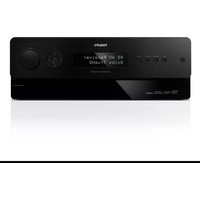
| Type of Product | Audio/Video Receiver |
| Brand | Philips |
| Model | CSS2610 |
| Product Category | Receiver |
| Color | Black |
| Output Power (per channel) | 100W |
| Number of Channels | 5.1 |
| Audio Decoding | Dolby Digital, DTS |
| HDMI Inputs | 4 |
| HDMI Output | 1 |
| Audio Inputs | Optical, Coaxial, Analog RCA |
| Video Features | 4K Pass-through |
| Bluetooth | Yes |
| FM Tuner | Yes |
| Dimensions (W x H x D) | 435 mm x 58 mm x 285 mm |
| Weight | 3.5 kg |
| Power Consumption | 500W |
| Standby Power Consumption | 0.5W |
| Power Supply | AC 220-240V, 50/60Hz |
| Remote Control | Included |
| Maintenance & Cleaning | Wipe with a soft dry cloth |
| Safety Warnings | Do not expose to moisture or heat |
| Spare Parts & Repairability | Contact Philips authorized service center |
| General Information | Free user manual available for download in PDF |
Frequently Asked Questions - CSS2610 PHILIPS
How do I connect my television to the Philips CSS2610 receiver?
Use an HDMI cable to connect the ARC/eARC port on your TV to the HDMI ARC output on the receiver. Alternatively, you can use an optical cable for digital audio.
Does the CSS2610 support Bluetooth streaming?
Yes, the CSS2610 features built-in Bluetooth, allowing you to stream music wirelessly from your smartphone, tablet, or computer.
How can I set up the speakers with this receiver?
Connect your front, center, and surround speakers to the corresponding color-coded terminals on the back panel. Adjust the speaker settings in the on-screen setup menu for optimal sound balance.
What should I do if there is no sound from the receiver?
Check that the correct input is selected, the speakers are properly connected, and the volume is not muted. Also ensure that the source device is outputting audio via the selected connection.
Can I control the CSS2610 with a universal remote?
Yes, the receiver supports IR remote signals. You can program a universal remote using the codes provided in the manual or use the included remote control.
How do I perform a factory reset on my receiver?
Press and hold the 'OK' and 'Back' buttons on the front panel simultaneously for 5 seconds. This restores all settings to default. Consult the manual for detailed steps.
Does the receiver support 4K video pass-through?
Yes, the CSS2610 supports 4K Ultra HD pass-through, allowing high-resolution video signals from connected sources to be displayed on your TV without degradation.
What audio formats are supported?
The receiver decodes Dolby Digital and DTS formats, providing immersive surround sound for movies and music.
Can I listen to FM radio through this receiver?
Yes, the CSS2610 includes a built-in FM tuner. Use the 'Tuner' input mode and scan for radio stations via the remote or front panel controls.
How should I clean and maintain my receiver?
Unplug the device and wipe the exterior with a soft, dry cloth. Avoid using harsh chemicals or abrasive materials. Ensure ventilation slots remain unobstructed for proper airflow.
User questions about CSS2610 PHILIPS
0 question about this device. Answer the ones you know or ask your own.
Ask a new question about this device
No questions yet. Be the first to ask one.
Download the instructions for your Receiver in PDF format for free! Find your manual CSS2610 - PHILIPS and take your electronic device back in hand. On this page are published all the documents necessary for the use of your device. CSS2610 by PHILIPS.
USER MANUAL CSS2610 PHILIPS
Manual assistant
Powered by Anthropic
Waiting for your message
Product information
Brand : PHILIPS
Model : CSS2610
Category : Receiver