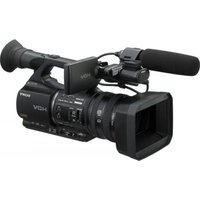
PXW-FS7M2K - Video camera SONY - Free user manual and instructions
Find the device manual for free PXW-FS7M2K SONY in PDF.


Pick your language and provide your email: we'll send you a specifically translated version.
| Product Type | Professional 4K Camcorder |
| Lens Mount | Sony E-mount |
| Image Sensor | Super 35mm Exmor CMOS sensor |
| Included Lens | Sony 18-110mm F4 (SELP18110G) |
| Video Resolution | Up to 4K (3840 x 2160) and Full HD |
| Frame Rates | 4K up to 60 fps; Full HD up to 180 fps |
| Recording Media | XQD and SD cards (with adapter) |
| Memory Card Slots | Dual media slots (XQD/SD) |
| Viewfinder | 0.7-inch OLED color viewfinder |
| LCD Display | 3.5-inch touchscreen LCD monitor |
| Audio Inputs | Dual XLR 3-pin connectors with two channels |
| Built-in ND Filters | Yes (optical ND filter wheel) |
| Stabilization | Optical SteadyShot (lens dependent) |
| Wireless Connectivity | Wi-Fi and NFC |
| Power Supply | BP-U series battery or XLR AC adapter |
| Dimensions (W x H x D) | Approx. 175 x 191 x 352 mm |
| Weight | Approx. 2.0 kg (body only) |
| Operating Temperature | 0°C to +40°C |
| Cleaning and Maintenance | Regular sensor cleaning with blower and lens maintenance |
| Spare Parts and Repairability | Official Sony service centers and spare parts network |
Frequently Asked Questions - PXW-FS7M2K SONY
How do I update the firmware on my PXW-FS7M2K?
Check the Sony support website for the latest firmware version. Download the update file to an SD card, insert it into the camera, and use the Camera Menu → System Settings → Version to install the update.
Can I record in 4K at 60fps?
Yes, the PXW-FS7M2K supports 4K recording at up to 60 frames per second in the XAVC-I format, providing high-quality slow-motion capture.
How do I use the ND filters?
Use the ND filter wheel located on the side of the camera. Turn it to select different ND densities (e.g., 1/4, 1/16, 1/64) to control exposure in bright conditions.
Does the camera support Wi-Fi control?
Yes, the PXW-FS7M2K has built-in Wi-Fi and NFC. Use the Sony Content Browser Mobile app to remotely control the camera and transfer files.
What battery should I use?
The camera uses BP-U series batteries (e.g., BP-U60, BP-U90). Ensure the battery is compatible with Sony's L-series mount and charge it fully before use.
How can I clean the image sensor?
Turn off the camera and remove the lens. Use a sensor blower to gently remove dust. For stubborn spots, use a specially designed sensor cleaning swab. Avoid touching the sensor.
What memory cards are compatible?
The camera accepts XQD memory cards for reliable high-bitrate recording. You can also use SD cards (UHS-II recommended) with an adapter in the media slots.
How do I set the timecode and user bit?
Navigate to Timecode in the camera settings. You can set the timecode to free-run or record-run, and configure the user bit for frame identification. Use the touchscreen or physical buttons.
Is the camera weather-sealed?
The PXW-FS7M2K features a dust and moisture-resistant design, but it is not fully waterproof. Use appropriate protective covers in extreme conditions.
How do I adjust the audio levels for external microphones?
Connect external microphones to the XLR inputs. Set the input mode to MIC or LINE depending on the source, and adjust the audio levels in the Audio menu manually or with AGC.
User questions about PXW-FS7M2K SONY
0 question about this device. Answer the ones you know or ask your own.
Ask a new question about this device
No questions yet. Be the first to ask one.
Download the instructions for your Video camera in PDF format for free! Find your manual PXW-FS7M2K - SONY and take your electronic device back in hand. On this page are published all the documents necessary for the use of your device. PXW-FS7M2K by SONY.
USER MANUAL PXW-FS7M2K SONY
Manual assistant
Powered by Anthropic
Waiting for your message
Product information
Brand : SONY
Model : PXW-FS7M2K
Category : Video camera