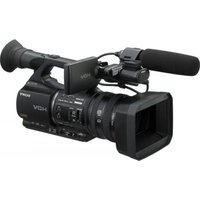
SLV-SE220B - Video camera SONY - Free user manual and instructions
Find the device manual for free SLV-SE220B SONY in PDF.


Pick your language and provide your email: we'll send you a specifically translated version.
| Product type | VHS video cassette recorder (VCR) |
| Brand | Sony |
| Model | SLV-SE220B |
| Video format | VHS (PAL) |
| Power supply | 220-240V AC, 50Hz |
| Power consumption | Approximately 18W |
| Dimensions (W x H x D) | 430 x 85 x 260 mm |
| Weight | 3.2 kg |
| Playback & recording system | VHS high-quality video and audio recording/playback |
| Tuner | Built-in TV tuner with 99-channel presets |
| Audio output | Monaural (single channel audio) |
| Video output | Composite video via SCART or RCA connectors |
| Recording features | One-touch recording (OTR), timer recording, SP/LP/EP speeds |
| Playback features | Auto tracking, still playback, search (CUE/REVIEW) |
| Connections | RF in/out, SCART (AV), mono audio/video inputs |
| Maintenance & cleaning | Use a dry head cleaning cassette and wipe the exterior with a soft, dry cloth |
| Safety | Disconnect from mains power before cleaning; do not expose to moisture |
| Spare parts & repairability | Refer to an authorized Sony service center for repairs and replacement parts |
| General information | Includes user manual with 84 pages; free download in PDF format available |
Frequently Asked Questions - SLV-SE220B SONY
Is the Sony SLV-SE220B a video camera?
No, the SLV-SE220B is a VHS video cassette recorder (VCR) used for playing and recording video tapes.
How do I connect the VCR to my TV?
Connect the VCR to your TV using a SCART cable or via the RF coaxial connection. Insert one end into the VCR's SCART or RF OUT socket and the other into the corresponding TV input, then select the correct AV channel.
How do I set the clock on the Sony SLV-SE220B?
Press the MENU button on the remote control, navigate to CLOCK SET, and use the +/– buttons to adjust the date and time. Confirm each setting with OK.
How do I record a TV program using the timer?
Press MENU, go to TIMER REC, and enter the channel, date, start and end times. Insert a tape with sufficient recording time and make sure the VCR is in standby mode for automatic recording.
What should I do if the tape playback is noisy or unclear?
First, activate auto tracking by pressing the TRACKING button to automatically optimize playback. If the problem persists, clean the video heads using a dry head cleaning cassette.
Can I use this VCR to record from external devices like a camcorder?
Yes, connect your camcorder to the AV input on the front or rear of the VCR using an RCA or SCART cable, then set input source to AV and press REC.
How do I change the VCR's tuning to receive my local channels?
Use the AUTO TUNE function in the menu. The VCR will scan available frequencies and store all active TV channels. You can also manually add or skip channels using MANUAL TUNE.
What does SP, LP, and EP mean on the SLV-SE220B?
These are recording speed options: SP (standard play) offers the best quality with 2 hours on a 120-minute tape, LP gives 4 hours, and EP extends to 6 hours with reduced quality.
Why is there no sound during playback?
Check if the audio cables are properly connected to the TV. If using RF, ensure the TV is on the correct channel. Also verify that the tape is not recorded in a different audio system and that the VCR's volume is not muted.
How do I clean the VCR?
Unplug the VCR first. Use a soft, dry cloth to wipe the exterior. For the video heads, insert a dry cleaning cassette and let it run for a few seconds. Never use liquids or spray cleaners.
User questions about SLV-SE220B SONY
0 question about this device. Answer the ones you know or ask your own.
Ask a new question about this device
No questions yet. Be the first to ask one.
Download the instructions for your Video camera in PDF format for free! Find your manual SLV-SE220B - SONY and take your electronic device back in hand. On this page are published all the documents necessary for the use of your device. SLV-SE220B by SONY.
USER MANUAL SLV-SE220B SONY
Manual assistant
Powered by Anthropic
Waiting for your message
Product information
Brand : SONY
Model : SLV-SE220B
Category : Video camera