GS 130 Europe - Browser DANEW - Free user manual and instructions
Find the device manual for free GS 130 Europe DANEW in PDF.


Pick your language and provide your email: we'll send you a specifically translated version.
| Product Type | GPS Navigation Device |
| Brand | Danew |
| Model | GS 130 Europe |
| Display Size | 4.3 inches |
| Display Type | Touchscreen TFT LCD |
| Screen Resolution | 480 x 272 pixels |
| GPS Receiver | High-sensitivity 51-channel GPS |
| Preloaded Maps | Detailed maps of 43 European countries |
| Map Updates | Updates available via PC download |
| Internal Memory | 4 GB flash storage |
| Expandable Memory | microSD card slot up to 32 GB |
| Battery Type | Rechargeable lithium-ion 950 mAh |
| Battery Life | Up to 3 hours continuous use |
| Power Supply | DC 12V car charger and USB cable |
| Dimensions | 121 x 76 x 15 mm |
| Weight | 150 g |
| Voice Guidance | Spoken street names and turn-by-turn directions |
| Safety Functions | Speed camera and hazard zone alerts |
| Additional Features | Lane guidance, 2D/3D map display, POI search |
| Connectivity | USB 2.0, microSD slot, 3.5 mm audio jack |
| Mounting | Windshield suction cup mount included |
| Languages Supported | Multi-language interface and voice support |
| Cleaning and Maintenance | Wipe with a soft dry cloth; avoid solvents |
| Operating Temperature | 0°C to 60°C |
| Repairability | Battery and microSD card user-replaceable |
Frequently Asked Questions - GS 130 Europe DANEW
How do I update the maps on my GS 130 Europe?
Connect the device to your computer via USB, then launch the Danew update tool. Download and install the latest map updates from the official website. Make sure the battery is charged or the device is connected to the car charger during the update.
What should I do if the GPS signal is weak?
Ensure the device has a clear view of the sky, away from tall buildings or dense trees. Verify that the GPS antenna is not obstructed and that the device is placed on the dashboard. Also, check if the battery level is sufficient, as low power can affect reception.
Can I add custom points of interest (POIs)?
Yes, you can import custom POI files in GPX or CSV format via the USB connection. Create a folder named 'POI' in the internal memory or microSD card, copy your files there, and the device will recognize them during navigation.
How do I perform a factory reset?
Go to Settings in the main menu, select 'Reset', and confirm the action. This restores the device to its original factory settings and clears any personalized data. Backup your important info first, as all data will be erased.
Is the battery removable?
Yes, the battery is user-replaceable. Turn off the device, open the rear cover, and gently disconnect the battery connector. Use only a compatible replacement battery from Danew or an authorized dealer.
How do I attach the windshield mount?
Clean the windshield surface, press the suction cup firmly against the glass, and flip the lever to lock it in place. Adjust the mount angle for optimal viewing. Ensure the device clicks securely into the cradle before driving.
Does this model support Bluetooth hands-free calling?
No, the GS 130 Europe does not have Bluetooth functionality. It is a standalone navigation device without hands-free call capability. You can still use auxiliary audio via the headphone jack for voice prompts.
Can I set my home address for quick navigation?
Absolutely. Enter 'Settings' and select 'Home Address'. Enter your desired address using the on-screen keyboard, save it, and it will appear as a dedicated shortcut on the main menu for one-tap route planning.
What should I do if the touchscreen becomes unresponsive?
First, try cleaning the screen with a soft microfiber cloth to remove dust or smudges. If the issue persists, restart the device by holding the power button for 10 seconds. Finally, perform a factory reset if needed, as a software glitch may be the cause.
Can I use this navigator in countries outside Europe?
The device comes preloaded with detailed maps of 43 European countries. For non-European regions, you would need to purchase additional maps if available from Danew. However, the device is designed primarily for use within Europe.
User questions about GS 130 Europe DANEW
0 question about this device. Answer the ones you know or ask your own.
Ask a new question about this device
No questions yet. Be the first to ask one.
Download the instructions for your Browser in PDF format for free! Find your manual GS 130 Europe - DANEW and take your electronic device back in hand. On this page are published all the documents necessary for the use of your device. GS 130 Europe by DANEW.
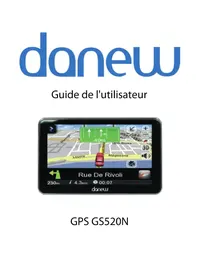
USER MANUAL GS 130 Europe DANEW



Manual assistant
Powered by Anthropic
Waiting for your message
Product information
Brand : DANEW
Model : GS 130 Europe
Category : Browser