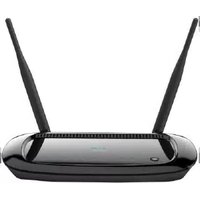
SP-688 - Router ENGENIUS - Free user manual and instructions
Find the device manual for free SP-688 ENGENIUS in PDF.


Pick your language and provide your email: we'll send you a specifically translated version.
| Product Type | Wireless Router |
| Brand | EnGenius |
| Model | SP-688 |
| Wireless Standard | IEEE 802.11ac/a/b/g/n |
| Frequency Band | Dual-band (2.4 GHz + 5 GHz) |
| Max Wireless Speed | 1200 Mbps |
| Antennas | 4 x 5 dBi external antennas |
| Ports | 1 x Gigabit WAN, 4 x Gigabit LAN |
| Buttons | Reset, WPS |
| LED Indicators | Power, WAN, LAN1-4, Wireless |
| Power Supply | 12V DC 1.5A adapter |
| Power Consumption | < 12W |
| Dimensions | 230 x 165 x 35 mm (approx.) |
| Weight | 520 g (approx.) |
| Security Methods | WPA2-PSK, WPA3-PSK, WPA-Enterprise, MAC filtering |
| Management | Web-based GUI, SNMP, QoS |
| Operating Temperature | 0°C - 40°C |
| Storage Humidity | 10% - 90% non-condensing |
| Maintenance | Clean with soft dry cloth; avoid liquids and solvents |
| Repairability | No user-serviceable parts; contact EnGenius support |
| Certifications | FCC, CE, RoHS |
| Warranty | 1 year limited |
Frequently Asked Questions - SP-688 ENGENIUS
How do I reset the EnGenius SP-688 router to factory defaults?
Press and hold the Reset button on the back panel for about 10 seconds with a paperclip until the LED blinks. The router will restart and restore factory settings.
What is the default IP address and login credentials?
The default IP is 192.168.0.1 and the default username and password are both 'admin'. Change them after the first login for security.
How can I change the wireless SSID and password?
Access the web interface, go to Wireless Settings, modify the SSID and passphrase, then save and apply the changes.
What wireless security modes are supported?
The router supports WPA2-PSK, WPA3-PSK, and WPA-Enterprise, providing strong encryption and authentication for your network.
Can I use the SP-688 as an access point?
Yes, the router can be switched to Access Point mode via the web management interface, allowing it to extend an existing wired network.
How do I update the firmware?
Download the latest firmware from the EnGenius support site, then go to System Tools -> Firmware Upgrade in the web interface and upload the file. Wait for the process to complete.
The internet connection is unstable. What should I do?
Check the WAN cable connection, restart the modem and router, and verify the WAN settings in the admin page. You may also try changing the Ethernet cable.
How do I set up parental controls?
Use the Access Control section in the web interface to block specific websites by keywords or URLs, and set time limits for connected devices.
Does the router support guest networks?
Yes, you can enable a Guest SSID in the wireless settings. This isolates guest traffic from your main network for enhanced security.
What is the maximum wireless range of the SP-688?
With its external antennas, the router can cover a typical home area of about 200 square meters. Actual range depends on obstacles and interference.
User questions about SP-688 ENGENIUS
0 question about this device. Answer the ones you know or ask your own.
Ask a new question about this device
No questions yet. Be the first to ask one.
Download the instructions for your Router in PDF format for free! Find your manual SP-688 - ENGENIUS and take your electronic device back in hand. On this page are published all the documents necessary for the use of your device. SP-688 by ENGENIUS.
USER MANUAL SP-688 ENGENIUS
Manual assistant
Powered by Anthropic
Waiting for your message
Product information
Brand : ENGENIUS
Model : SP-688
Category : Router