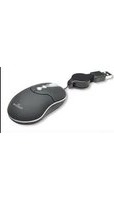
176828 - Mouse MANHATTAN - Free user manual and instructions
Find the device manual for free 176828 MANHATTAN in PDF.


Pick your language and provide your email: we'll send you a specifically translated version.
| Product Type | Mouse |
| Brand | Manhattan |
| Model | 176828 |
| Connectivity Technology | Wired |
| Interface | USB Type-A |
| Sensor Type | Optical |
| Resolution | 1000 DPI |
| Number of Buttons | 3 (left, right, scroll wheel) |
| Scroll Wheel | Yes |
| Cable Length | 1.5 m |
| Compatibility | Windows, macOS, Linux |
| Dimensions (L x W x H) | 11 cm x 6 cm x 3.5 cm |
| Weight | 90 g |
| Power Source | USB powered |
| Color | Black |
| Design | Ambidextrous |
| Installation | Plug and Play |
| Maintenance | Wipe with dry cloth |
| Safety Certifications | CE, FCC |
| Spare Parts | None (integrated component) |
| Repairability | Not user-serviceable |
| General Information | Standard optical mouse for office and home use |
Frequently Asked Questions - 176828 MANHATTAN
How do I install the Manhattan 176828 mouse?
The mouse is plug and play. Simply connect the USB cable to your computer and the device will be recognized automatically. No additional drivers are required.
Is the Manhattan 176828 mouse compatible with Mac?
Yes, the mouse is compatible with macOS, Windows, and Linux operating systems. Simply connect the USB, and the mouse works without installing extra software.
What is the DPI of the mouse?
The optical sensor has a resolution of 1000 DPI, which provides smooth and precise cursor movement suitable for everyday tasks.
How should I clean the mouse?
Disconnect the mouse from the computer, then use a soft dry cloth to wipe the exterior. For the sensor, gently clean it with a cotton swab to remove dust. Do not use liquids directly.
What should I do if the cursor jumps or moves erratically?
First, check the sensor lens for dirt and clean it. Ensure you are using the mouse on a suitable surface, such as a mouse pad. If the problem continues, try connecting to another USB port or restarting your computer.
Can I use the mouse on any surface?
The optical sensor works on most non-transparent surfaces such as wood, cloth, and plastic. However, for optimal performance, use a mouse pad. Glossy or glass surfaces may affect tracking.
Does the mouse require batteries?
No, the Manhattan 176828 is a wired mouse and draws power directly from the USB port, so no batteries are needed.
How long is the USB cable?
The cable length is approximately 1.5 meters, giving you enough flexibility to connect to your computer.
Is this mouse suitable for gaming?
The Manhattan 176828 is designed for office and everyday use. While it can handle casual gaming, its 1000 DPI and standard buttons are not optimized for fast-paced gaming. For gaming, a mouse with higher DPI and additional buttons is recommended.
What are the dimensions and weight of the mouse?
The mouse measures about 11 cm x 6 cm x 3.5 cm (LxWxH) and weighs approximately 90 grams, making it compact and lightweight for easy handling.
User questions about 176828 MANHATTAN
0 question about this device. Answer the ones you know or ask your own.
Ask a new question about this device
No questions yet. Be the first to ask one.
Download the instructions for your Mouse in PDF format for free! Find your manual 176828 - MANHATTAN and take your electronic device back in hand. On this page are published all the documents necessary for the use of your device. 176828 by MANHATTAN.
USER MANUAL 176828 MANHATTAN


Manual assistant
Powered by Anthropic
Waiting for your message
Product information
Brand : MANHATTAN
Model : 176828
Category : Mouse