
MO1 177979 - Mouse MANHATTAN - Free user manual and instructions
Find the device manual for free MO1 177979 MANHATTAN in PDF.


| Product Type | Mouse |
| Brand | Manhattan |
| Model | MO1 177979 |
| Interface | USB (wired) |
| Sensor Type | Optical |
| Number of Buttons | 3 (left, right, scroll wheel click) |
| Scroll Wheel | Yes |
| DPI | 1000 |
| Cable Length | 1.5 m |
| Compatibility | Windows, macOS, Linux |
| Color | Black |
| Dimensions (L x W x H) | 10.5 x 6.5 x 3.5 cm |
| Weight | 80 g |
| Power Source | USB bus power |
| Operating Temperature | 0-40°C |
| Certifications | CE, FCC |
| Warranty | 1 year |
Frequently Asked Questions - MO1 177979 MANHATTAN
User questions about MO1 177979 MANHATTAN
0 question about this device. Answer the ones you know or ask your own.
Ask a new question about this device
Download the instructions for your Mouse in PDF format for free! Find your manual MO1 177979 - MANHATTAN and take your electronic device back in hand. On this page are published all the documents necessary for the use of your device. MO1 177979 by MANHATTAN.
USER MANUAL MO1 177979 MANHATTAN
WARRANTY INFORMATION
English: For warranty information, go to www.manhattan-products.com/warranty.
This equipment has been tested and found to comply with the limits for a Class Bigital device, pursuant to Part 15 of Federal Communications Commission (FCC) Rules. These limits are designed to provide reasonable protection against harmful interference in a residential installation. This equipment generates, uses and can rotate arc of frequency energy, and if not installed and used in accordance with the instructions may cause harmful interference or radio communications. However, there is no guarantee that interference will not occur in a particular installation. If this equipment does cause harmful interference to radio or television on recreation, which can be determined by turning the equipment off and on, the user is encouraged to try to correct the interference by one or more of the following measures: recurrent or relocate the receiving antenna, increase the separation between the equipment and the receiver; connect the equipment to an outlet on a circuit different from the receiver; or consult the dealer or an experience radio/TV technician for help.
CE/R&TTE
English: This device complies with the requirements of the R&TE Directive 1999/5/EC.

North & South America
CINTRACOMAMERICAS
550 Commerce Bvd.
Olsomar E. 34677
USA
Asia & Africa
ICINTRACOMAS
Far Eastern Technology Center
7-F No. 125, Section 2 Da long Rd.
Shir, Taipei
Laiwari, SOC
Europe
IC INTRACOM EUROPE
Luhbacher Str. 7
D.58553 Halve
Germany
All trademarks and trade names are the property of their respective owners.
© IC INTRACOM. All rights reserved. MANHATTAN is a trademark of ICINIPACOM, registered in the U.S. and other countries.
Simply plug the mouse into an available USB port. The computer operating system will automatically detect the new device and install the proper driver(s).
Operation
A Right-click to view pop-up menus in your programs.
B Left-click to select on-screen options.
C Roll the scroll wheel forward or back to move through a document or screen. Keep the scroll wheel pressed down while moving the mouse to auto-scroll.
- The mouse will not work freely on a smooth desk, glass or any reflective surface or 3D mouse pad.
- If the computer doesn't detect the mouse, check the USB connection and the USB compatibility of your operating system (Windows XP/Vista/7 or Mac OS 9.0 and higher).
For specifications, go to www.manhattan-products.com.

www.manhattan-products.com
Disposal of Electric and Electronic Equipment (applicable in the European Union and other European countries with separate collection systems)
ENGLISH
This symbol on the product or its packaging indicates that this product shall not be treated as household waste. Instead, it should be taken to an applicable collection point for the recycling of electrical and electronic equipment. By ensuring this product is disposed of correctly, you
will help prevent potential negative consequences to the environment and human health, which could otherwise be caused by inapporoaricate waste handling of this product. If your equipment contains easily removable batteries or accumulators, dispose of these separately according to your local requirements. The recycling of materials will help to conserve natural resources. For more detailed information about recycling of this product, contact your local city office, your household waste disposal service or the shop where you purchased this product. In countries outside of the EU, if you wish to discard this product, contact your local authorial as for the correct manner of disposa
DEUTSCH

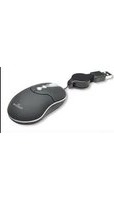
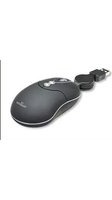

Brand : MANHATTAN
Model : MO1 177979
Category : Mouse