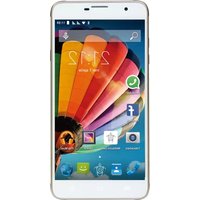
PhonePad G700 - Smartphone Mediacom - Free user manual and instructions
Find the device manual for free PhonePad G700 Mediacom in PDF.


Pick your language and provide your email: we'll send you a specifically translated version.
| Product type | Smartphone |
| Brand | Mediacom |
| Model | PhonePad G700 |
| Operating system | Android 4.4 KitKat |
| Screen | 7 inches, capacitive touchscreen, 1024 x 600 pixels resolution |
| Processor | Dual-core 1.2 GHz |
| RAM memory | 512 MB |
| Internal storage | 4 GB, expandable via microSD card |
| Network | 3G/HSPA+, Wi-Fi 802.11 b/g/n, Bluetooth 4.0 |
| Camera(s) | Rear camera 2 MP, front camera 0.3 MP |
| Connectivity | Micro-USB 2.0, 3.5 mm headphone jack |
| Battery | Lithium-ion 2500 mAh, 5V/1A charging |
| Dimensions | Approximately 188 x 108 x 11 mm |
| Weight | Approximately 270 g |
| Main functions | Phone, GPS, photo/video, media player, internet browsing |
| Care and cleaning | Turn off the device and use a soft, dry cloth. Do not use corrosive products. |
| Safety | Do not expose to water, excessive heat or shocks. Use only the original charger. |
| Spare parts and repairability | Removable battery, SIM card and microSD accessible under the cover. For any repair, contact the authorized after-sales service. |
| General information | User manual available for free download in PDF format at notice-facile.com. |
| Box contents | Smartphone, charger, USB cable, quick start guide. |
Frequently Asked Questions - PhonePad G700 Mediacom
How to turn on or off the Mediacom PhonePad G700?
To turn on the device, press and hold the Power button for a few seconds. To turn it off, press and hold the same button, then confirm the "Turn off" option.
How to insert the SIM card and memory card into the PhonePad G700?
Remove the back cover. Insert the SIM card into the designated slot, then the microSD card into its compartment. Replace the cover by pressing evenly.
How to transfer photos to a computer?
Connect the PhonePad G700 to a computer with a micro-USB cable. Select File Transfer (MTP) from the USB notifications, then copy your photos to the DCIM folder.
What to do if the touch screen stops responding?
Restart the device by holding down the Power button. If the problem persists, check that the protective film is not interfering with the screen, or perform a factory reset.
How to increase battery life?
Reduce the screen brightness, disable Wi-Fi, Bluetooth, and GPS when not in use, and close background applications via the task manager.
How to factory reset the PhonePad G700?
Go to Settings, then Backup & reset, and choose Factory data reset. This operation erases all data, remember to back up.
What are the compatible frequencies in France?
The PhonePad G700 works on GSM, WCDMA/3G networks at frequencies 850/900/1800/1900 MHz and 900/2100 MHz for 3G.
How to take a screenshot?
Press simultaneously the Power button and Volume down. The image is saved in the gallery.
Does the PhonePad G700 support Android updates?
System updates are installed via the About device settings, then Software update. You can also get updates from the manufacturer's website.
Where to find spare parts or have the device repaired?
Contact the Mediacom after-sales service or an authorized center. The removable battery is available as a spare part, but the screen and other components must be replaced by a professional.
User questions about PhonePad G700 Mediacom
0 question about this device. Answer the ones you know or ask your own.
Ask a new question about this device
No questions yet. Be the first to ask one.
Download the instructions for your Smartphone in PDF format for free! Find your manual PhonePad G700 - Mediacom and take your electronic device back in hand. On this page are published all the documents necessary for the use of your device. PhonePad G700 by Mediacom.
USER MANUAL PhonePad G700 Mediacom
Manual assistant
Powered by Anthropic
Waiting for your message
Product information
Brand : Mediacom
Model : PhonePad G700
Category : Smartphone